㧿㨑㨞㨢㨕㨏㨑 㧹㨛㨐㨑 㧹㨑㨚㨡
5GT
X
KEG/QF
G
/G
P
W
=?&KCI
=?.QI
=
?(CEVQ
T
[
+P
KV
K
CNK\
G
=
?0G
V
YQ
TM
=
?8G
T
UK
QP7R
=
?5[
UVGO+PH
QT
O
C
V
K
QP
=
?
'
/
%6GUV/
QF
G
=
?
&TKXG
=
?
*&&OQFG
*'.2=&190?='06?=07/?
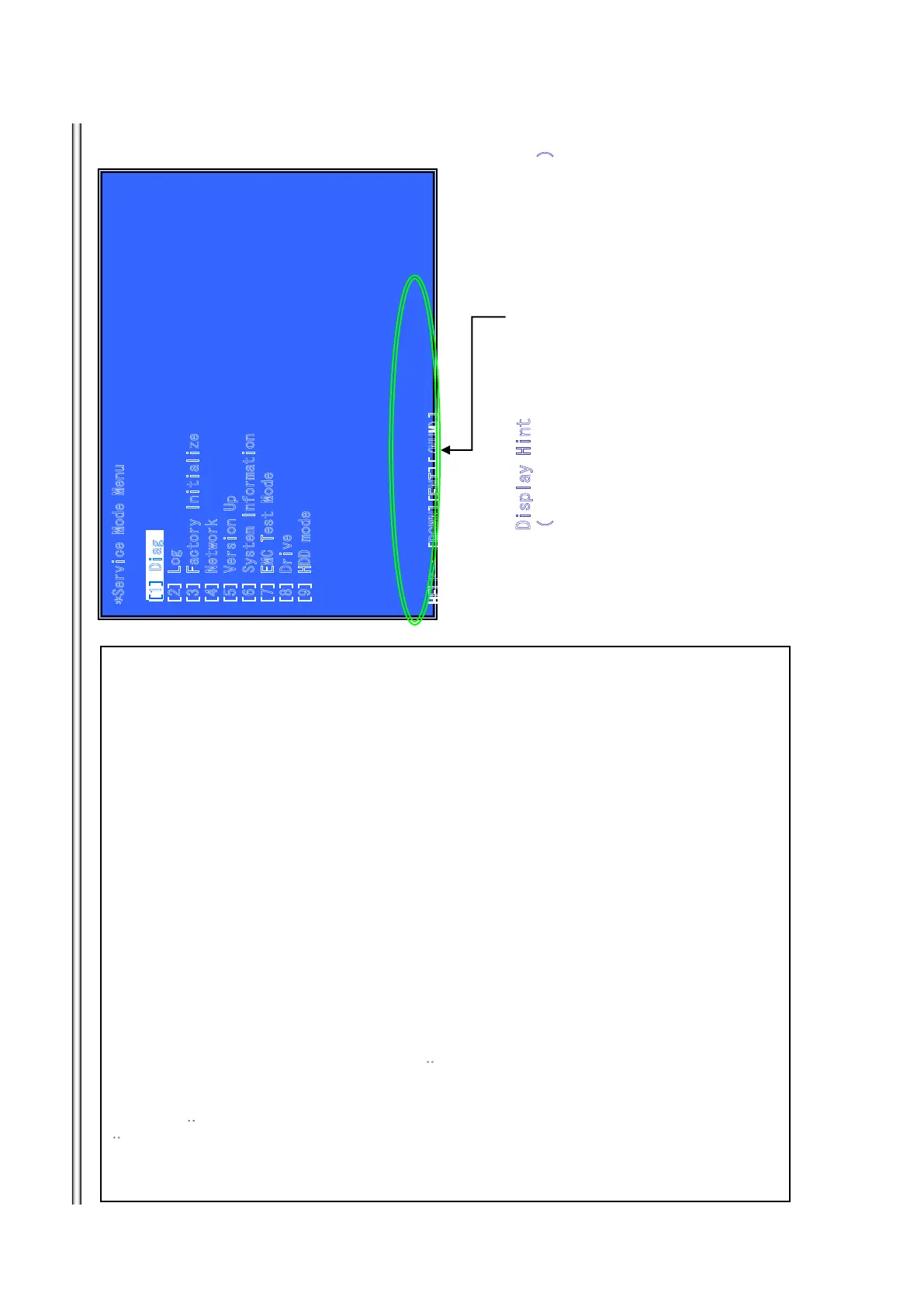
Outline㧦
Service Mode Top Menu
It selects to each function from here.
output HDMI/Component 480p forcibly.
Operation㧦
[1] Select and Activate Diag Menu.
[2] Select and Activate Log Menu,
[3] Select and Activate Factory Initialize Menu.,
[4] Select and Activate Network Menu
[5] Select and Activate Version Up 㧔DISC version Up㧕 Menu,
[6] Select and Activate System Information Menu.
[7] Select and Activate EMC Test Mode Menu. (not Used)
[8] Select and Activate Drive Menu.
[9] Select and Activate HDD mode. (not Used)
[UP] Move Up cursor
[DOWN] Move Down cursor
[ENT] Activate the
selected cursor.
*The cursor is not displayed when initial.
Front Panel Display㧦
If cursor or arbitrary menu keys are operated,
the character will output to a front panel display, respectively.
*the character string.
initial display SERVICE
Diag㧦 S-DIAG
Log㧦 S-LOG
TINIF-S:ezilaitinIyrotcaF
TEN-S:krowteN
PUV-SpU noisreV
System Information: S-INFO
CME-S:edoM tseT CME
VRD-S:evirD
DDH-S:
edom DDH
&KURNC[*KPV
The key in which the present use is possible
=?&KCI
7-4
BDP-BX38/S280/S380/S383



 To Next Page