&KCI/GPW6TCPUEQFGT 6GUV*&&OQFGNQPN[
Outline:
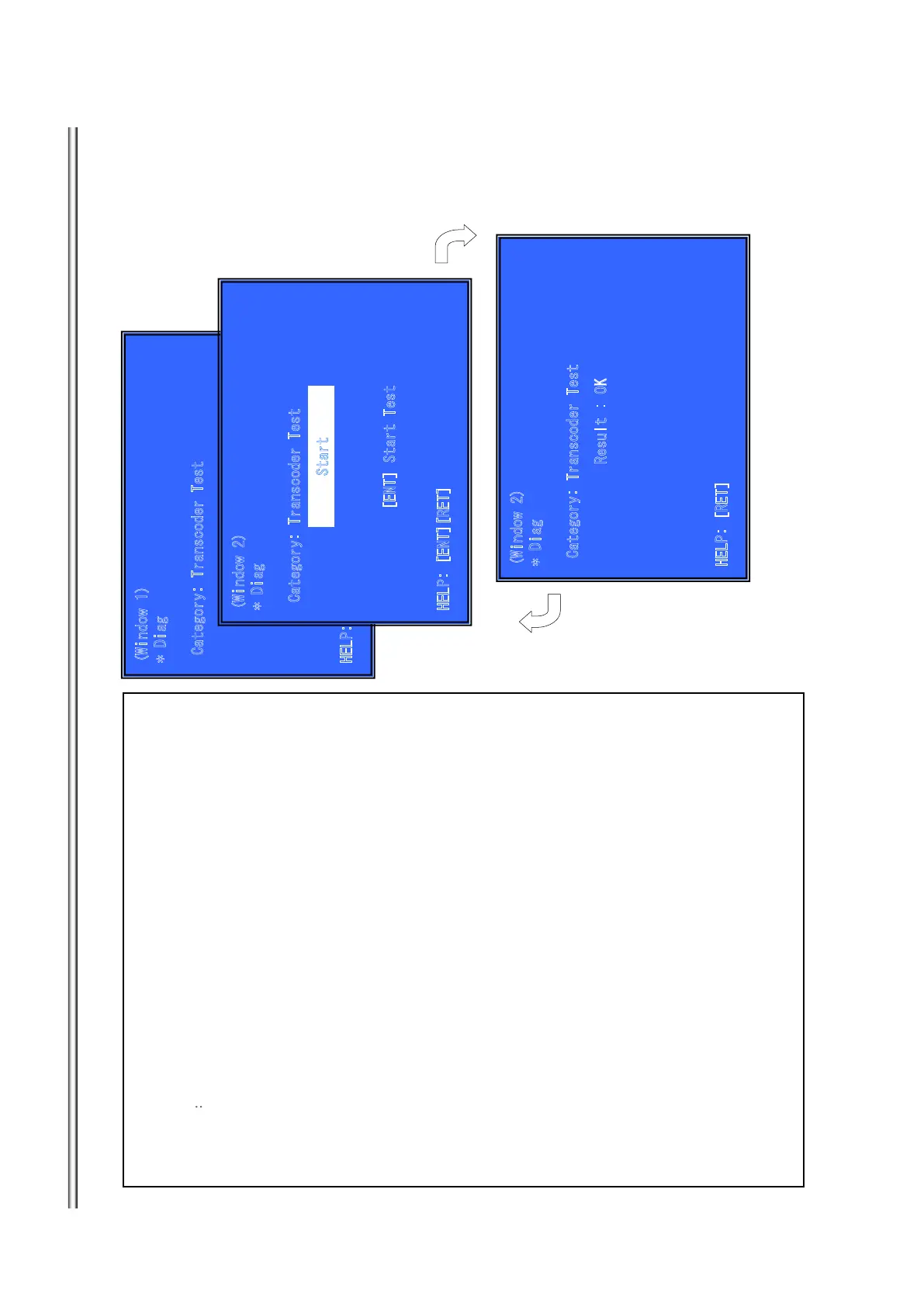
Activate Transcoder Test
(Window1 ) Select Transcoder Test Category
Operation㧦
[LEFT] [RIGHT] Select Category
[DOWN][ENT] Activate the selected Category.
[RET] Return to Service Top Menu.
(Window 2) Select Input Device
After “Transcoder Test” selects in window 1, the device to test is chosen.
Operation:
[ENT] Activate and Start Test/Stop
[RET] Return to test category selection.
>Transcoder Test:
passed through the input stream and outputs it.
1. Input test stream
2. Output it
3. compare OK or NG
Front Panel Display:
Transcoder Test Select: D-TRC
9KPFQY
&KCI
%CVGIQT[6TCPUEQFGT 6GUV
*'.
2
=.'(6?=4+)*
6
?=72?=&19
0
?='
0
6?=4'6?
9K
P
F
QY
&
K
CI
%CVGIQT[6TCPUEQFGT 6GUV
*'.2='06?=4'6?
5VC
T
V
='06?5VCTV6GUV
9KPFQY
&KCI
%CVGIQT[6TCPUEQFGT 6GUV
*'.2=4'6?
4
G
UWNV
1-
='06?
='06?
7-12
BDP-BX38/S280/S380/S383



 To Next Page