BDP-BX39/S390
7-8
DiagMenu (Video Test/ Audio Test)
Outline:
Activate Video Test and Audio Test
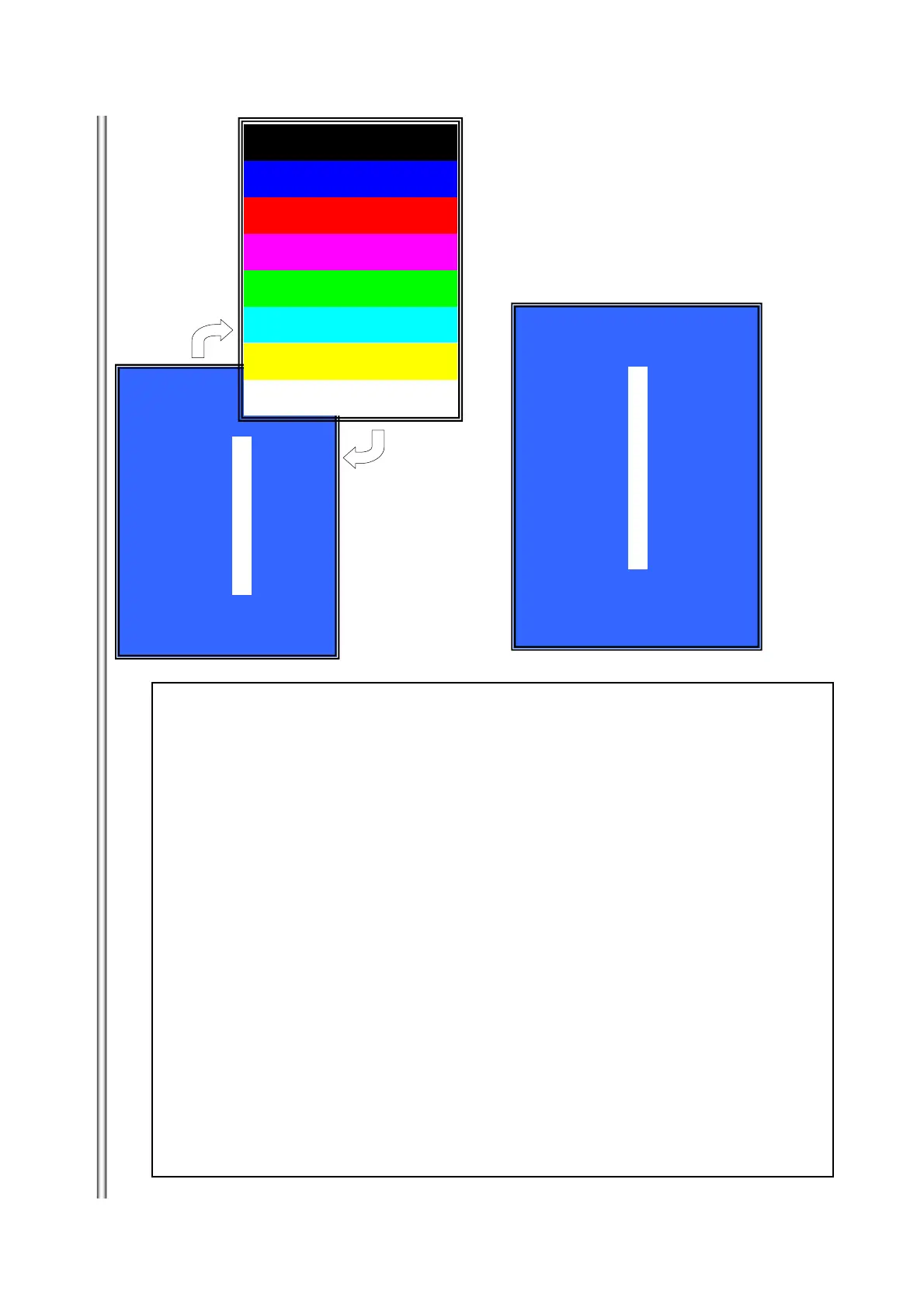
(Window 1)Select Video Test Category
Operation:
[ENT] Activate and display Color Bar
[UP][RET] Return to test category selection.
(Window 2)Display Color Bar
Operation
[ENT] Return to Select Video Test Category.
(Window3 ) Select Audio Test Category
Operation
[ENT] Play TONE Sound/Stop
[UP][RET] Return to Select Audio Test Category
>Video Test:
Color Bar output S terminal & composite & Component & HDMI.
>Audio Test;
TONE sound output ineOut(2ch)&/ SPDIF & HDMI.
(Window 1)
* Diag
Category: Video Test
HELP: [UP][ENT][RET]
(Window 3)
* Diag
Category: Audio Test
HELP: [UP][ENT][RET]
[ENT] Show Color Bar
[ENT] Generate TONE Sound
(Window 2)
[ENT]
[ENT]



 To Next Page