6-1
RDR-VX555
6. ALIGNMENT AND ADJUSTMENTS
6-1 VCR ADJUSTMENT
6-1-1 Reference
1) X-Point (Tracking center) adjustment, “Head switching adjustment” can be adjusted with remote control.
2) When replacing the VCR Main PCB Micom (IC601) and NVRAM (IC603A: EEPROM) be sure to adjust the “Head switching adjustment”.
3) When replacing the cylinder ass’y, be sure to adjust the “X-Point” and “Head switching adjustment”.
4) How to adjust.
- Intermittently short-circuit the Test Point on Function PCB with pincers to the adjustment mode.
- If the corresponding adjustment button is pressed, the adjustment is performed automatically.
- When the adjustment is completed, be sure to turn the power off.
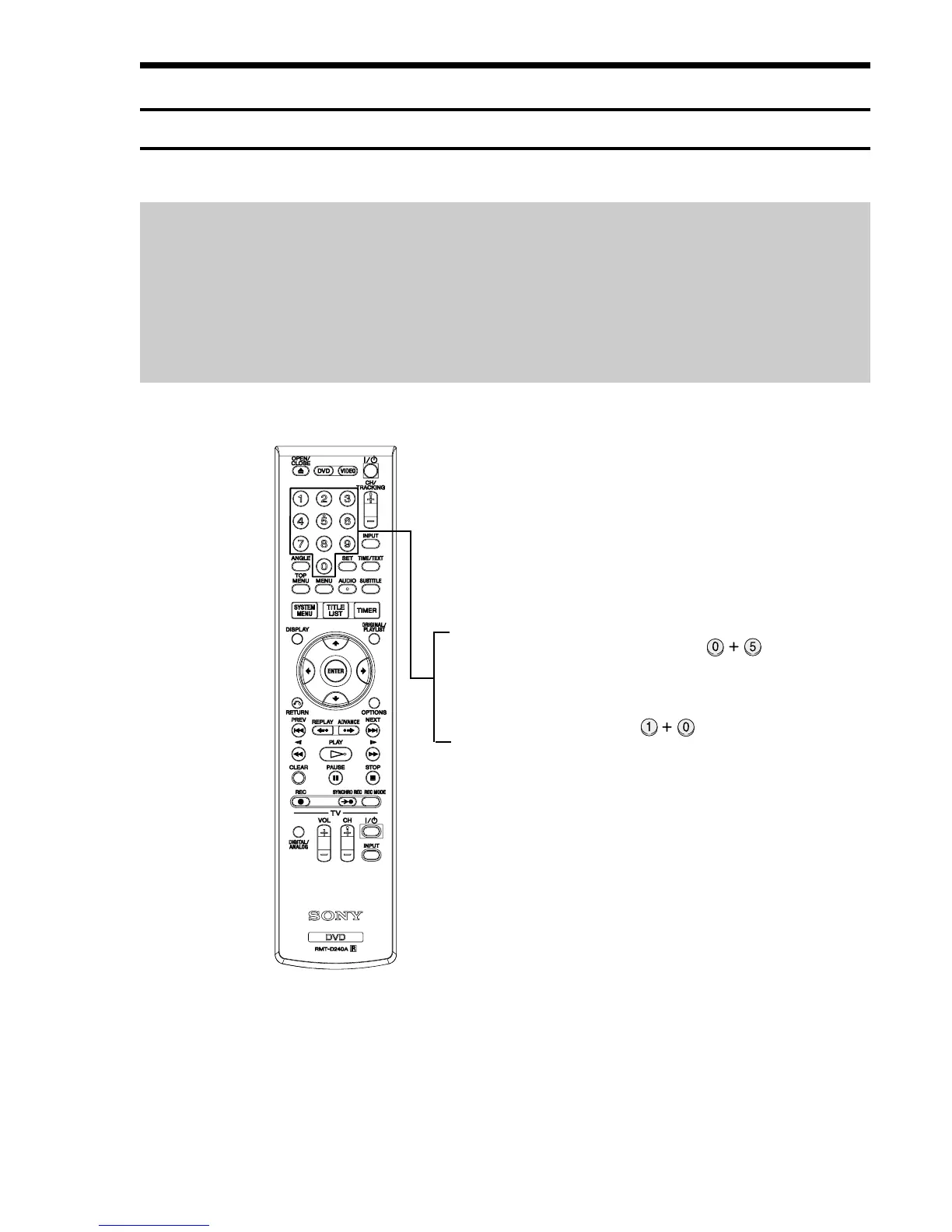
6-1-1(a) Location of adjustment button of remote control
Fig. 6-1
X-Point (Tracking Center) Adjustment ;
Head Switching Adjustment ;



 To Next Page