23
GB
Basic operations
Changing the display
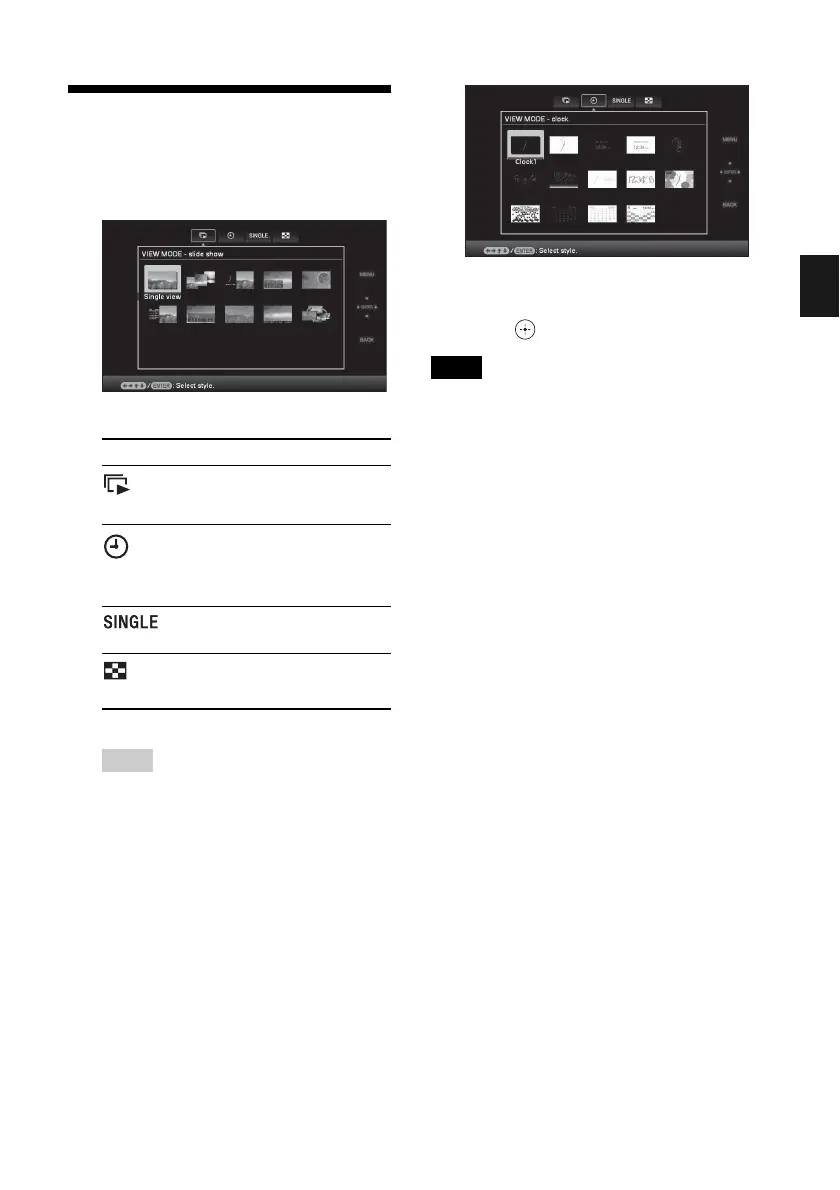
1 Press VIEW MODE.
The view mode screen is displayed.
2 Select the group you want.
Tip
Select the group you want using B/b after
moving the cursor to the group area using B/b/
v/V, when you operate the photo frame using
the buttons on the photo frame.
3 Press B/b/v/V or VIEW MODE to
select the style you want and then
press .
Note
You cannot select a group other than the Clock and
calendar display when there is no image stored in the
internal memory.
Group Explanation
Slideshow
Displays a slideshow display
style.
Clock and
calendar
Displays a clock or calendar
style.
Displays a single image
style.
Index
Displays a thumbnail list
style.











 To Next Page