27
GB
Basic operations
Index image display
Tips
• A thumbnail is a small-sized image for index use
that is recorded in the pictures taken by a digital
camera.
• If the power is on, and no memory card is inserted,
and no device is connected, the images in internal
memory are displayed. If no images are saved in
internal memory, demonstration mode starts
automatically. Demonstration mode ends if a button
other than 1 (on/standby) is pressed.
• You can select the single view mode when you
press on the photo frame when the image you
want appears in the index image display.
• You can use the VIEW MODE button on the photo
frame.
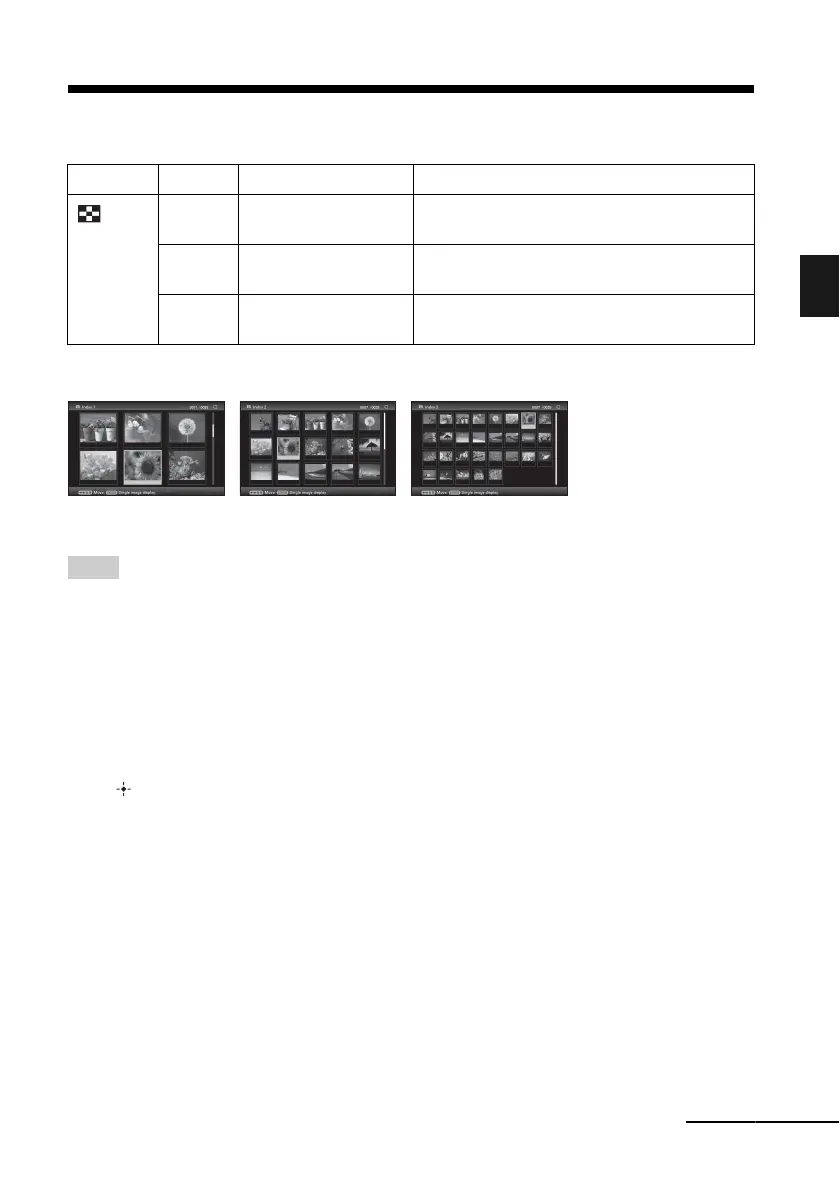
Group Image Style Explanation
Index
A
Index 1 Displays a list of large thumbnails. You can
select an image by pressing B/b/v/V.
B
Index 2 Displays a list of thumbnails. You can select an
image by pressing B/b/v/V.
C
Index 3 Displays a list of small thumbnails. You can
select an image by pressing B/b/v/V.
ABC
Continued











 To Next Page