EasyManua.ls Logo

Sony SAVA-7 - Using Mixing Function; Mixing

Sony SAVA-7
29 pages
Print Icon
To Next Page IconTo Next Page
To Previous Page IconTo Previous Page
Loading...
Using
Mixing
Function
;
———————SS—SSSSS
eee
Mixing
This
system
includes
a
mixing
function*.
For
example,
you
can
play
the
output
from
a
personal
computer
while
listening
to
a
CD.
Check
that
there
are
audio
sources
connected
to
both
sets
(1
and
2)
of
input
connectors
on
the
rear
panel.
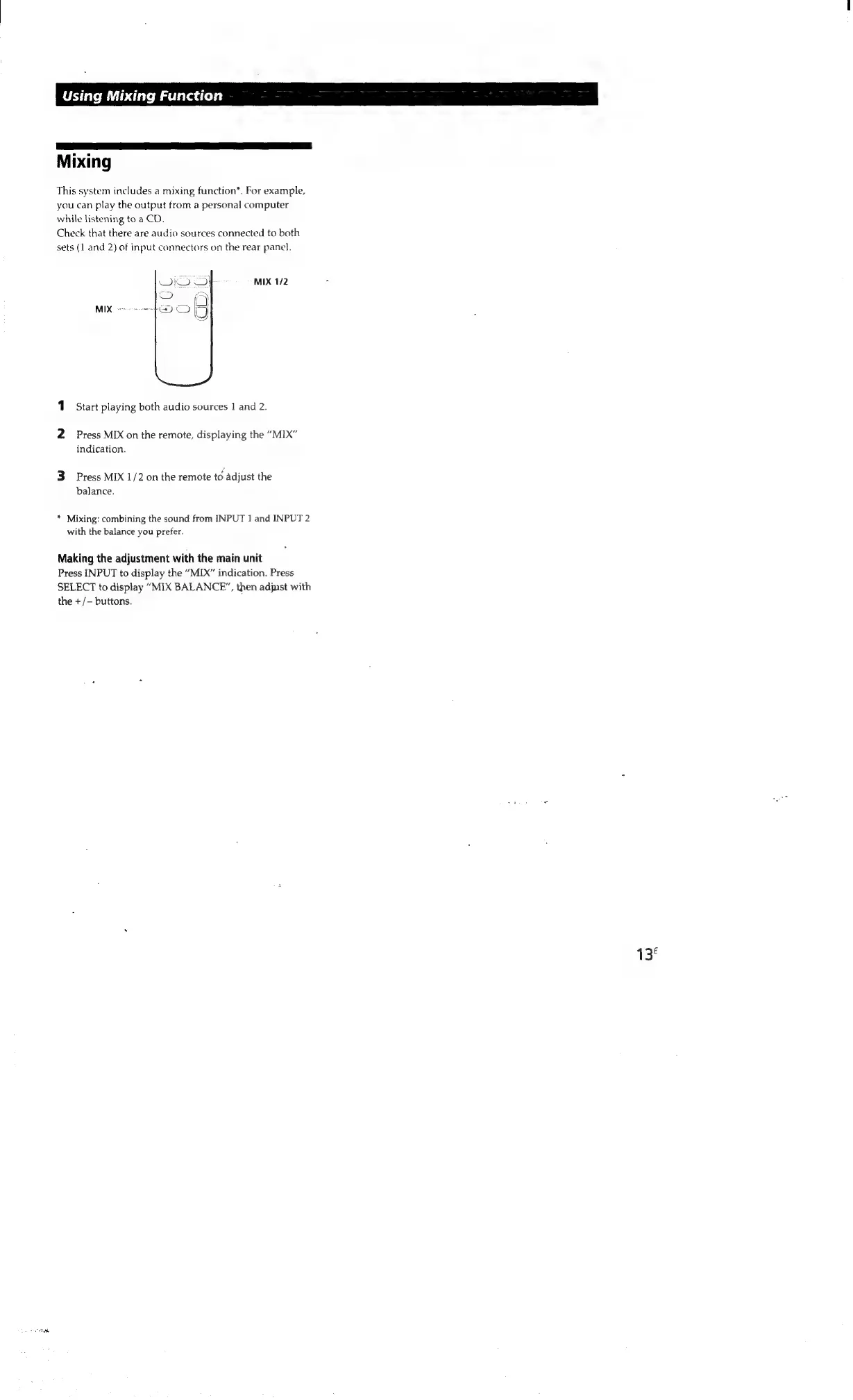
MIX
1/2
MIX
re
re
ee
1
Start
playing
both
audio
sources
1
and
2.
2
Press
MIX
on
the
remote,
displaying
the
“MIX”
indication.
3
Press
MIX
1/2
on
the
remote
to
adjust
the
balance.
*
Mixing:
combining
the
sound
from
INPUT
1
and
INPUT
2
with
the
balance
you
prefer.
Making
the
adjustment
with
the
main
unit
Press
INPUT
to
display
the
“MIX”
indication.
Press
SELECT
to
display
“MIX
BALANCE”,
then
adjust
with
the
+/-
buttons.
13

Other manuals for Sony SAVA-7

Related product manuals