16 US
B
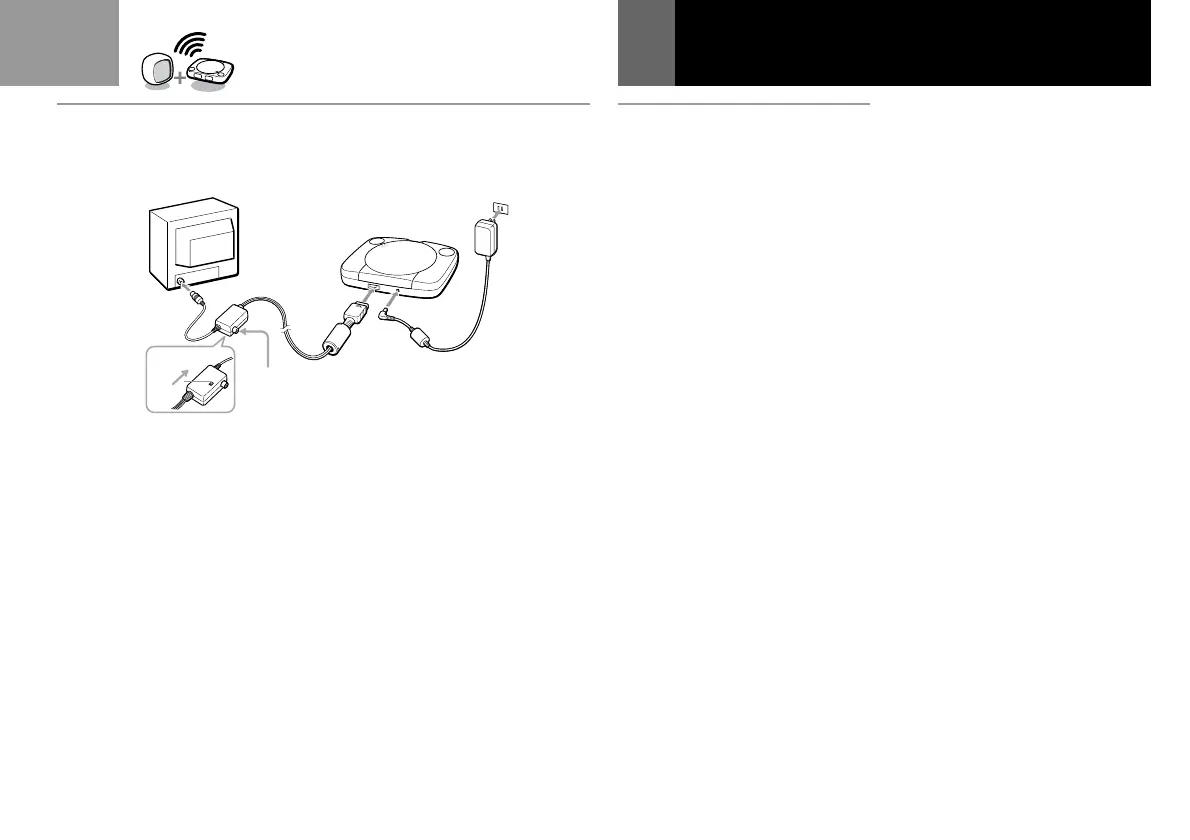
B Connecting to a TV with
an antenna input
Connect your PlayStation®
(PS one
™
) to the antenna input on
the TV using the optional SCPH-
10071 RFU adaptor (sold
separately). In this case, the sound
will be monaural.
After connecting
Set the channel switch on the RFU
adaptor and the channel selector of
your TV to VHF channel CH 3 or
CH 4, whichever is not active in
your area.
Connecting your PlayStation
®
(PS one
™
)
to a TV set (Continued)
CH3
CH4
ANT



 To Next Page