18 US
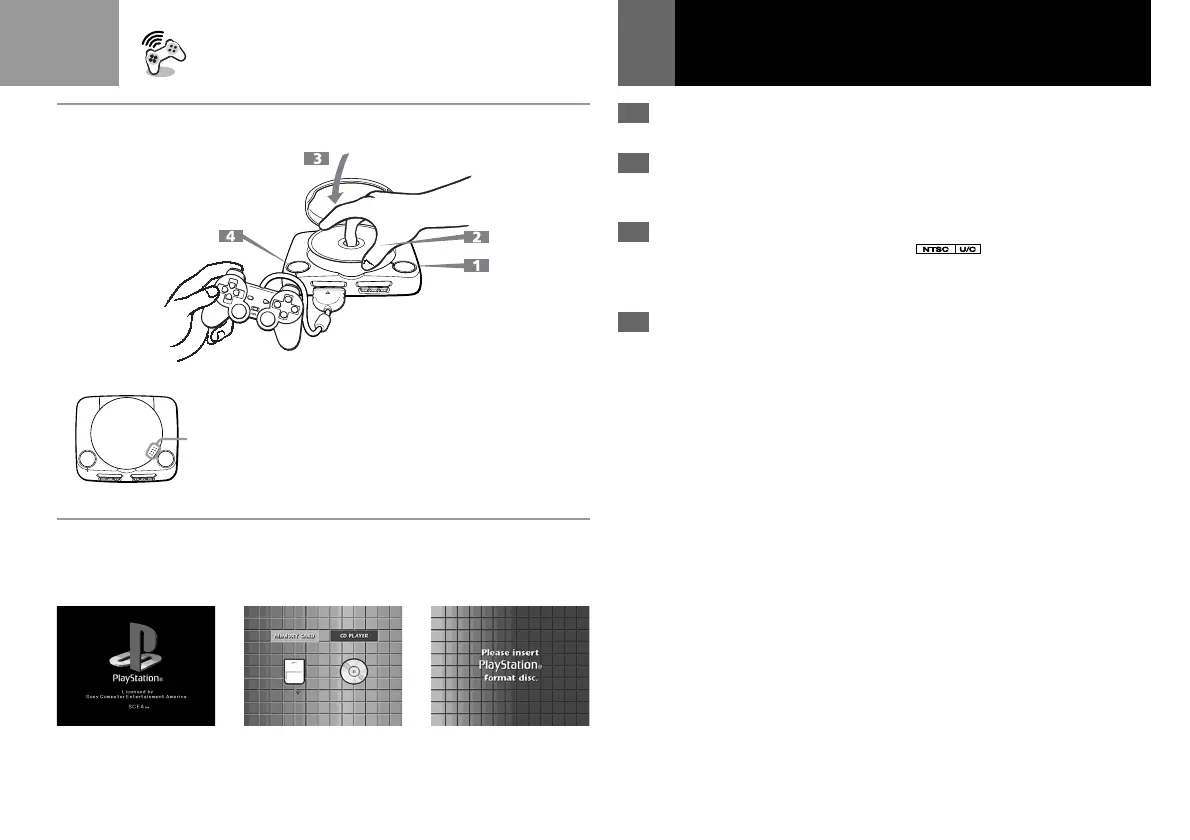
1 Press the A (open)
button.The disc cover opens.
2 Insert a disc in the disc
holder with the label side
up.
3 Close the disc cover.
When you close the disc
cover, close it firmly until it
clicks.
4 Press the ?/1/RESET button.
The ?/1 indicator lights up.
After the start-up screen,
screen 1 appears and the
game starts.
Set the supplied analog controller
(DUALSHOCK®) to the
appropriate mode for the software
(see page 22).
• When you close the disc cover, push here firmly until it
clicks.
• Lorsque vous refermez le compartiment à disque, appuyez
fermement ici jusqu'à ce que vous entendiez un clic.
• Cuando cierre la cubierta del disco, presione aquí
firmemente hasta que oiga un “clic”.
Playing a game
Tips
• You can also start the game by
inserting a PlayStation
® format CD-
ROM disc after screen 2 appears.
• If screen 3 appears, the disc that was
inserted may not be a PlayStation
®
format disc. Check to ensure that it
has both the PlayStation® logo and
designation on it.
• You can also play a game using the
optional Mouse (SCPH-1090U).
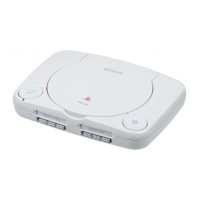
bWARNING
Before removing a disc, press the A
button and make sure that the disc
completely stops.
Never touch the disc while it is moving.
Otherwise, you may injure yourself and
may cause damage to the disc and/or
the PlayStation
® (PS one
™
).
(Continued)
123



 To Next Page