SDM-S71(E) 2-3
2-3. W/B ALIGNMENT PROCEDURE
A. Measurement Condition:
- Measurement point: Center of screen
- Measurement distance: 50 cm
- Measurement Angle: 90
B. Measurement equipment:
- Color Analyzer: Minolta CS-1000 or equivalent
- Signal Generator: VG-828D or equivalent
C. Alignment Procedure:
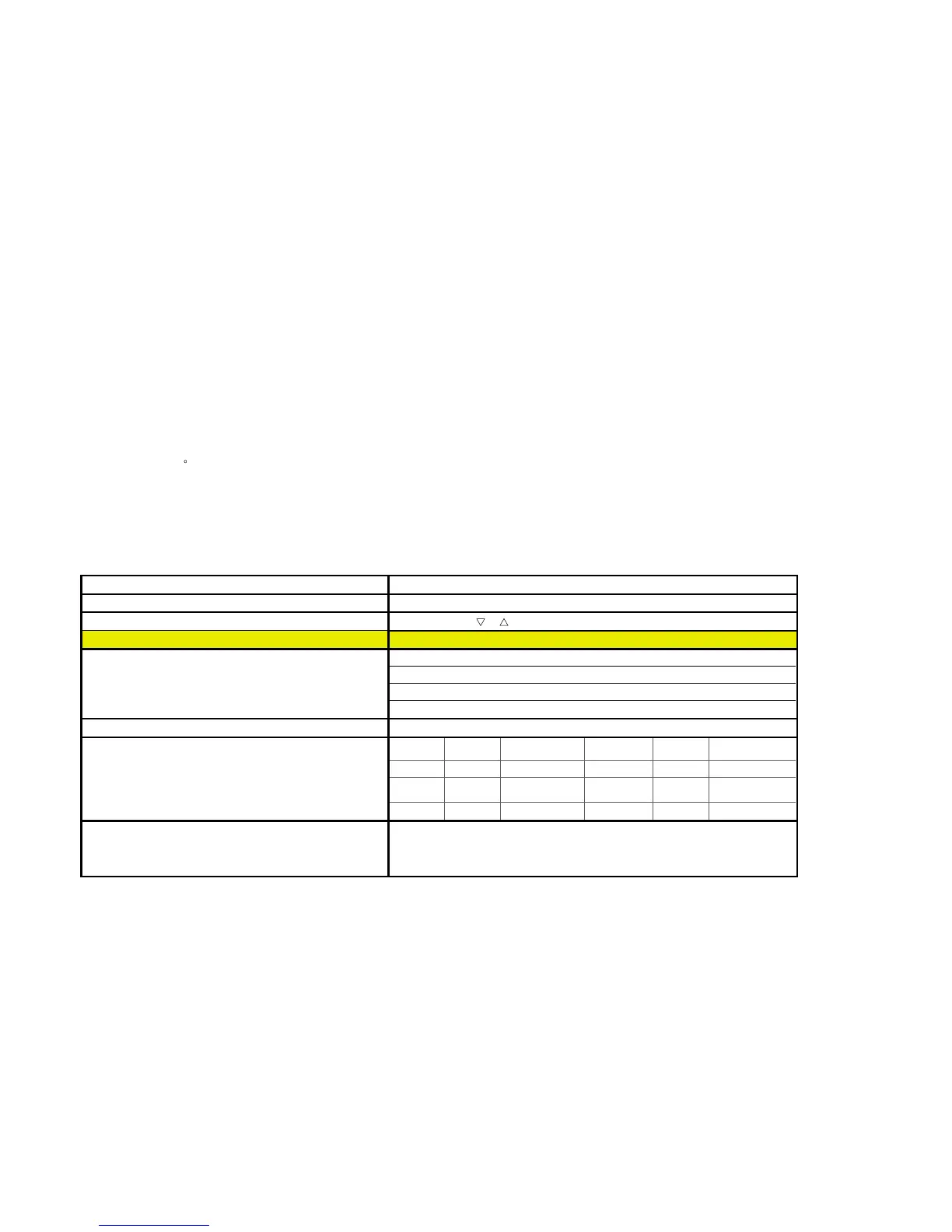
Alignment Procedure Parameter Setting & Specification
1. Aging: 30 minutes or more Burn-in mode: press "BRT"+"OK" then "Power ON"
2. Enter the “Service Mode”. Service mode: press "
"+" " then "Power ON"
3. RGB reset Maintains the configuration RGB reset.
4. Initial Data Setting: a. Brightness: 50
b. Contrast: 70
c. Sub-BRT (R/G/B): 26
d. Sub-CONT (R/G/B): 128
5. Input gray raster pattern 30 IRE (1280*1024, 80K/75Hz)
6. Adjust White Balance (9300K, 6500K & 5000K) and Luminance
(10 nits @ SONY CS-1000) by Sub-BRT
9300K 6500K 5000K Tolerance
x 0.2838 0.3132 0.3450 }0.003
Remark: In normally, adjust G for Luminance (Y), adjust R for x and adjust
B for y. y 0.2981 0.3297 0.3580 }0.003
Y 10 10 10 }0.7
7. All mode recall
All mode recall:
press"CONTRAST"
"Power ON"
+"OK" then



 To Next Page