EasyManua.ls Logo

Sony SL-C7E - Page 45

Sony SL-C7E
Print Icon
To Next Page IconTo Next Page
To Previous Page IconTo Previous Page
Loading...
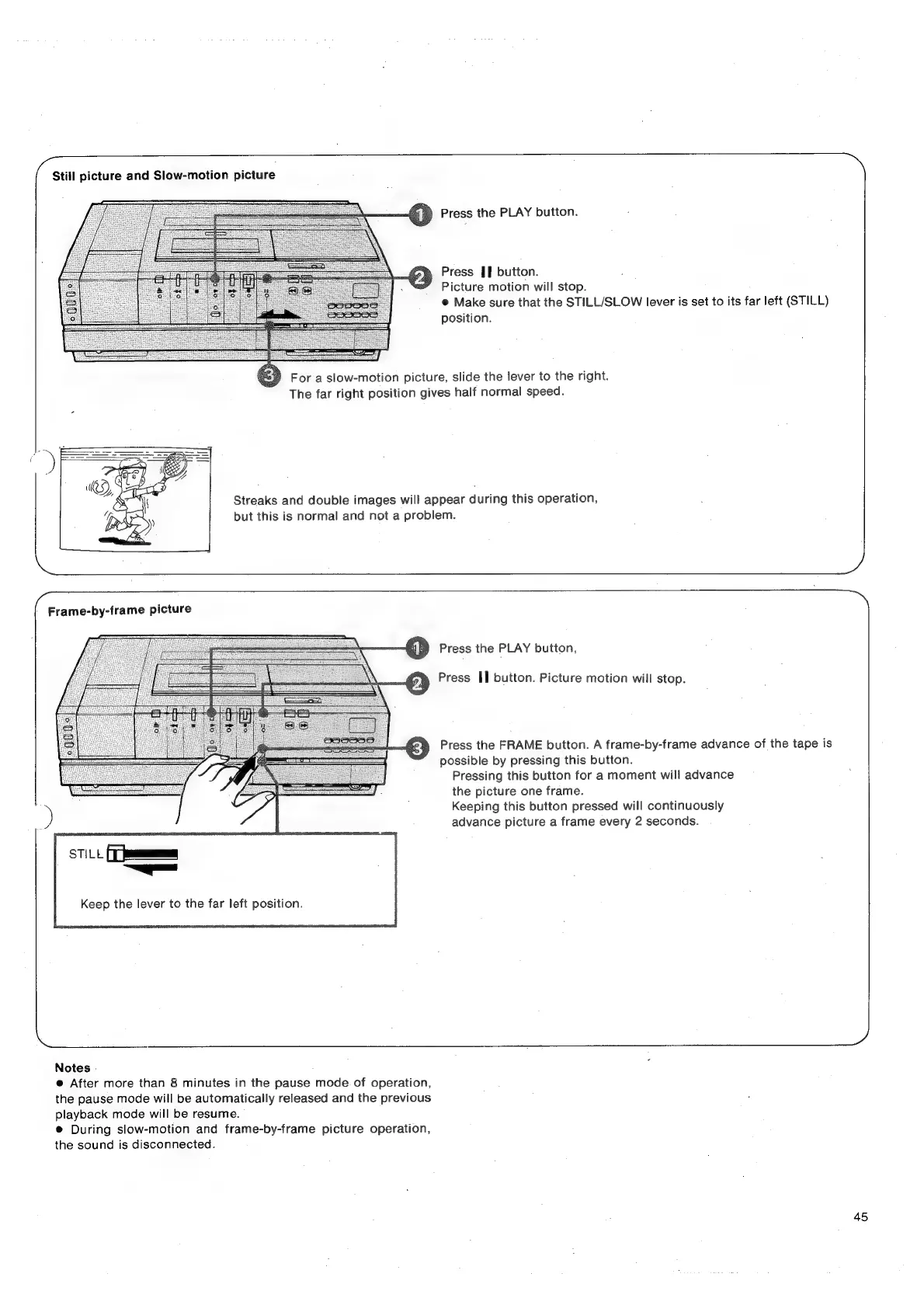
Still
picture
and
Slow-motion
picture
a
Press
the
PLAY
button.
Press
Jf
button.
Picture
motion
will
stop.
@
Make
sure
that
the
STILL/SLOW
lever
is
set
to
its
far
left
(STILL)
position.
For
a
slow-motion
picture,
slide
the
lever
to
the
right.
The
far
right
position
gives
half
normal
speed.
Streaks
and
double
images
will
appear
during
this
operation,
but
this
is
normal
and
not
a
problem.
Press
the
PLAY
button,
Press
II
button.
Picture
motion
will
stop.
Press
the
FRAME
button.
A
frame-by-frame
advance
of
the
tape
is
possible
by
pressing
this
button.
Pressing
this
button
for
a
moment
will
advance
the
picture
one
frame.
Keeping
this
button
pressed
will
continuously
advance
picture
a
frame
every
2
seconds.
Th
—_—
ea
Keep
the
lever
to
the
far
left
position.
Notes
-
®
After
more
than
8
minutes
in
the
pause
mode.
of
operation,
the
pause
mode
will
be
automatically
released
and
the
previous
playback
mode
will
be
resume.
®
During
slow-motion
and
frame-by-frame
picture
operation,
the
sound
is
disconnected.
45

Related product manuals