30
Playing discs
*
1
If you pause the DVD player for more than 5 minutes, the DVD player will automatically stop.
*
2
Playback quickly or slowly with sound (See “To playback quickly or slowly with sound (DVD
only)” on page 31.)
*
3
For DVD VIDEOs and DVD-RWs/DVD-Rs or DVD+RWs/DVD+Rs only
*
4
You can press SKIP up to 4 times. This allows you to fast foward up to 2 minutes in total.
Tips
• The Instant Replay function is useful when you want to review a scene or dialog that you
missed.
• The Instant Advance function is useful when you want to pass over a scene that you do not
want to watch.
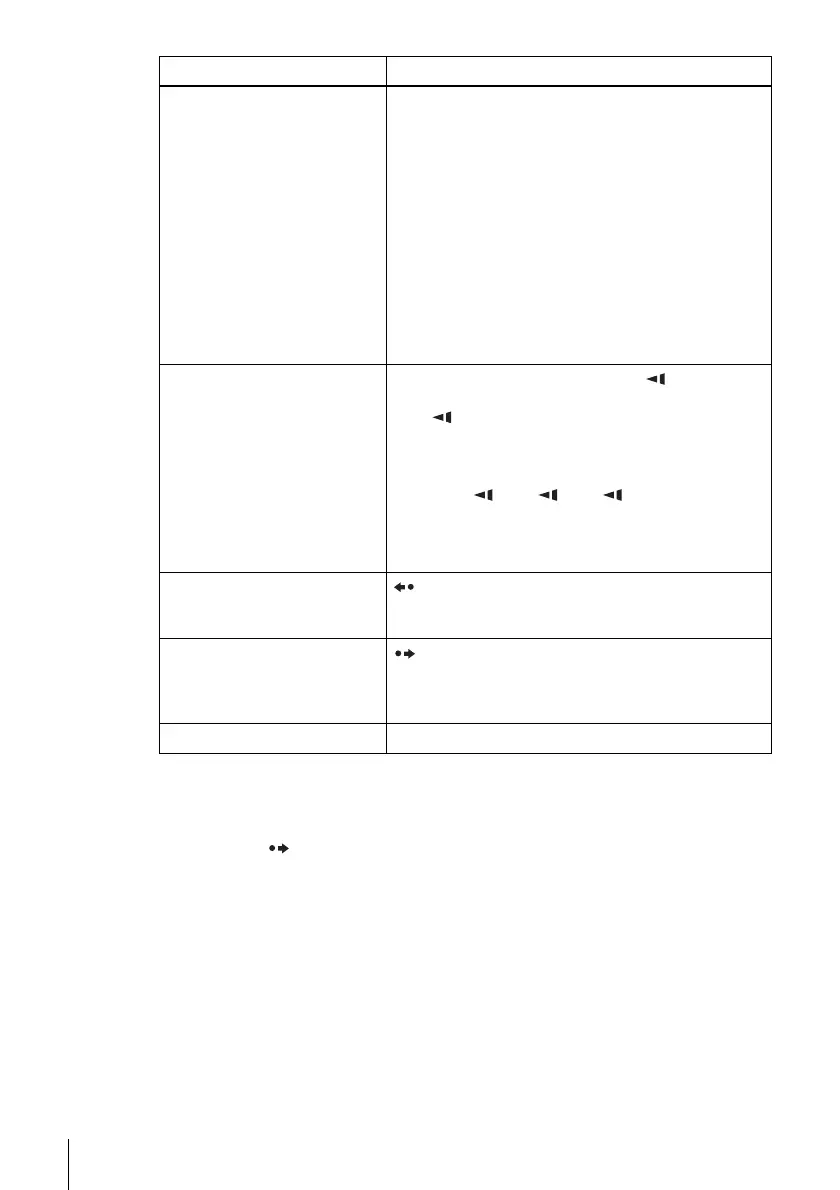
Locate a point quickly
m or M on the remote (or hold down m or M
on the unit)
The playback speed changes as follows each time you
press the button on the remote (or depending on how long
you press the button on the unit):
•DVD
fast forward: PLAY t ×1.4 ••N•*
2
t 1M t
2M t 3M t 4M t 5M t 6M
fast reverse: PLAY t 1m t 2m t 3m t
4m t 5m t 6m
• CD, MP3 and VIDEO CD
fast forward: PLAY t 1M t 2M t 3M
fast reverse: PLAY t 1m t 2m t 3m
When you find the point you want, press H PLAY.
Watch slow motion in
continuous play mode
(DVD and VIDEO CD only)
X PAUSE during playback, then press or y
The playback speed changes as follows each time you
press or y:
•DVD
forward slow motion: ×0.6
••N•*
2
t 2 y t 3 y
reverse slow motion (except for DVD-RW in VR
mode): 1 t 2 t 3
•VIDEO CD
forward slow motion only: 1 y t 2 y t 3 y
To resume normal playback, press H PLAY.
Replay the previous scene for 10
seconds in continuous play
mode*
3
(Instant Replay)
REPLAY
Briefly fast forward the current
scene for 30 seconds in
continuous play mode*
3
*
4
(Instant Advance)
SKIP
Stop play and remove the disc Z
To Press



 To Next Page