Getting Started10
Step 3 : Connecting the VCR (continued)
Additional connections
This additional connection improves picture and sound quality.
Connect the TV as shown below. Whenever you want to watch the
VCR picture, press TV/VIDEO to display the VIDEO indicator in the
display window.
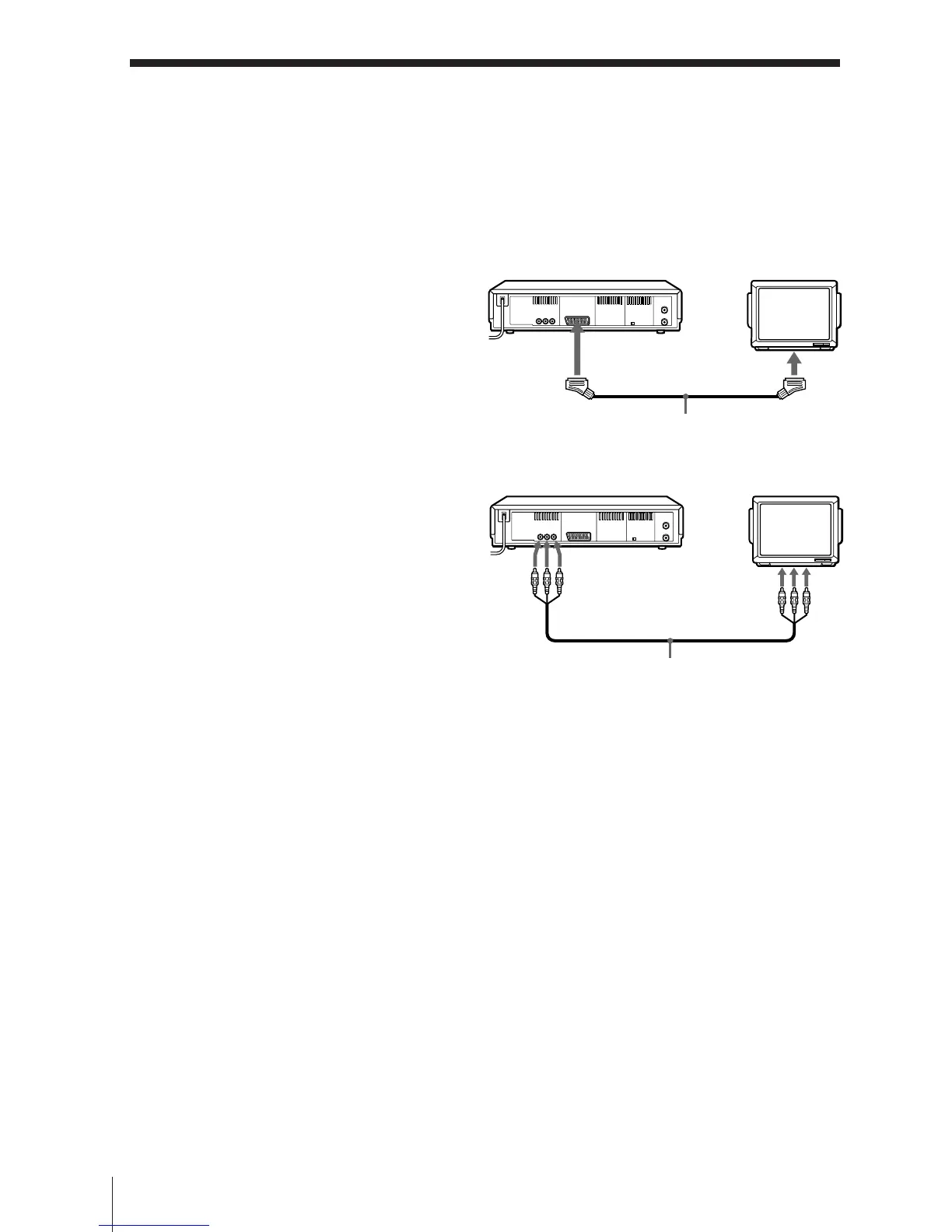
To a TV that has a EURO-AV (Scart)
connector
If your TV has a EURO-AV (Scart)
connector, connect your TV by using
VMC-2121 EURO-AV cable as shown on
the right.
To a TV that has LINE IN connector
If your TV has LINE IN connector,
connect your TV by using audio/video
cable as shown on the right.
VMC-2121 EURO-AV cable
(not supplied)
EURO-AV
(Scart)
: LINE-1
(TV)
Audio/video cable
(not supplied)
LINE-2 OUT
LINE IN


 To Next Page