Need help?
Do you have a question about the Sony SLV-E580EE and is the answer not in the manual?
Essential safety guidelines for operating the VCR, covering electrical hazards and proper handling.
Instructions for VCR installation to ensure proper operation and prevent damage.
Lists VCR accessories: remote commander, aerial cable, and batteries.
Instructions for correctly inserting AA batteries into the VCR remote commander.
How to use the remote to control the VCR and a Sony TV, including the TV/VIDEO switch.
Details remote buttons for TV functions: standby, volume, and channel selection.
Procedure to program the VCR remote for non-Sony TVs using manufacturer code numbers.
Table of manufacturers and their corresponding code numbers for remote control setup.
Instructions for connecting the aerial cable to the VCR and TV for signal reception.
How to connect the VCR to the main power supply for operation.
Guide for connecting VCR to a TV with Scart for improved picture and sound quality.
Instructions for connecting VCR to TV's LINE IN connector using audio/video cables.
Steps to tune the TV to the VCR's RF channel output for viewing.
Adjusting TV system (B/G, D/K) and fine-tuning for clear VCR picture.
Guides VCR initial setup by automatically searching and presetting TV channels.
Step-by-step instructions for setting VCR clock and date for timer functions.
Procedure to change the VCR's on-screen display and menu language.
Instructions for manually tuning and saving TV channels when auto setup is insufficient.
Steps to insert tape and initiate VCR playback, including automatic start.
How to quickly rewind and replay a specific recently watched scene.
Adjusting colour system for proper display of tapes recorded in different formats.
How to use the time counter to locate specific points on a tape during playback.
Enabling simulated stereo effect for monaural audio sources during playback.
Steps for recording TV programmes: insert tape and select programme position.
Choosing SP (Standard Play) or LP (Long Play) modes affecting recording quality and duration.
How to initiate recording with REC and stop it with STOP button.
How to display the remaining time on the inserted tape during recording.
Using the safety tab to protect tapes from accidental erasure.
Procedure to preset up to eight programmes for automatic recording at specified times and dates.
Methods for fast-forwarding and rewinding tapes to find specific points during playback.
Using shuttle ring in normal mode to control playback speed and direction, including slow motion.
Using shuttle ring in jog mode for frame-by-frame playback and precise scene searching.
How to set a specific duration for recording to automatically stop the VCR.
Steps to check, change, or cancel programmed timer recording settings.
How to use index signals marked during recording to find specific recorded segments.
How to manually adjust tracking to correct picture distortion from tape condition.
Explanation of OPC feature for automatically improving picture quality during recording and playback.
Guide to changing settings: Auto Tape Speed, Tape Select, OPC, and System.
Procedure for connecting VCR to another VCR for recording or editing.
Instructions for connecting VCR audio output to a stereo system for sound playback.
Step-by-step guide to basic video editing by recording from one VCR to another.
How to record new audio over an existing track to add commentary or voice-overs.
Solutions for VCR not turning on or the clock stopping.
Troubleshooting no picture, unclear picture, or rolling picture.
Diagnosing and resolving issues preventing successful recording: poor reception or tape errors.
Addressing problems with timer recordings not initiating or completing as programmed.
Solutions for remote commander not working or difficulty inserting tapes.
Guidelines for cleaning the VCR's exterior and internal components.
Lists VCR electrical requirements, dimensions, operating conditions, and power consumption.
Details VCR input/output connections and lists supplied accessories.
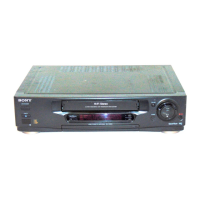
Identifies and explains controls and indicators on the VCR's front panel.
Defines symbols and indicators shown on the VCR's display screen.
Identifies and describes rear panel connectors and switches.
Lists and describes functions of buttons 1-19 on the VCR remote commander.
Lists and describes functions of buttons 20-28 on the VCR remote commander.
 General
| Type | VCR |
|---|---|
| Video Format | VHS |
| Recording Speed | SP, LP |
| Playback Speed | SP, LP |
| Timer Recording | Yes |
| Remote Control | Yes |
| Video Standard | PAL |
| Hi-Fi Stereo | Yes |
| Number of Heads | 4 |
| Tuner | Yes |
| Power Consumption | 18W |
| Inputs | Audio |
| Outputs | S-Video |

 To Next Page