Getting Started6
Step 2 : Setting up the remote commander (continued)
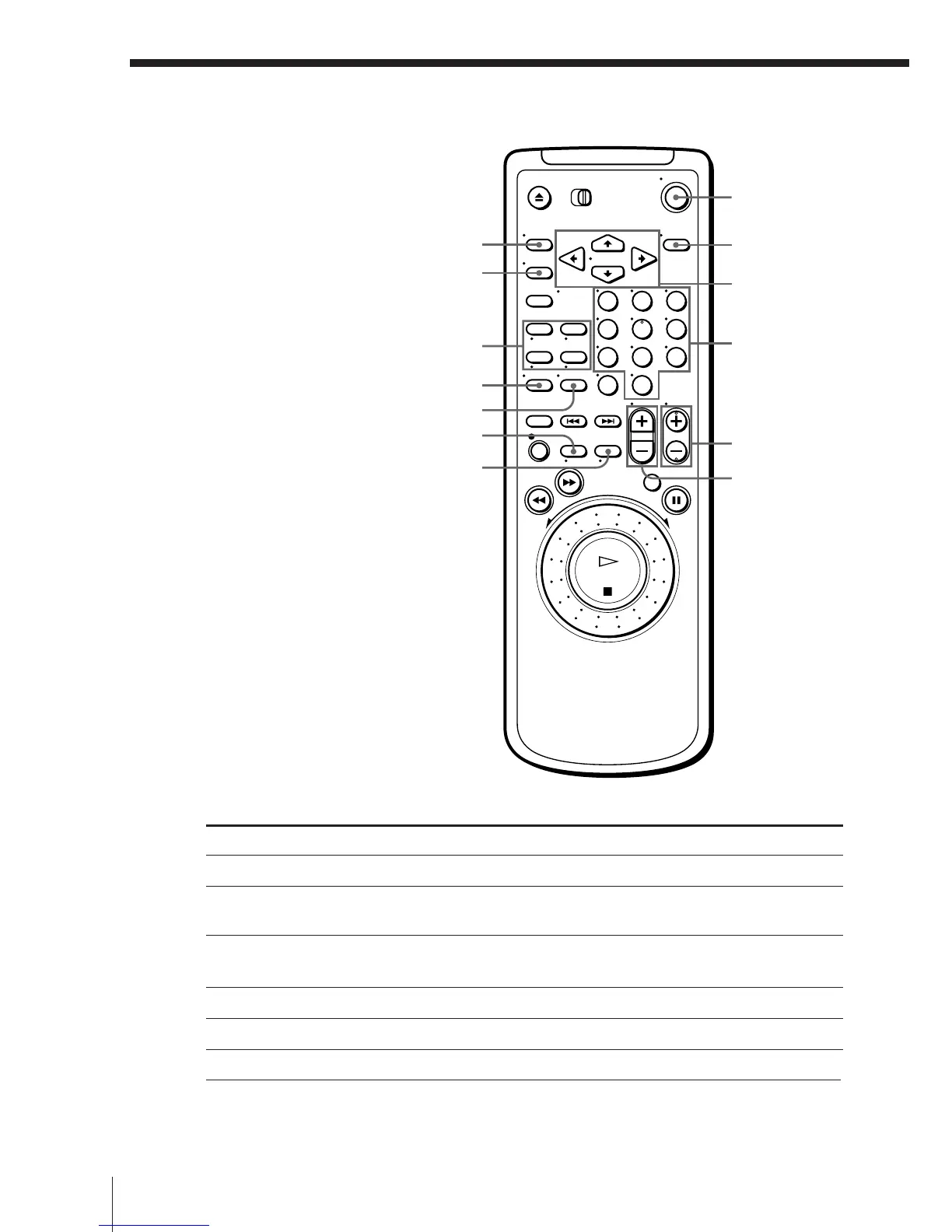
MENU
FASTEXT buttons
;
V
WIDE
TV/VIDEO
ON/STANDBY
DISPLAY
VOL+/–
Programme
number
buttons
TV control buttons
To
Turn the TV into standby or active mode
Select an input source of the TV either from
aerial in or from line in
Select the programme position of the TV
Adjust the volume of the TV
Switch to TV (Teletext off)
Switch to Teletext
Press
ON/STANDBY
TV/VIDEO
Programme number buttons
PROG +/–
VOL +/–
; (TV)
V (Teletext)
PROG+/–/
√/◊
CURSOR
>/./?//
OK
123
456
789
0


 To Next Page