Editing44
Notes
• Make sure you connect the plugs to jacks of the same colour.
• If the other VCR is a monaural type, leave the red plugs unconnected.
• If you connected this VCR to both the LINE IN and LINE OUT jacks of the other
VCR, select the input correctly to prevent a humming noise.
How to connect to a stereo system
Connect the LINE-2 IN AUDIO jacks on this VCR to the audio output jacks
on the stereo system, using the RK-C510KS audio cable (not supplied).
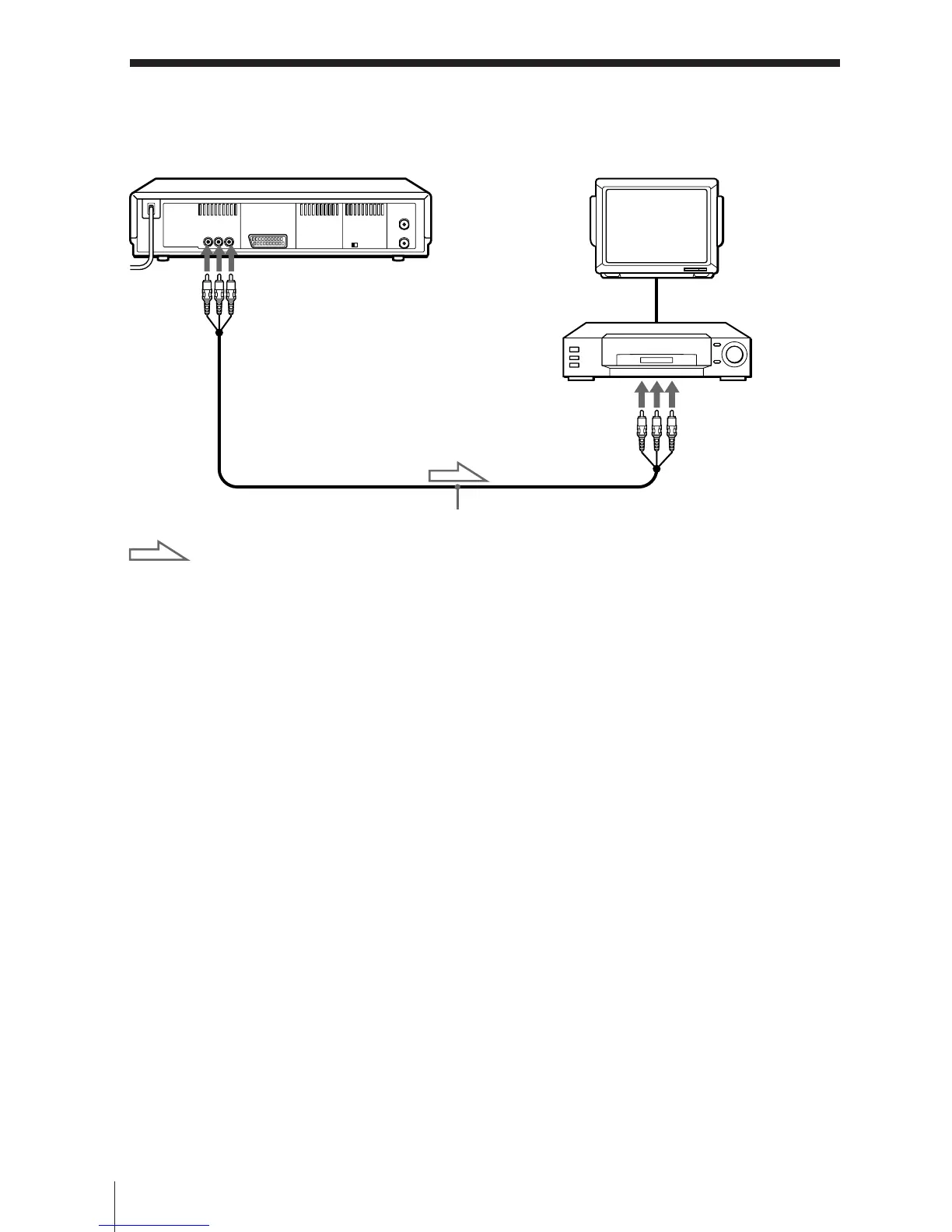
This VCR (Player)
TV
VMC-810 audio/video cable (not supplied)
: Signal flow
LINE IN
Other VCR
(
Recorder)
LINE-2 OUT
Connecting to a VCR or stereo system (continued)


 To Next Page