1-12
48
Additional Operations
SLV-ED939ME/SG 3-082-203-11 (1) GB ME/SG
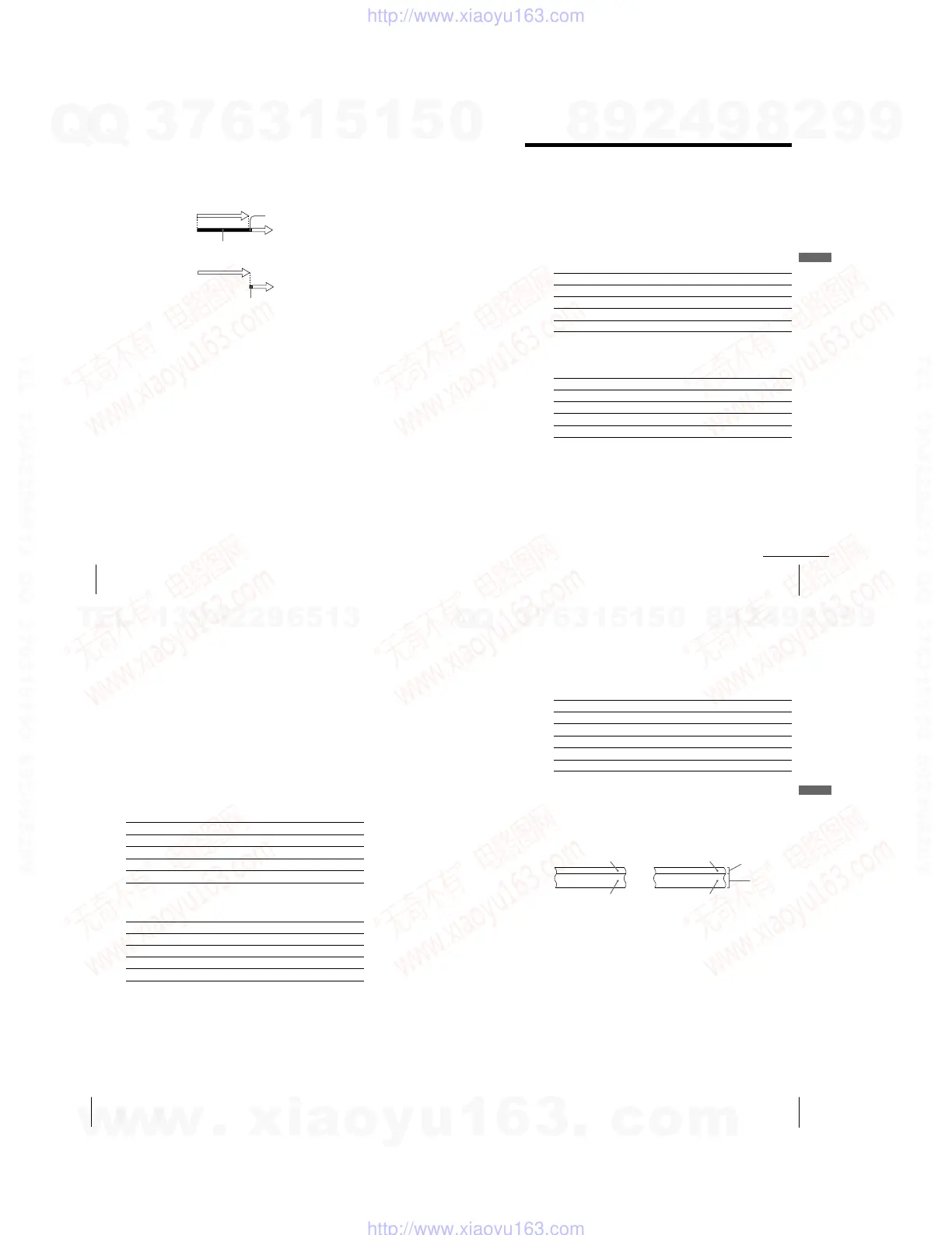
When the timer settings overlap
The programme that starts first has priority and the second programme starts
recording only after the first programme has finished. If the programmes
start at the same time, the programme listed first in the menu has priority.
Programme 1
about 20 seconds
Programme 2
will be cut off
Programme 1
Programme 2
about 20 seconds will be cut off
Checking/changing/cancelling timer settings (continued)
49
Additional Operations
Additional Operations
SLV-ED939ME/SG 3-082-203-11 (1) GB ME/SG
Recording stereo and bilingual
programmes
(SLV-ED939ME/SG only)
In the ZWEITON (German stereo) system
This VCR automatically receives and records stereo and bilingual
programmes based on the ZWEITON system. When a stereo or bilingual
programme is received, the STEREO indicator appears in the display
window.
To select bilingual sound while recording
Press AUDIO MONITOR to select the sound you want.
To listen to On-screen display Display window
Main
MAIN
STEREO
Sub
SUB
STEREO
Main and sub MAIN/SUB STEREO
Standard sound* MONO STEREO
*Usually the main channel heard from both the left and right in bilingual
programmes
To select stereo programme while recording
To listen to On-screen display Display window
Stereo STEREO STEREO
Left channel LCH STEREO
Right channel RCH STEREO
Standard sound* LCH + RCH STEREO
*Usually the mixed sound of left and right channels in stereo programmes
continued
50
Additional Operations
SLV-ED939ME/SG 3-082-203-11 (1) GB ME/SG
In the NICAM system
This VCR receives and records stereo and bilingual programmes based on
the NICAM system (NICAM appears on the TV screen). When a stereo or
bilingual programme is received, the STEREO indicator appears in the
display window.
To record a NICAM programme, NICAM in the USER SET menu should
be set to ON (initial setting). To check the menu setting, see page 55 for
details.
To select the sound while recording
Press AUDIO MONITOR to select the sound you want.
Stereo programmes
To listen to On-screen display Display window
Stereo NICAM, STEREO NICAM, STEREO
Left channel NICAM, LCH NICAM, STEREO
Right channel NICAM, RCH NICAM, STEREO
Left and right channels* NICAM, LCH + RCH NICAM, STEREO
*Usually the mixed sound of left and right channels
Bilingual programmes
To listen to On-screen display Display window
Main NICAM, MAIN NICAM, STEREO
Sub NICAM, SUB NICAM, STEREO
Main and sub NICAM, MAIN/SUB NICAM, STEREO
Standard sound* NICAM, MONO NICAM, STEREO
*Usually the main sound (monaural)
51
Additional Operations
Additional Operations
SLV-ED939ME/SG 3-082-203-11 (1) GB ME/SG
Mono sound
Right channel
Selecting the sound during Hi-fi playback
Press AUDIO MONITOR to select the sound you want.
To listen to On-screen display Display window
Stereo STEREO STEREO
Left channel LCH STEREO
RCH STEREO
Mix sound* MIX STEREO
MONO No indicator
*The mixed sound of left and right channels, and the normal mono audio track
How sound is recorded on a video tape
The VCR records sound onto two separate tracks. Hi-fi audio is recorded
onto the main track along with the picture. Monaural sound is recorded
onto the normal audio track along the edge of the tape.
Normal
audio track
(monaural)
Hi-fi audio
track (main
track)
Notes
¥ To listen to playback sounds in stereo, you must use the AUDIO OUT
connections.
¥ When you play a tape recorded in monaural, the sound is heard in monaural
regardless of the AUDIO MONITOR setting.
Bilingual
Usually main sound
Main (left channel)
Sub (right channel)
Stereo
Usually mixed
left/right channels
Stereo sound
(left/right channels)
w
w
w
.
x
i
a
o
y
u
1
6
3
.
c
o
m
Q
Q
3
7
6
3
1
5
1
5
0
9
9
2
8
9
4
2
9
8
T
E
L
1
3
9
4
2
2
9
6
5
1
3
9
9
2
8
9
4
2
9
8
0
5
1
5
1
3
6
7
3
Q
Q
TEL 13942296513 QQ 376315150 892498299
TEL 13942296513 QQ 376315150 892498299
http://www.xiaoyu163.com
http://www.xiaoyu163.com



 To Next Page