EasyManua.ls Logo

Sony SLV-X37 - Connecting an Antenna or Cable to the VCR

Sony SLV-X37
31 pages
Print Icon
To Next Page IconTo Next Page
To Previous Page IconTo Previous Page
Loading...
Connecting
an
Antenna
or
Cable
to
the
VCR
Wwawdinha
ieiguduas
Gunn:
see
How
you
connect
an
antenna
to
the
VCR
depends
on
the
type
of
antenna
you
have.
Before
doing
steps
1
to
3
check
to
see
if
you
have:
¢
an
outdoor
antenna
*
an
indoor
antenna
*acable
system
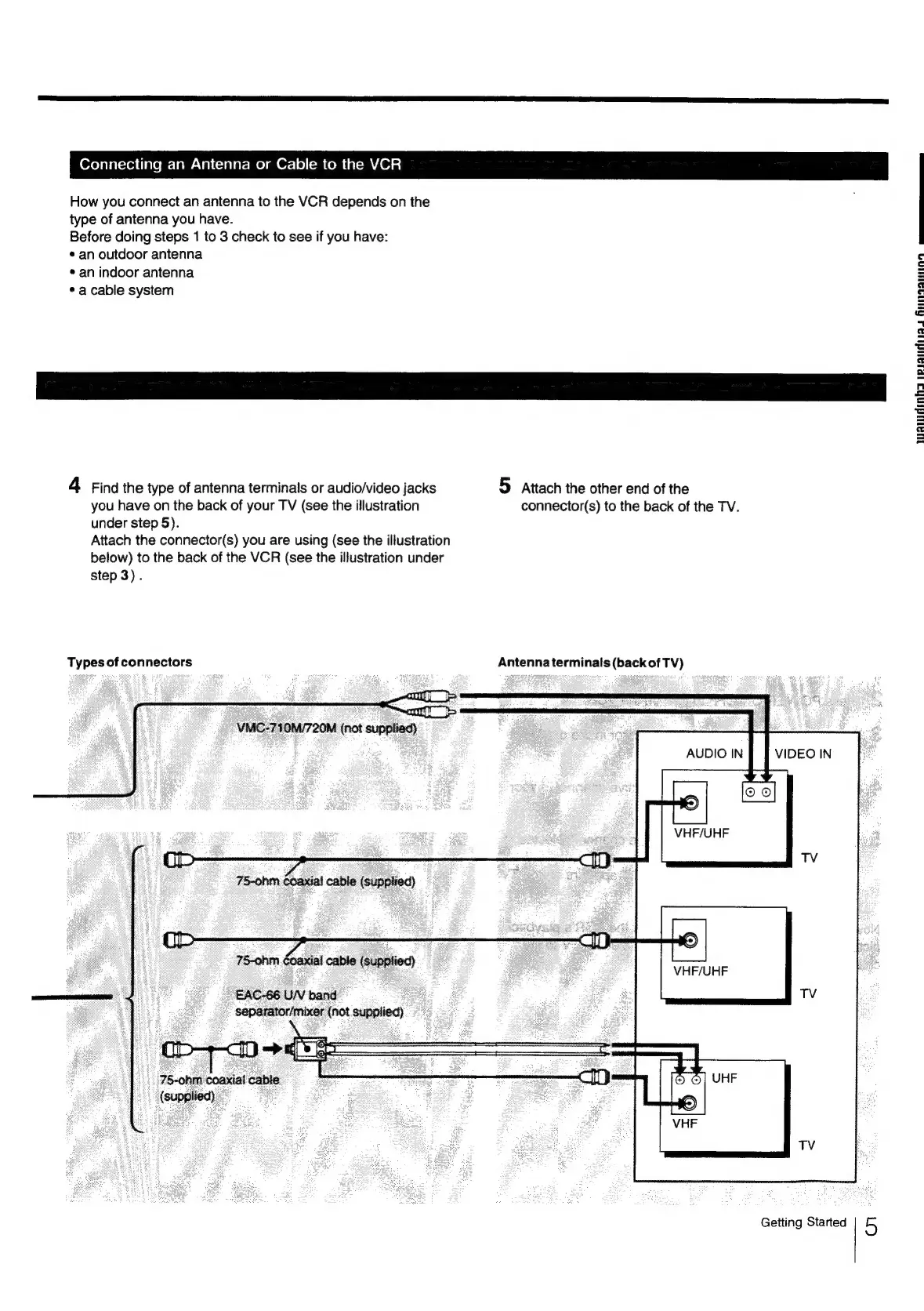
4
Find
the
type
of
antenna
terminals
or
audio/video
jacks
5
Attach
the
other
end
of
the
you
have
on
the
back
of
your
TV
(see
the
illustration
connector(s)
to
the
back
of
the
TV.
under
step
5).
Attach
the
connector(s)
you
are
using
(see
the
illustration
below)
to
the
back
of
the
VCR
(see
the
illustration
under
step
3).
Types
of
connectors
Antenna
terminals
(back
of
TV)
VMC-710M/720M
(not
supplied)
75-ohm
coaxial
cable
(supplied)
EAC-66
U/V
band
separator/mixer
(not
supplied)
75-ohm
coaxial
cable
(supplied)
Getting
Started
5

Related product manuals