EasyManua.ls Logo

Sony SLV-X37 - To Recall the Time and Date on Screen

Sony SLV-X37
31 pages
Print Icon
To Next Page IconTo Next Page
To Previous Page IconTo Previous Page
Loading...
Rae
eee
eer
eee
reer
eeene
T
E
i
PLS:
P
I
TE
TT
N
A
E
ae
10
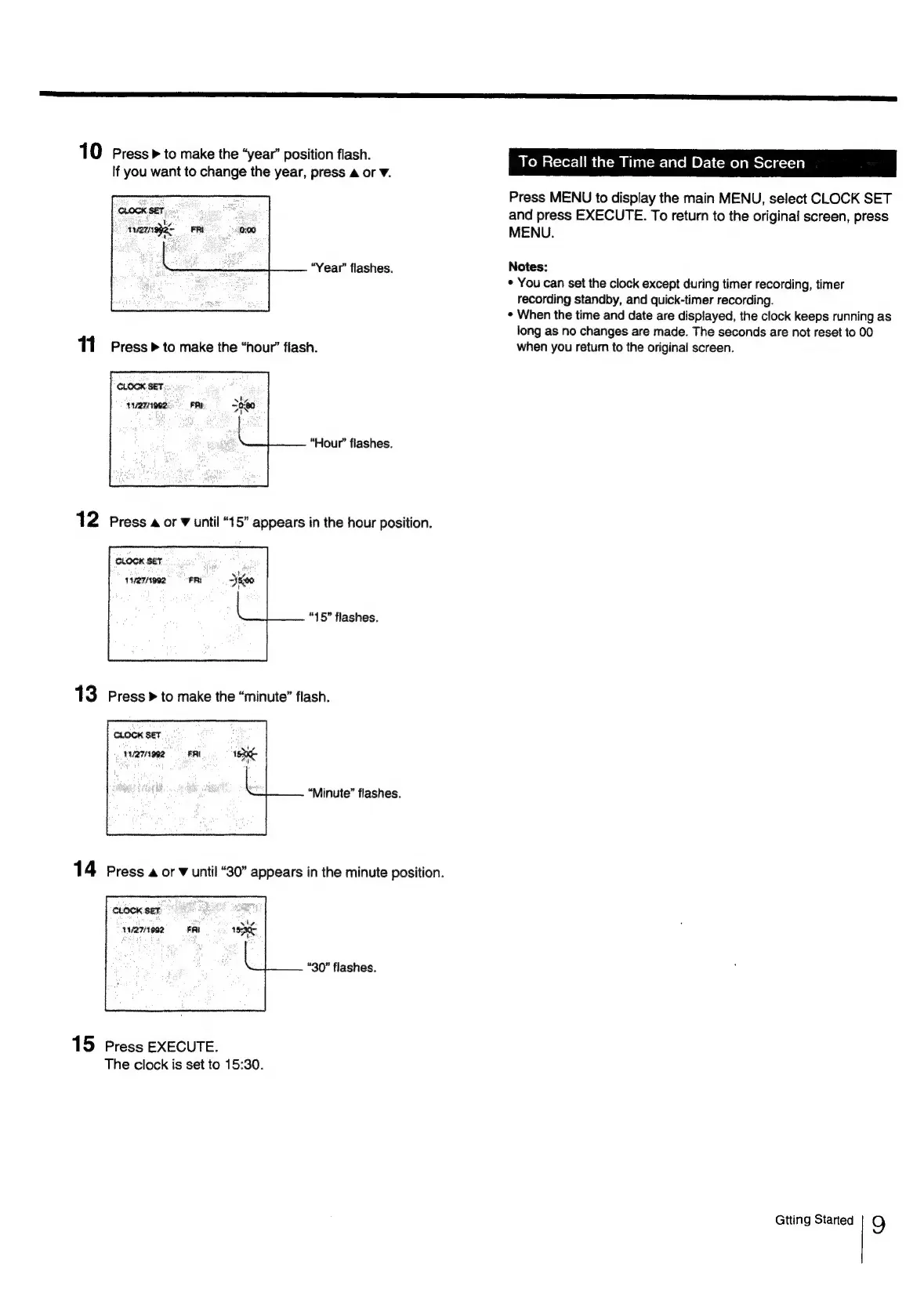
Press»
to
make
the
“year”
position
flash.
To
Recall
the
Time
and
Date
on
Screen
If
you
want
to
change
the
year,
press
a
or
V.
Press
MENU
to
display
the
main
MENU,
select
CLOCK
SET
and
press
EXECUTE.
To
return
to
the
original
screen,
press
MENU.
“Year”
flashes.
Notes:
*
You
can
set
the
clock
except
during
timer
recording,
timer
recording
standby,
and
quick-timer
recording.
*
When
the
time
and
date
are
displayed,
the
clock
keeps
running
as
long
as
no
changes
are
made.
The
seconds
are
not
reset
to
00
11
Press
P»
to
make
the
“hour’
flash.
when
you
retum
to
the
original
screen.
CLOCK
SET
4127/1902
“Hour”
flashes.
“15°
flashes.
CLOCK
SET
PUAN
992
“Minute”
flashes.
14
Press
4
or
¥
until
“30”
appears
in
the
minute
position.
CLOCK
SET
4
wwva7iee2
FRI
1H
“30”
flashes.
15
Press
EXECUTE.
The
clock
is
set
to
15:30.
Gtting
Started
9