EasyManua.ls Logo

Sony SLV-X37 - Preparing the Remote Commander

Sony SLV-X37
31 pages
Print Icon
To Next Page IconTo Next Page
To Previous Page IconTo Previous Page
Loading...
i
Preparing
the
Remote
Commander
Inserting
Batteries
How
to
Use
the
Remote
Commander
1
Slide
open
and
remove
the
cover.
When
you
operate
the
VCR
using
the
Remote
Commander,
-gooseneneeny
2
:
point
it
at
the
remote
sensor
located
on
the
VCR.
For
the
location
of
the
remote
sensor,
see
“Identifying
Parts
and
Controls”
on
page
25.
How
to
Control
Your
TV
with
the
Remote
Oxeyenantslele(=\e
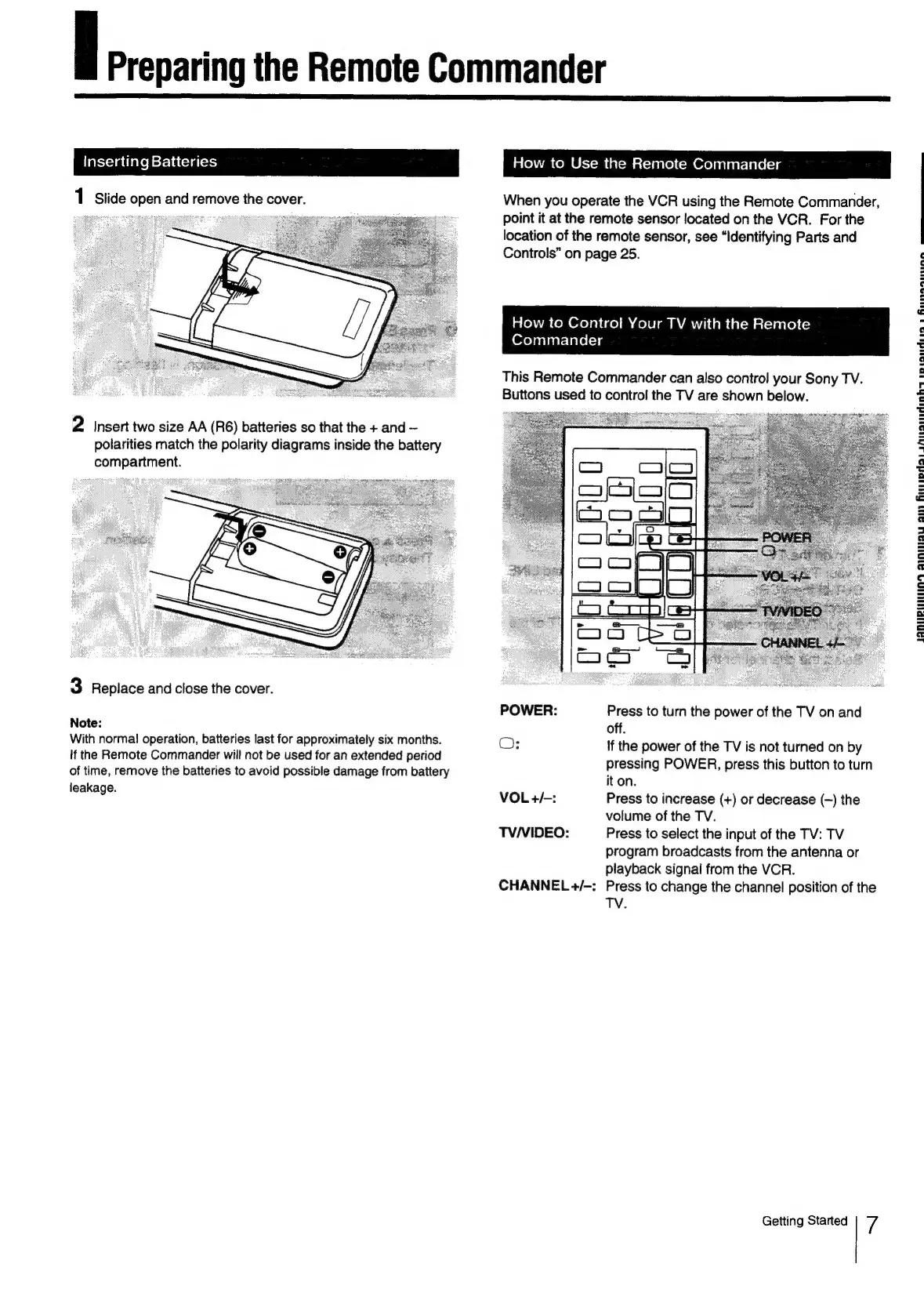
This
Remote
Commander
can
also
control
your
Sony
TV.
Buttons
used
to
control
the
TV
are
shown
below.
2
insert
two
size
AA
(R6)
batteries
so
that
the
+
and
polarities
match
the
polarity
diagrams
inside
the
battery
compartment.
3
Replace
and
close
the
cover.
POWER:
Press
to
turn
the
power
of
the
TV
on
and
Note:
off.
With
norma!
operation,
batteries
last
for
approximately
six
months.
O:
if
the
power
of
the
TV
is
not
turned
on
by
If
the
Remote
Commander
will
not
be
used
for
an
extended
period
of
time,
remove
the
batteries
to
avoid
possible
damage
from
battery
leakage.
pressing
POWER,
press
this
button
to
turn
it
on.
VOL
+/-:
Press
to
increase
(+)
or
decrease
(—)
the
volume
of
the
TV.
TV/VIDEO:
Press
to
select
the
input
of
the
TV:
TV
program
broadcasts
from
the
antenna
or
playback
signal
from
the
VCR.
CHANNEL
+/-:
Press
to
change
the
channel
position
of
the
TV.
Getting
Started
7
IQDUPLIIUING
Anau
ain
flipdalLrAnananhs
riandiisa
a
Runasiine
eee

Related product manuals