Chapter 2: Sonoma Editor
Chapter 2: Sonoma Editor 47
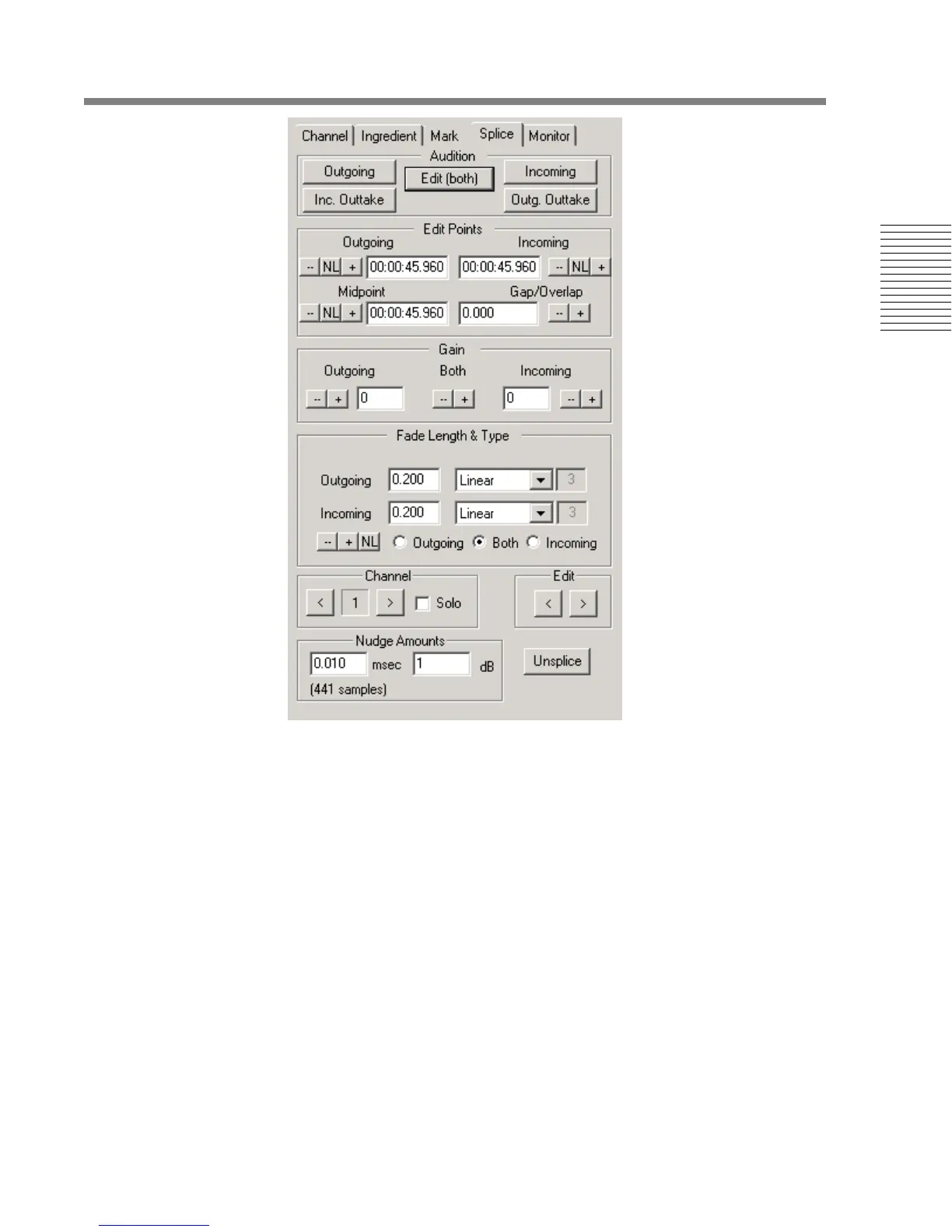
If you hold down the Shift-key while pressing any of the audition buttons, the fades in the splice will
be ignored. Instead, a very short (about 2 msec.) linear amplitude fade will be substituted.
2.13.5.2 Audition Keyboard Accelerators
When you are working in the splice editor, the keys W, E, R, T and Y can be used to access the five
audition commands as follows:
W - audition Outgoing Outtake
E - audition Outgoing
R - audition Edit
T - audition Incoming
Y - audition Incoming Outtake
There are two additional audition commands that can only be accessed from the keyboard:
Q - Play outgoing material only, around the outgoing edit point
U - Play incoming material only, around the incoming edit point
Holding the Shift-key while using these accelerators performs the same action as with the buttons,
the actual splice fades are replaced by a 2 msec. fade.
The splice audition commands (including the keyboard accelerators) are only available when the
splice editor control panel is selected and it is displaying a splice.







 To Next Page