Chapter 3: Sonoma Mixer
Chapter 3: Sonoma Mixer 75
The normalized settings are stored in a snapshot file called m1csa_normalised.snp which resides in
the default installation directory (see the Sonoma
Audio Workstation Hardware Installation Guide).
It is possible to load this snapshot file directly to quickly restore the normalized values to all
continuous controllers (see §
3.5.2.). You can also do this to view and edit the normalized values for
each control. It is possible to overwrite this file with new settings if you wish, giving your system
custom normalization values. (We highly recommend that you make a backup copy of the original
snapshot file beforehand, in case you wish to revert to it later.)
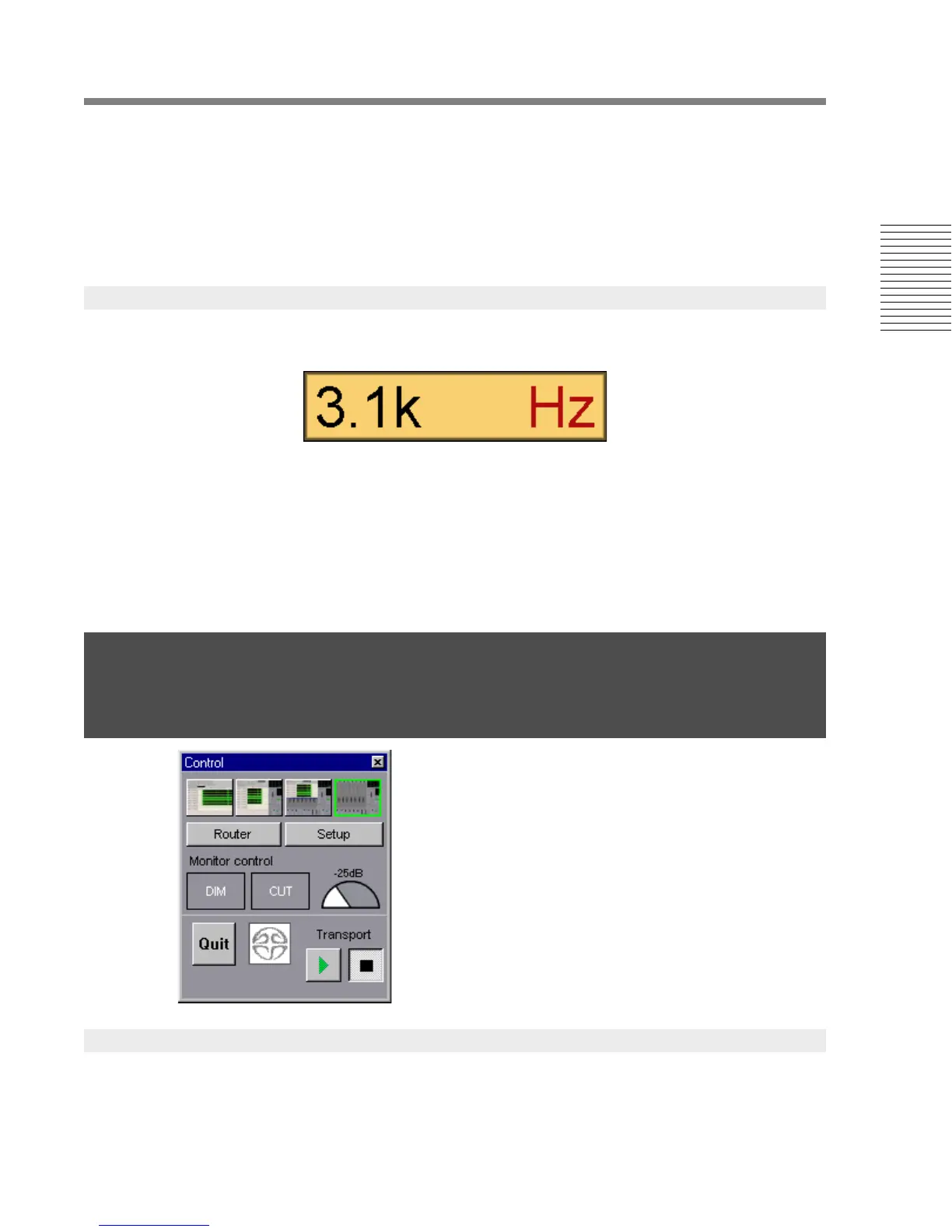
If you hold down the Shift-key while left-clicking and dragging a dial or a fader, a large text box will
appear showing the current value of the control
.
If you hold down the Ctrl-key while left-clicking a dial or a fader you can type a new value into the
text box. The Delete-key clears the entire value, the Backspace-key erases one character at a time.
You can scale your entry by appending the letters k (for kilo, i.e., times one thousand), m (milli,
divide by one thousand) or u (micro, divide by one million) after the value. Pressing ENTER sets the
new value and closes the text box. The Esc-key closes the box and retains the control’s original
value. If you enter a value beyond the normal range of the control, it will be clipped to the minimum
or maximum value of the control as appropriate.
The Control window is opened automatically when the
Sonoma application is launched. The accelerator key
combination Alt+PageDown will toggle the visibility of
the control window. It can also be re-opened from the
Sonoma window menu bar by selecting
Windows>Toolbars>Control.
The screen mode determines whether the Sonoma Editor and Mixer windows appear together or
separately. Small depictions of the modes appear at the top of the control window. Click on the
desired configuration with the mouse. The modes can be cycled using the keyboard combination
Ctrl+End.
7
3.2.5 Text Display and Type In
3.3 The Control Window
3.3.1 Screen Mode





 To Next Page