62 Chapter 2: Sonoma Editor
Chapter 2: Sonoma Editor
You can edit the text in a comment at a later time by clicking on the comment to select it, then
clicking in its text and typing. As with the text fields, pressing ENTER ends type-in and saves the
new text. Esc cancels type-in and reverts to the original comment text.
To delete one or more comments, select the comments in the list by clicking on them. Then press the
Delete button.
2.17.2.2 Text Fields
The DSD-IFF specification provides for a sound source comment. There is a pull down menu to set
the source type (analog, PCM, DSD, or unknown) and a text field for entering additional information.
If the sound source is unknown, a sound source comment will not be written to the exported
DSD-IFF file.
The artist, title, Edit Master ID (EMID) and operator fields are free text fields. Click in them and type
your text. ENTER ends type-in and saves the new text. Esc cancels type-in and reverts to the original
text. Note that it is recommended practice that the EMID field contain a unique value.
You can specify a default value for the operator field using the DSD-IFF tab in the preferences
window.
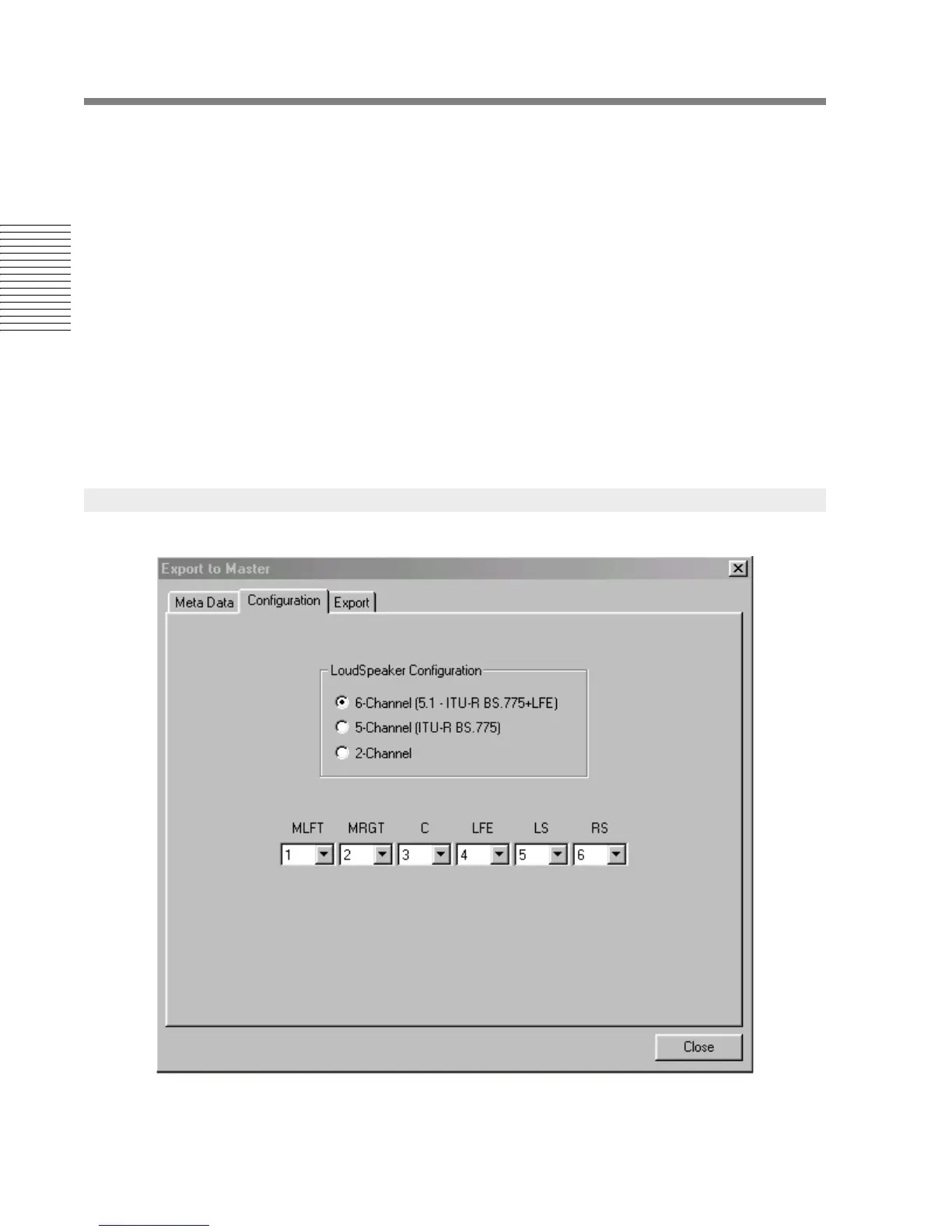
2.17.3 Loudspeaker Configuration




 To Next Page