EasyManua.ls Logo

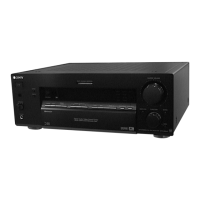
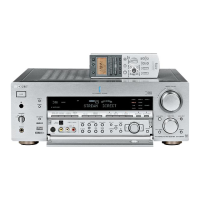
Sony STR-DB1080 - User Manual

Sony STR-DB1080
72 pages
Print Icon
To Next Page IconTo Next Page
Loading...
FM Stereo
FM-AM Receiver
Operating Instructions
4-241-670-11(3)
STR-DB1080
© 2002 Sony Corporation

Table of Contents

Questions and Answers

  • J
    Jeffery RichardsonSep 2, 2025
    What to do if there is no sound from a specific component connected to my Sony STR-DB1080 Stereo Receiver?
    • G
      George HillSep 2, 2025
      If there is no sound from a specific component, verify that the component is correctly connected to the appropriate audio input jacks on the receiver. Also, ensure that the cords used for the connection are fully inserted into the jacks on both the receiver and the component.
  • K
    Karen LongAug 31, 2025
    What to do if radio stations cannot be tuned in on my Sony Stereo Receiver?
    • S
      steven60Aug 31, 2025
      If you're having trouble tuning into radio stations, first ensure the antennas are securely connected. Try adjusting the antennas or connecting an external antenna if needed. If using automatic tuning, the signal strength of the stations may be too weak, so try direct tuning instead. If tuning AM stations with direct tuning, make sure you set the tuning interval correctly. Also, if tuning by scanning preset stations, preset the stations if they haven't been already. Finally, press DISPLAY so that the frequency appears on the display.
  • N
    nathanwrightAug 29, 2025
    Why are the left and right sounds unbalanced or reversed on my Sony STR-DB1080?
    • C
      chowellAug 30, 2025
      If the left and right sounds are unbalanced or reversed, check that the speakers and components are connected correctly and securely. You can also adjust balance parameters in the LEVEL menu.
  • R
    Robert ThomasAug 27, 2025
    What to do if there is severe hum or noise coming from my Sony Stereo Receiver?
    • R
      Robert MoralesAug 27, 2025
      If you are experiencing severe hum or noise, first check that the speakers and components are securely connected. Ensure connecting cords are away from transformers, motors, TVs, or fluorescent lights (at least 3 meters away). Move your TV away from the audio components. If you have a turntable connected, make sure you have grounded the SIGNAL GND terminal. Finally, try cleaning the plugs and jacks with a cloth slightly moistened with alcohol.
  • S
    Sarah MendozaAug 26, 2025
    Why is the FM reception poor on my Sony Stereo Receiver?
    • M
      Michael HuntAug 26, 2025
      To improve FM reception, use a 75-ohm coaxial cable (not supplied) to connect the receiver to an outdoor FM antenna. If you connect the receiver to an outdoor antenna, ground it against lightning. To prevent a gas explosion, do not connect the ground wire to a gas pipe.
  • C
    Collin WebsterAug 25, 2025
    What to do if the remote does not function with my Sony STR-DB1080 Stereo Receiver?
    • J
      Jennifer OwensAug 25, 2025
      If the remote isn't working, start by pointing it directly at the remote sensor on the receiver and ensure there are no obstructions. If that doesn't work, replace the batteries with new ones. Check if the receiver’s COMMAND MODE and the remote’s COMMAND MODE match. Also, make sure you've selected the correct function on the remote. Note that if you are operating a programmed non-Sony component, the remote may not function properly depending on the model and make of that component.
  • L
    Lori WalkerAug 22, 2025
    What to do if there is no sound no matter which component is selected on my Sony STR-DB1080?
    • L
      lindanixonAug 22, 2025
      If there is no sound from your Sony Stereo Receiver, ensure that the receiver and all connected components are turned on. Check that the MASTER VOLUME control is not set at its minimum (–? dB). Verify that the SPEAKERS switch is not set to OFF. Make sure all speaker cords are correctly connected. Also, press MUTING to disable the muting function.

Summary

WARNING

General Safety Precautions

Safety instructions to prevent fire, shock hazard, and proper unit usage.

About This Manual

About Area Codes

Information on how area codes are displayed and affect receiver operation.

Button Locations and Reference Pages

Main Unit Controls

Lists buttons and their corresponding page references for the main unit.

Getting Started

Component Connection Guide

Guides on connecting various audio/video components to the receiver.

Required Cords

Details on necessary connection cords for various components.

Connecting Antennas

Guide on connecting AM loop and FM wire antennas for optimal reception.

Connecting Speakers

Speaker Setup and Impedance

Guides on connecting speakers, including impedance settings and configuration examples.

AC Power and Initial Setup

Connecting the AC Power Cord

Instructions for connecting the receiver to a power source.

Initial Setup Operations

Procedure to initialize the receiver and reset it to factory default settings.

Setting Up the Speakers

Speaker Setup Parameters

Details on configuring speaker sizes (Large/Small/No) and their impact on sound.

Adjusting Speaker Levels and Balance

Using the Test Tone

Using the test tone to adjust speaker levels and balance for optimal listening.

Amplifier;Tuner Operation

Selecting Input Components

How to select the desired input source (VCR, CD player, Tuner, etc.) for listening.

Listening Modes

Covers Multi-channel sound, FM/AM radio tuning, and direct tuning operations.

Radio Tuning and Presets

Covers automatic tuning, preset station storage, and tuning to preset stations.

Radio Data System (RDS)

Displaying RDS Information

How to cycle through available RDS information while receiving a station.

Scanning by Program Type

Tunes to preset stations based on specified program types.

Display Information

Changing Display Content

How to cycle through display information like function name, volume, and sound field.

Display Brightness Adjustment

Adjusting the display brightness using the DIMMER button.

Display Indicators

Enjoying Surround Sound

Sound Decoding Modes

Covers AUTO DECODING, 2CH STEREO, and ANALOG DIRECT modes.

Selecting Sound Fields

Choosing from pre-programmed sound fields like CINEMA STUDIO EX and CONCERT HALL.

Special Sound Modes

Covers NIGHT MODE and Pro Logic II/DTS Neo:6 modes for enhanced listening.

Surround Back Decoding

Advanced Adjustments and Settings

Assigning Audio Input

Assigns specific audio inputs to functions for flexible audio routing.

Switching Audio Input Mode

Switches the audio input mode for components with digital audio jacks.

Customizing Sound Fields

Adjusts surround effects of selected sound fields to suit listening preferences.

Adjusting Speaker Levels and Equalizer

Adjusting the Level Menu

Adjusts speaker balance and individual speaker levels for optimal sound output.

Adjusting the Equalizer

Adjusts tonal quality (bass, midrange, treble) for each speaker.

Advanced Settings Menu

Customizing Receiver Settings

Accesses advanced receiver settings via the CUSTOMIZE menu.

Speaker Distance Settings

Sets distances for front, center, surround, and subwoofer speakers from the listening position.

Speaker Phase and Position

Sets subwoofer phase polarity and surround speaker position.

Speaker Crossover and Surround Parameters

Speaker Crossover Frequency Settings

Adjusts bass crossover frequencies for speakers set to SMALL.

Advanced Surround Parameters

Covers Panorama, Reverb, Screen Depth, and Virtual Speakers settings.

Dynamic Range Compression

Advanced EQ Menu Parameters

Other Operations

Naming Stations and Functions

Enters custom names for preset stations and functions for easy identification.

Using the Sleep Timer

Sets the receiver to turn off automatically after a specified time.

Selecting Speaker System Output

Configures speaker output (A, B, A+B) for front speakers.

Listening to Sound in Another Room

Recording

Recording Audio

Instructions for recording audio from various sources onto tape or MiniDisc.

Recording Video

Instructions for recording video from VCR, TV, or LD player, with audio mixing options.

CONTROL A1 II;S-LINK Control System

Automatic Function Selection

Automatically switches receiver input based on the selected playback component.

Synchronized Recording

Conducts synchronized recording between source and recorder components.

Using S-LINK CONTROL S System

Explains hookups for S-LINK CONTROL S compatible devices like TVs and VCRs.

Additional Information

Precautions

Safety guidelines and precautions for operating and maintaining the receiver.

Troubleshooting

Specifications

Sony STR-DB1080 Specifications

General IconGeneral
Digital inputs2 x Optical, 1 x Coaxial
Power Output100 W per channel (8 ohms, 20 Hz - 20 kHz, THD 0.09%)
Tuning rangeFM: 87.5 - 108 MHz, AM: 522 - 1611 kHz
Frequency Response10 Hz - 100 kHz
Total Harmonic Distortion (THD)0.09%
Signal-to-Noise Ratio100 dB
Video Connectionscomposite
Dimensions430 x 157 mm
Input Sensitivity150 mV (line), 2.5 mV (MM phono)
Speaker load impedance6 - 16 ohms

Related product manuals