EasyManua.ls Logo

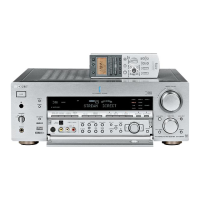
Sony STR-DB1070 - User Manual

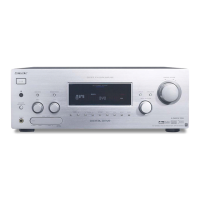
Sony STR-DB1070
87 pages
Print Icon
To Next Page IconTo Next Page
Loading...
SONY@
4-235-985-ll( 1)
FM Stereo
FMAM Receiver
Operating Instructions
Owner’s Record
The model and serial numbers are located on the rear panel. Record the serial number
in the space provided below. Refer to them whenever you call upon your Sony dealer
regarding this product.
Model No.
Serial No.
STR-DB1070
STR-DB870
0 2001 Sony Corporation

Table of Contents

Questions and Answers

  • O
    ortegarachelAug 20, 2025
    What to do if my Sony STR-DB1070 Stereo Receiver has no sound?
    • D
      Diana WattsAug 20, 2025
      If you are experiencing no sound or very low-level sound from your Sony Stereo Receiver, there are several things you can check: * Ensure that the speakers and components are securely connected. * Verify that you have selected the correct component on the receiver. * Confirm that the SPEAKERS switch is set to ON. * Make sure headphones are not connected. * Deactivate the muting function by pressing MUTING, if it is on. * If a short circuit has occurred and activated the protective device, turn off the receiver, resolve the short-circuit, and then turn the power back on. * If the sound is very low, check if NIGHT MODE is activated.
  • A
    Andre GainesAug 22, 2025
    How to fix no sound from one front speaker on my Sony STR-DB1070 Stereo Receiver?
    • D
      Donald ReyesAug 22, 2025
      If you are not getting any sound from one of the front speakers on your Sony Stereo Receiver, try these steps: First, connect a pair of headphones to the PHONES jack to see if sound is output from the headphones. If only one channel is output from the headphones, the component may not be connected to the receiver correctly. Check that all the cords are fully inserted into the jacks on both the receiver and the component. If both channels are output from the headphones, the front speaker may not be connected to the receiver correctly. Check the connection of the front speaker which is not outputting any sound.
  • M
    Misty RodriguezAug 25, 2025
    Why is my Sony STR-DB1070 Stereo Receiver producing a humming noise?
    • N
      Nichole ButlerAug 25, 2025
      If you're experiencing severe hum or noise with your Sony Stereo Receiver, try the following: * Ensure that the speakers and components are securely connected. * Check that the connecting cords are away from any transformer or motor, and at least 3 meters away from a TV set or fluorescent light. * Move your TV away from the audio components. * Make sure you have grounded U SIGNAL GND terminal. * Clean the plugs and jacks with a cloth slightly moistened with alcohol.
  • R
    ronnie59Aug 26, 2025
    How to fix unbalanced sound on Sony STR-DB1070 Stereo Receiver?
    • A
      Angela FrederickAug 27, 2025
      If the left and right sounds are unbalanced or reversed on your Sony Stereo Receiver: * Check that the speakers and components are connected correctly and securely. * Adjust balance parameters in the LEVEL menu.
  • A
    allisonnolanAug 28, 2025
    What to do if my Sony STR-DB1070 remote is not working?
    • C
      Chloe JohnsonAug 28, 2025
      If your Sony Stereo Receiver remote is not working: * Note that the 2ND ROOM button and the ON SCREEN button on the remote are not available. * Point the remote at the remote sensor on the receiver. * Remove any obstacles between the remote and the receiver. * Replace the batteries in the remote with new ones, if they are weak. * Make sure you select the correct function on the remote. * If the remote is set to operate the TV only, use the remote to select a source or component other than TV before operating the receiver or other component.
  • J
    jacobbryanAug 30, 2025
    Why is my Sony STR-DB1070 digital sound cutting out?
    • J
      Jacqueline MolinaAug 30, 2025
      If you're experiencing intermittent sound from a digital source on your Sony Stereo Receiver, check to see if signals with 96 kHz sampling frequencies are input to the DVD/LD OPTICAL IN or COAXIAL jacks.
  • C
    Chad AyersSep 1, 2025
    How to troubleshoot surround sound on Sony STR-DB1070 Stereo Receiver?
    • H
      Heather YoungSep 1, 2025
      If you're not getting any sound from the surround/surround back speakers on your Sony Stereo Receiver: * Make sure the sound field function is on. * Select a sound field containing the word 'CINEMA' or 'VIRTUAL'. * Adjust the speaker level. * Make sure the surround/surround back speaker size parameter is set to either 'SMALL' or 'LARGE'.
  • B
    Brian StoutSep 3, 2025
    Why is my Sony Stereo Receiver subwoofer not working?
    • B
      Brenda VazquezSep 3, 2025
      If you are not getting any sound from the active subwoofer connected to your Sony Stereo Receiver, note that there may be no sound output from the SUB WOOFER terminal depending on the sound field.
  • J
    Joseph CooleySep 5, 2025
    How to enable surround sound effect on Sony Stereo Receiver?
    • T
      Taylor LynchSep 5, 2025
      To ensure the surround effect is working on your Sony Stereo Receiver, make sure the sound field function is on.
  • J
    jasonwareSep 7, 2025
    How to improve FM reception on my Sony STR-DB1070?
    • T
      Teresa BennettSep 7, 2025
      To improve poor FM reception on your Sony Stereo Receiver, use a 75-ohm coaxial cable to connect the receiver to an outdoor FM antenna.

Summary

Operating Instructions

Hooking Up Components

Basic Operations

Selecting the Component

Explains how to select the desired component or source.

Enjoying Surround Sound

Selecting a Sound Field

Guide to choosing pre-programmed surround sound fields.

Hooking Up Components: Required Cords

Antenna Hookups

AM and FM Antenna Connections

Diagram and notes for connecting AM/FM antennas.

Audio Component Hookups

Connecting Audio Sources

Diagrams for connecting turntables, CD players, and tape decks.

Video Component Hookups

Connecting Video Sources

Diagrams for connecting TVs, DVD players, and camcorders.

Digital Component Hookups

Connecting Digital Sources

Diagrams for connecting DVD players and satellite tuners digitally.

Multi Channel Input Hookups

Connecting Multi Channel Sources

Connecting DVD players or decoders for multi channel audio.

Speaker System Hookups

Speaker Terminal Connections

Diagrams for connecting front, surround, and center speakers.

Performing Initial Setup Operations

Clearing Receiver Memory

Procedure to reset all settings to factory defaults.

Multi Channel Surround Setup

Specifying Speaker Parameters

Guide to setting speaker size, distance, and position.

Adjusting Speaker Level

Checking Connections

Verifies correct component connections after setup.

Basic Operations: Selecting Component

FUNCTION Control

How to use the FUNCTION control to select sources.

Customizing Sound Fields

Adjusting Surround Parameters

Customizing sound field settings like effect level and reverb.

Adjusting Level Parameters

Speaker Level Adjustments

Adjusting the volume balance for each speaker.

Customizing Sound Fields (Continued)

Adjusting the Equalizer

Fine-tuning sound with equalizer settings for each speaker.

Other Operations

Naming Preset Stations and Sources

Entering custom names for stations and sources.

Recording

Recording Audio Tape or MiniDisc

Steps for recording audio from the receiver.

Recording (Continued)

Recording Video Tape

Steps for recording video from sources like VCR or LD.

Adjustments using the SET UP button

Adjustments using the SET UP button (Continued)

Troubleshooting

Troubleshooting (Continued)

Tables of Settings: SURR, LEVEL, EQ, SET UP

Tables of Settings (Continued)

Adjustable Parameters by Sound Field

Adjustable Parameters by Sound Field (Continued)

Remote Commander Operating Instructions

Sony STR-DB1070 Specifications

General IconGeneral
BrandSony
ModelSTR-DB1070
CategoryStereo Receiver
LanguageEnglish

Related product manuals