76
GB
Using only the front
speakers
(2CH STEREO)
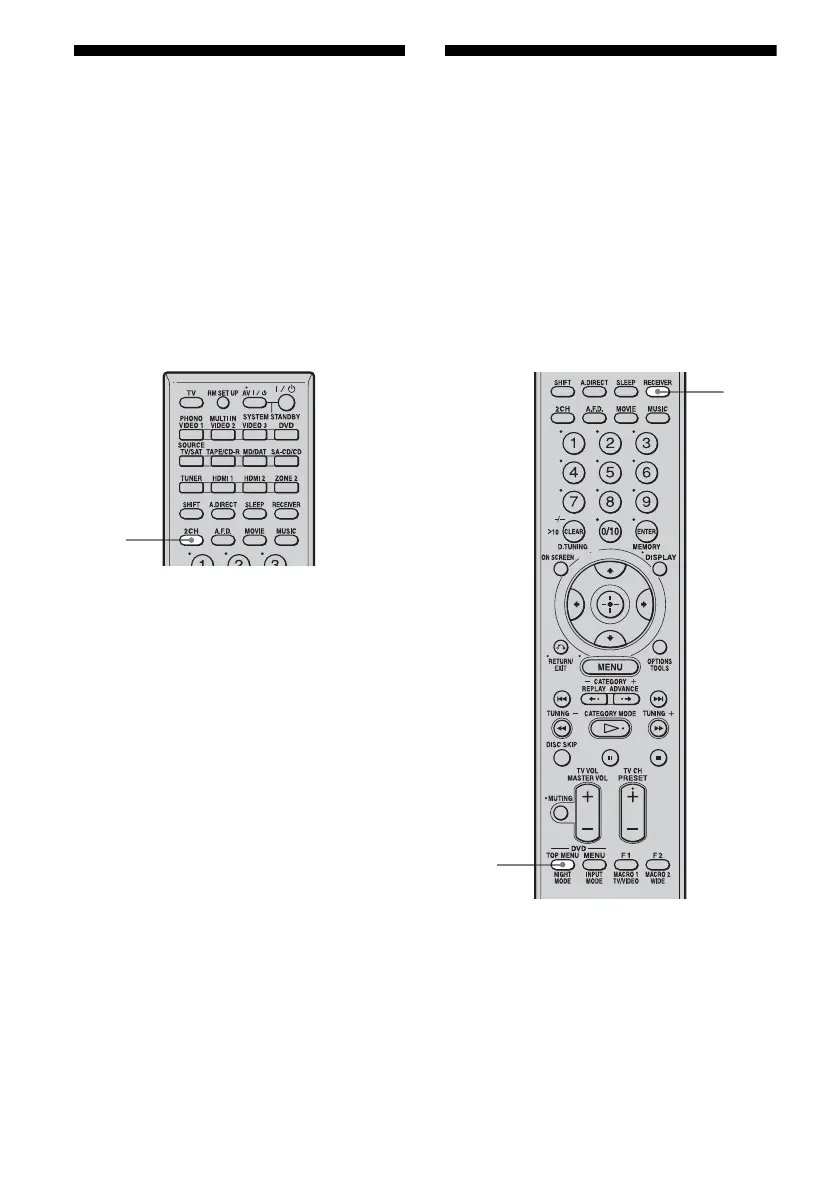
In this mode, the receiver outputs the sound
from the front left/right speakers only. There is
no sound from the sub woofer.
Standard 2 channel stereo sources completely
bypass the sound field processing and multi-
channel surround formats are downmixed to 2
channel.
Press 2CH.
Note
No sound is output from the sub woofer in the 2CH
STEREO mode. To listen to 2 channel stereo sources
using the front left/right speakers and a sub woofer,
select “A.F.D. AUTO.”
This receiver will generate a low frequency signal
for output to the sub woofer when there is no L.F.E.
signal, which is a low-pass sound effect output from
a sub woofer to a 2 channel signal.
Enjoying the surround
effect at low volume
levels
(NIGHT MODE)
This function allows you to retain a theater like
environment at low volume levels. This
function can be used with other sound fields.
When watching a movie late at night, you will
be able to hear the dialog clearly even at a low
volume level.
1 Press RECEIVER.
Receiver operation is enabled.
2 Press NIGHT MODE.
The NIGHT MODE function is activated.
The NIGHT MODE is toggled between
on and off as you press NIGHT MODE.
2CH
1
2



 To Next Page