82
GB
3 Press MEMORY.
“MEMORY” appears on the display for a
few seconds. Perform steps 4 and 5 before
the display goes out.
4 Press PRESET +/– to select a
preset number.
If “MEMORY” goes out before you select
the preset number, start again from step 3.
5 Press ENTER.
The station is stored as the selected preset
number.
If “MEMORY” goes out before you press
MEMORY, start again from step 3.
6 Repeat steps 1 to 5 to preset
another station.
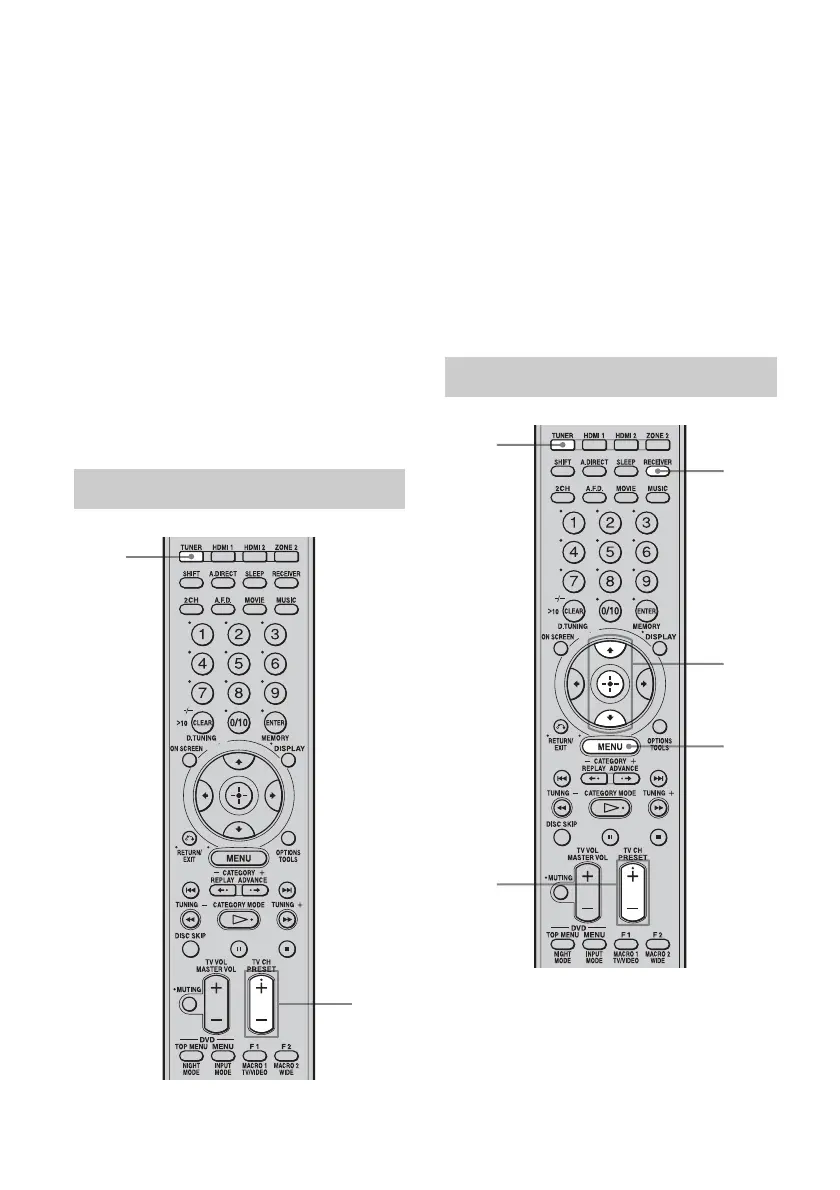
1 Press TUNER repeatedly to
select the FM or AM band.
2 Press PRESET +/– repeatedly
to select the preset station you
want.
Each time you press the button, you can
select a preset station as follows:
• AM band: AM1 to AM30
• FM band: FM1 to FM30
You can also press the numeric buttons to
select the preset station you want. Then,
press ENTER to enter the selection.
1 Press TUNER repeatedly to
select the FM or AM band.
Tuning to preset stations
1
2
Naming preset stations
3
5-7
1
4
2



 To Next Page