D:\CANNES\SONY_HA\JOB 2007\STR-DG910\IM_910_US\STR-DG910_data\GB03CON_STR-
DG910-UC.fm
masterpage: L-2
STR-DG910
3-094-430-11 (1)
44
US
Watching a DVD
?/1
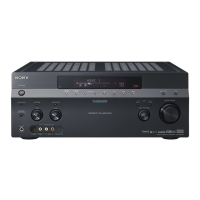
AUTO CAL MIC
SPEAKERS
(OFF/A/B/A+B)
PHONES
VIDEO 3 IN/PORTABLE AV IN
VIDEO L AUDIO R
MEMORY/
ENTER
CATEGORY
MODE
CATEGORY 2CH A.F.D. MOVIE MUSIC
AUTO CAL DIRECT
DISPLAYTUNING MODE
MULTI CHANNEL DECODING
INPUT MODE
INPUT SELECTOR
MASTER VOLUME
TONE MODE
TUNINGTONE
TUNING –
MUTING
TV VOL
MASTER VOL PRESET
GUIDE DISPLAY
RETURN/
EXIT
TV
VIDEO 1 VIDEO 2 VIDEO 3 DVD
SAT TV TUNER
2CH A.F.D. MOVIE MUSIC
SA-CD/CD
AUX DMPORT RECEIVER
?/1
MEMORY
.
>
m
M
xX
MENU
H
CLEAR
>10
-
/
--
<
<
DVD
23
456
789
ENTER
0/10
1
AUTO CAL
B
V
v
B
RM SET UP
AV ?/1
SYSTEM S ANDBYT
CATEGORY
MODE
D.TUNING
SLEEP
REPLAY ADVANCE
–
CATEGORY
+
OPTIONS
TOOLS
TUNING +
DISC SKIP
TV CH
2
3
7
7
3
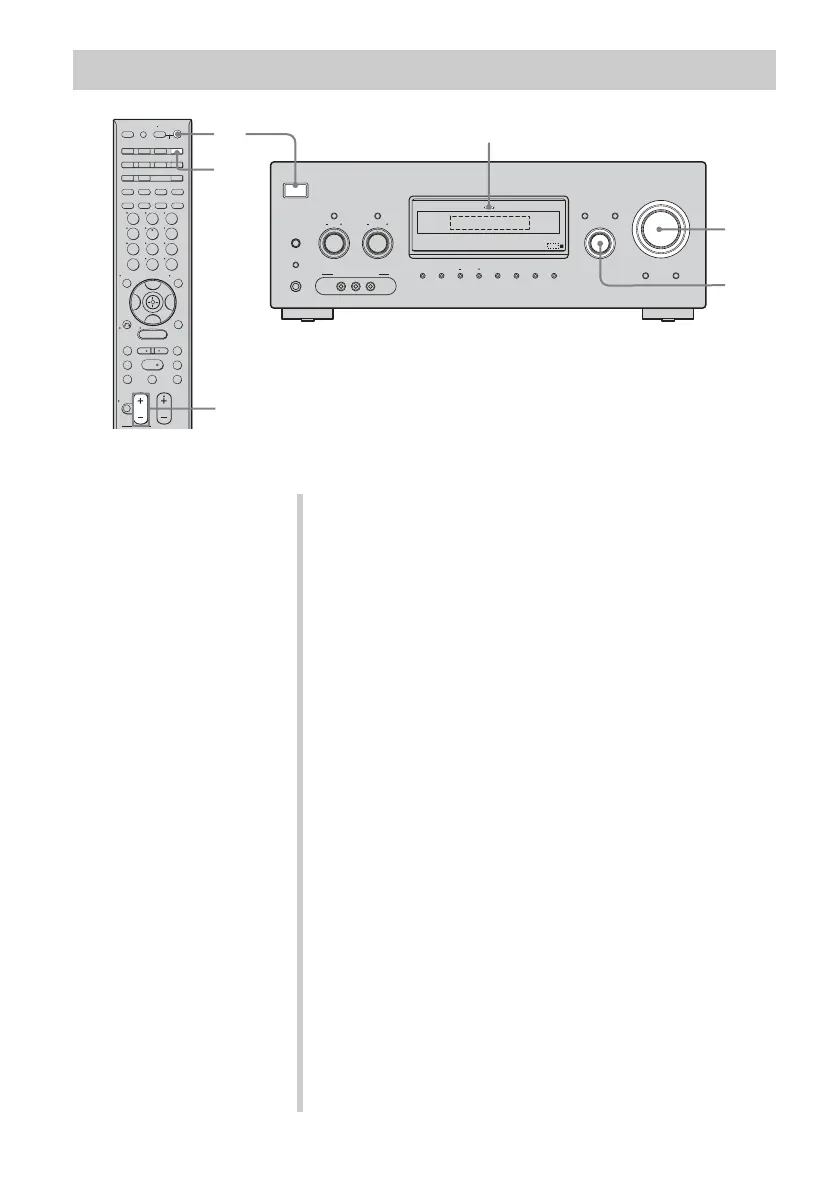
MULTI CHANNEL DECODING lamp
Notes
• Refer to the operating
instructions supplied with the
TV and DVD player.
• Check the following if you
cannot listen to multi channel
sound.
– Be sure the audio source
corresponds to the multi
channel format (the MULTI
CHANNEL DECODING
lamp on the front panel lights
up during playback).
– Be sure this receiver is
connected to the DVD player
via a digital connection.
– Be sure the digital audio
output of the DVD player is
set up properly.
Tips
• Select the audio format of the
disc to be played back, if
necessary.
• You can select the sound field to
suit the movie or music. Refer to
page 62 for details.
Recommended sound fields:
Movie: C.ST.EX
Music: CONCERT
1 Turn on the TV and DVD player.
2 Turn on the receiver.
3 Press DVD.
You can also use INPUT SELECTOR on the receiver to
select “DVD”.
4 Switch the input of the TV so that an image
of the DVD is displayed.
5 Set up the DVD player.
Refer to the “Quick Setup Guide” supplied with the
receiver.
6 Play back the disc.
7 Adjust to a suitable volume.
8 After you have finished watching the DVD,
eject the disc and turn off the receiver, TV
and DVD player.










 To Next Page