72
US
D:\CANNES\SONY_HA\JOB 2007\STR-DG910\IM_910_US\STR-DG910_data\GB05TUN_STR-
DG910-UC.fm
masterpage: Left
STR-DG910
3-094-430-11 (1)
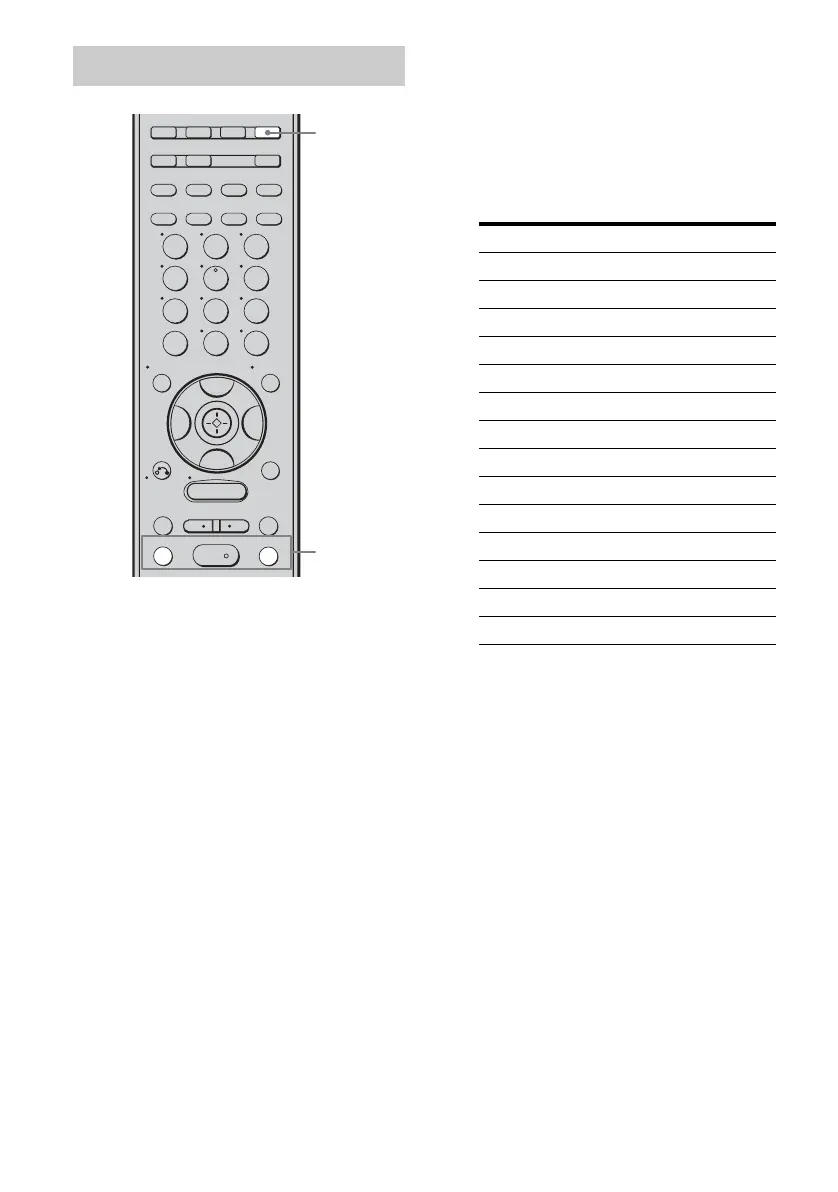
1 Press TUNER repeatedly to
select “XM RADIO”.
You can also use INPUT SELECTOR on
the receiver.
2 Press TUNING + or TUNING – to
select channel 0.
You can also press TUNING MODE on
the receiver to select “AUTO T.”, and
then turn TUNING +/– to select channel
0.
3 Check the XM Radio ID on the
display and write it in the space
provided here.
ID:_____________________________
If you cannot read the characters or
numbers on the display clearly, refer to
the following table.
Checking the XM Radio ID
TUNING –
GUIDE DISPLAY
RETURN/
EXIT
SAT TV TUNER
2CH A.F.D. MOVIE MUSIC
SA-CD/CD
AUX DMPORT RECEIVER
MEMORY
.
>
m
M
MENU
H
CLEAR
>10
-
/
--
<
<
23
456
789
ENTER
0/10
1
AUTO CAL
B
V
v
B
CATEGORY
MODE
D.TUNING
SLEEP
REPLAY ADVANCE
–
CATEGORY
+
OPTIONS
TOOLS
TUNING +
DISC SKIP
1
2
Display Description
2 2 (two)
5 5 (five)
6 6 (six)
8 8 (eight)
0 0 (zero)
A A
B B
D D
G G
H H
K K
M M
Q Q
Z Z










 To Next Page