EasyManua.ls Logo

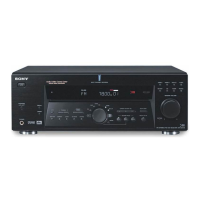
Sony STR-DN1080 - User Manual

Sony STR-DN1080
221 pages
Print Icon
To Next Page IconTo Next Page
Loading...
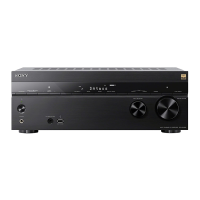
MULTI CHANNEL AV RECEIVER STR-DN1080
Introduction
Main features of the AV receiver [1]
Parts and Controls
Receiver
Front panel (upper section) [2]
Front panel (lower section) [3]
Power indicator [4]
Indicators on the display panel [5]
Rear panel [6]
Remote control
Remote control (upper section) [7]
Remote control (lower section) [8]
Preparation
1. Installing speakers
Names and functions of speakers [9]
Installing 5.1-channel speaker system [10]
Installing 7.1-channel speaker system using surround back speakers [11]
Installing 5.1.2-channel speaker system using top middle speakers [12]
Installing 5.1.2-channel speaker system using front Dolby Atmos enabled speakers
[13]
Installing 5.1-channel speaker system with Zone 2 connection [14]
Installing 5.1-channel speaker system with bi-amplifier connection [15]
Installing 5.1-channel speaker system with front B speaker connection [16]
Installing 2.1-channel speaker system to enjoy the Front Surround mode [17]
Speaker configuration and speaker pattern settings [18]
2. Connecting speakers
Connecting 5.1-channel speaker system [19]
Connecting 7.1-channel speaker system using surround back speakers [20]
Connecting 5.1.2-channel speaker system using top middle speakers [21]
Connecting 5.1.2-channel speaker system using front Dolby Atmos enabled

Other manuals for Sony STR-DN1080

Question and Answer IconNeed help?

Do you have a question about the Sony STR-DN1080 and is the answer not in the manual?

Summary

Preparation and Initial Setup

Speaker Setup and Connection Guide

Guides on setting up and connecting speaker systems for optimal surround sound.

Auto Calibration Process

Understanding Auto Calibration Function

Explains the process and benefits of automatic speaker calibration for room acoustics.

Auto Calibration Setup Prerequisites

Details prerequisites, microphone connection, and speaker selection for calibration.

Checking Auto Calibration Results

How to review and interpret the results of the auto calibration process.

Network and BLUETOOTH Connectivity

Adjusting Receiver Settings

Initial Setup and Calibration Settings

Covers Easy Setup, Auto Calibration, and calibration result checking.

Troubleshooting Common Issues

Troubleshooting System Errors

Addresses common error codes, power issues, and general operational problems.

Sony STR-DN1080 Specifications

General IconGeneral
BrandSony
ModelSTR-DN1080
CategoryStereo Receiver
LanguageEnglish

Related product manuals