15
Getting Started
Receiver Operations
z You can find Dolby Surround-encoded software by
looking at the packaging
However, some videos and laser discs may use Dolby
Surround sound even if it’s not indicated on the
package.
Adjusting the effect level (C.STUDIO and
HALL mode only)
You can boost the surround sound by increasing the
effect level. The surround effect can be six different
levels (steps 1 to 6).
1 Start playing the program source.
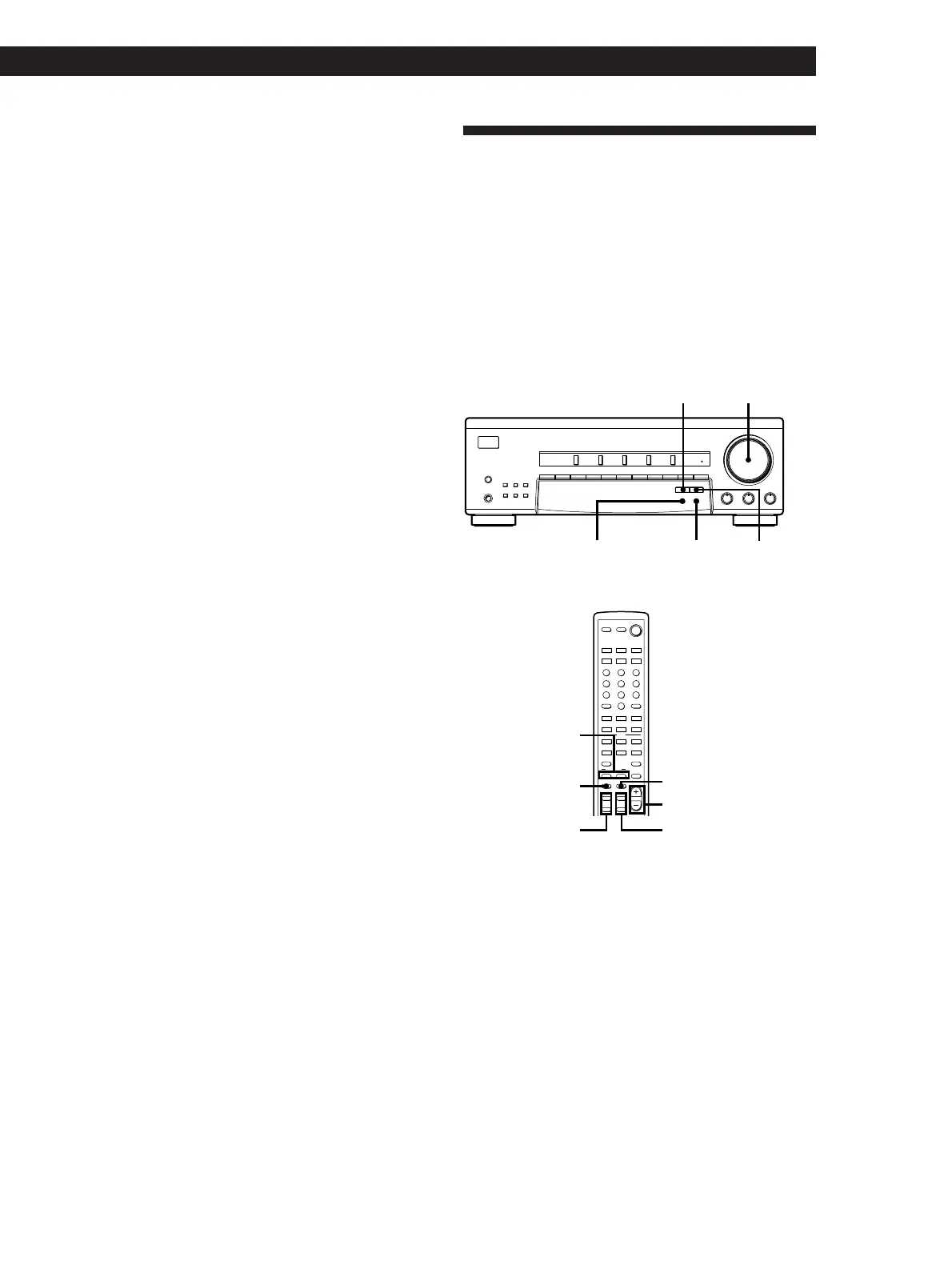
2 Press EFFECT DELAY TIME repeatedly to select
the effect level you want.
The effect level (“EFFECT 1” to “EFFECT 6”)
appears in the display.
Note
Depending on the playback source, changing the effect level
may not produce significant variations in the reproduced
sound.
Getting the Most out of Dolby
Pro Logic Surround Sound
To obtain the best possible Dolby Pro Logic Surround
sound, first select the center mode according to your
speaker system. Then, adjust the volume of each
speaker and delay time.
Note that you must have at least one additional pair of
speakers and/or one center speaker to do the following
adjustments.
EFFECT DELAY TIME
SURROUND
ON/OFF
SURROUND MODE
SET UP
MASTER VOLUME
SPEAKERS
SHIFT
DIRECT
1234567890
VIDEO TV/DBS TAPE/MD CD TUNER
BASS BOOST
SURROUND
BASS
•
MODE ON/OFF
EFFECT
DELAY TIME
SET UP
MEMORY
AM
–
TUNING
+
FM
PHONES
ØON øOFF
g
–10 10
TREBLE
MASTER VOLUME
•
–10 10
BALANCE
•
LR
100
TEST TONE
SURROUND
ON/OFF
MODE
EFFECT/
DELAY
MASTER VOL
+
/
–
CENTER
LEVEL
+
/
–
REAR
LEVEL
+
/
–
SYSTEM
STANDBY
21 3
BASS
BOOST
TV/
VIDEO
MASTER
VOL
1/u
VISUAL
CONTROL
TV
54 6
87 9
0
SHIFT ENTER
RMS/START
SYSTEM CONTROL / FUNCTION
TVVIDEO TAPE/MD
(AUTO CATEGORIZE SYSTEM)
5.1 INPUT
– / – –
TUNERCD
>
10
PHONO
MODE MUTINGON/OFF
SURROUND
TEST
TONE
EFFECT/
DELAY
CENTERREAR
++
–
+
–
–
SWAPPOSITION DISC
RMS
CLEARDIRECTION
–
SUB CH +
+=
CH/
PRESET
)0
(9p
P IN P JUMP
ANT
TV/VTR
P
D. SKIP
r
LEVEL
Selecting the center mode
The receiver offers you four center modes:
PHANTOM, 3CH LOGIC, NORMAL, and WIDE. Each
mode is designed for a different speaker configuration.
Select the mode that best suits your speaker system
configuration.
1 Press SURROUND ON/OFF to turn on the
surround sound.
2 Press SURROUND MODE repeatedly to select the
PRO LOGIC or C.STUDIO mode.











 To Next Page