4
Getting Started
Front
speaker
(L)
Front
speaker
(R)
AM/FM antenna
Antenna Hookups (5)
Rear
speaker
(L)
Rear
speaker
(R)
CD player
Tape/MD deck
Center
speaker
Active
woofer
TV
VCR
Speaker
System
Hookups (6)
Video Component
Hookups (7)
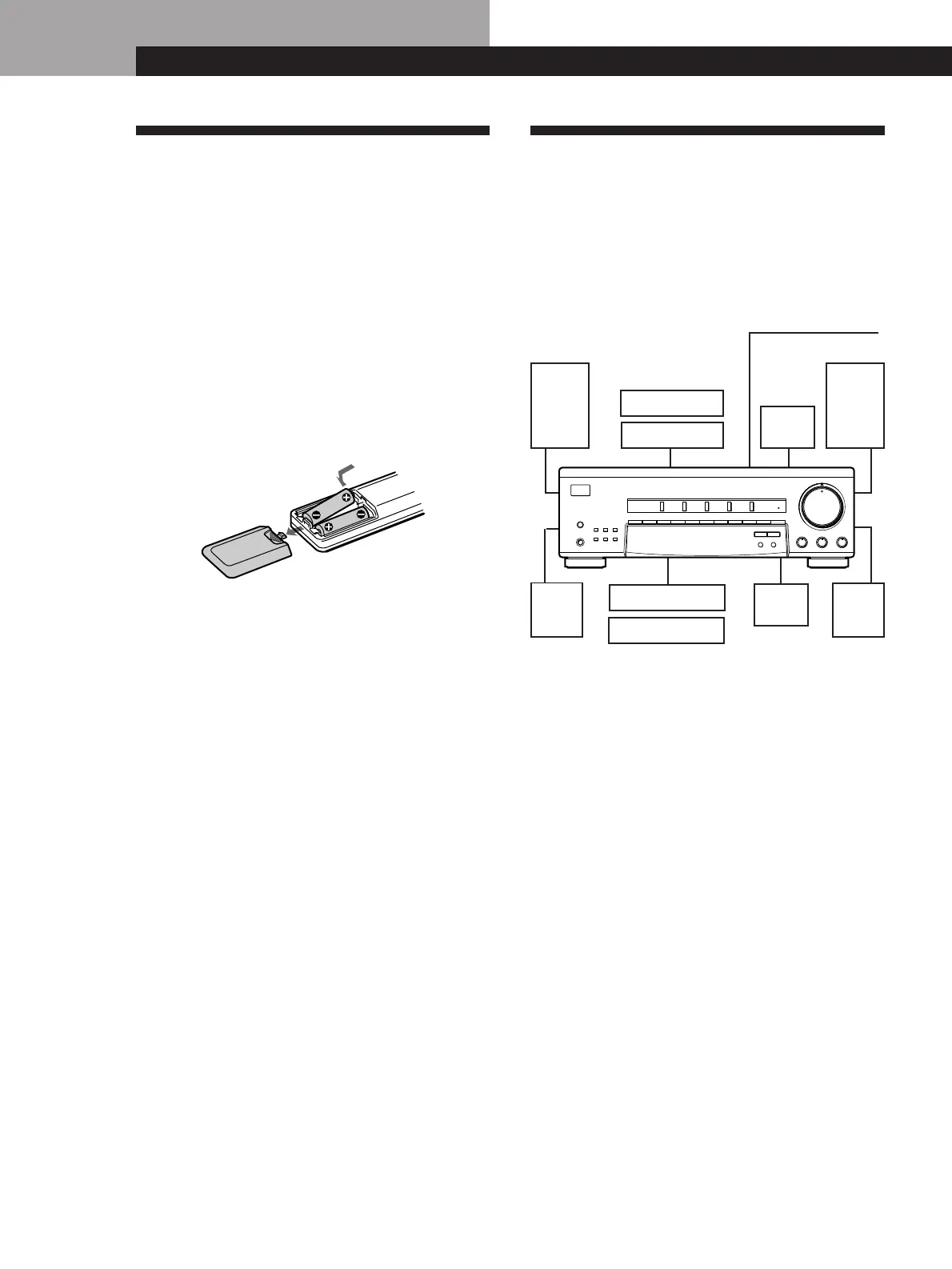
Hookup Overview
The receiver allows you to connect and control the
following audio/video components. Follow the
hookup procedures for the components that you want
to connect to the receiver on the pages specified. To
learn the locations and names of each jacks, see “Rear
Panel Descriptions” on page 21.
Before you get started
• Turn off the power to all components before making
any connections.
• Do not connect the AC power cords until all of the
connections are completed.
• Be sure to make connections firmly to avoid hum
and noise.
• When connecting an audio cable, be sure to match
the color-coded pins to the appropriate jacks on the
components: White (left, audio) to White; and Red
(right, audio) to Red.
Getting Started
Audio Component
Hookups (6)
Unpacking
Check that you received the following items with the
receiver:
• FM wire antenna (1)
• AM loop antenna (1)
• Remote commander (remote) (1)
• Size AA (R6) batteries (2)
Inserting batteries into the remote
Insert two size AA (R6) batteries in accordance with
the + and – markings on the battery compartment.
When using the remote, point it at the remote sensor g
on the receiver.
z When to replace batteries
Under normal use, the batteries should last for about 6
months. When the remote no longer operates the
receiver, replace both batteries with new ones.
Notes
• Do not leave the remote in an extremely hot or humid
place.
• Do not use a new battery with an old one.
• Do not expose the remote sensor to direct sunlight or
lighting apparatuses. Doing so may cause a malfunction.
• If you don’t use the remote for an extended period of time,
remove the batteries to avoid possible damage from
battery leakage and corrosion.
SPEAKERS
SHIFT
DIRECT
1234567890
VIDEO TV/DBS TAPE/MD CD TUNER
BASS BOOST
SURROUND
BASS
•
MODE ON/OFF
EFFECT
DELAY TIME
SET UP
MEMORY
AM
–
TUNING
+
FM
PHONES
ØON øOFF
g
–10 10
TREBLE
MASTER VOLUME
•
–10 10
BALANCE
•
LR
100











 To Next Page