11
Getting Started
Receiver Operations
2 Press the corresponding numeric button of the
component you want to assign to the SYSTEM
CONTROL/FUNCTION button (1 - CD player,
for example).
The following buttons correspond to the
components.
The button Corresponds to
1 CD player
2 DAT deck
3 MD deck
4 Tape deck A
5 Tape deck B
6 LD player
7 VCR (remote control mode VTR 1*)
8 VCR (remote control mode VTR 2*)
9 VCR (remote control mode VTR 3*)
0TV
>10 DBS tuner
ENTER DVD player
Receiving Broadcasts
This receiver lets you enter a station’s frequency
directly by using the numeric buttons (direct tuning).
If you don’t know the frequency of the station you
want, see “Receiving broadcasts by scanning stations
(automatic tuning)” on page 12.
Before you begin, make sure you have connected an
FM/AM antenna to the receiver as indicated on page 5.
1/u
DIRECT
FM/AM
TUNERTUNING
+
/
–
SPEAKERS
SHIFT
DIRECT
1234567890
VIDEO TV/DBS TAPE/MD CD TUNER
BASS BOOST
SURROUND
BASS
•
MODE ON/OFF
EFFECT
DELAY TIME
SET UP
MEMORY
AM
–
TUNING
+
FM
PHONES
ØON øOFF
g
–10 10
TREBLE
MASTER VOLUME
•
–10 10
BALANCE
•
LR
100
Numeric buttons
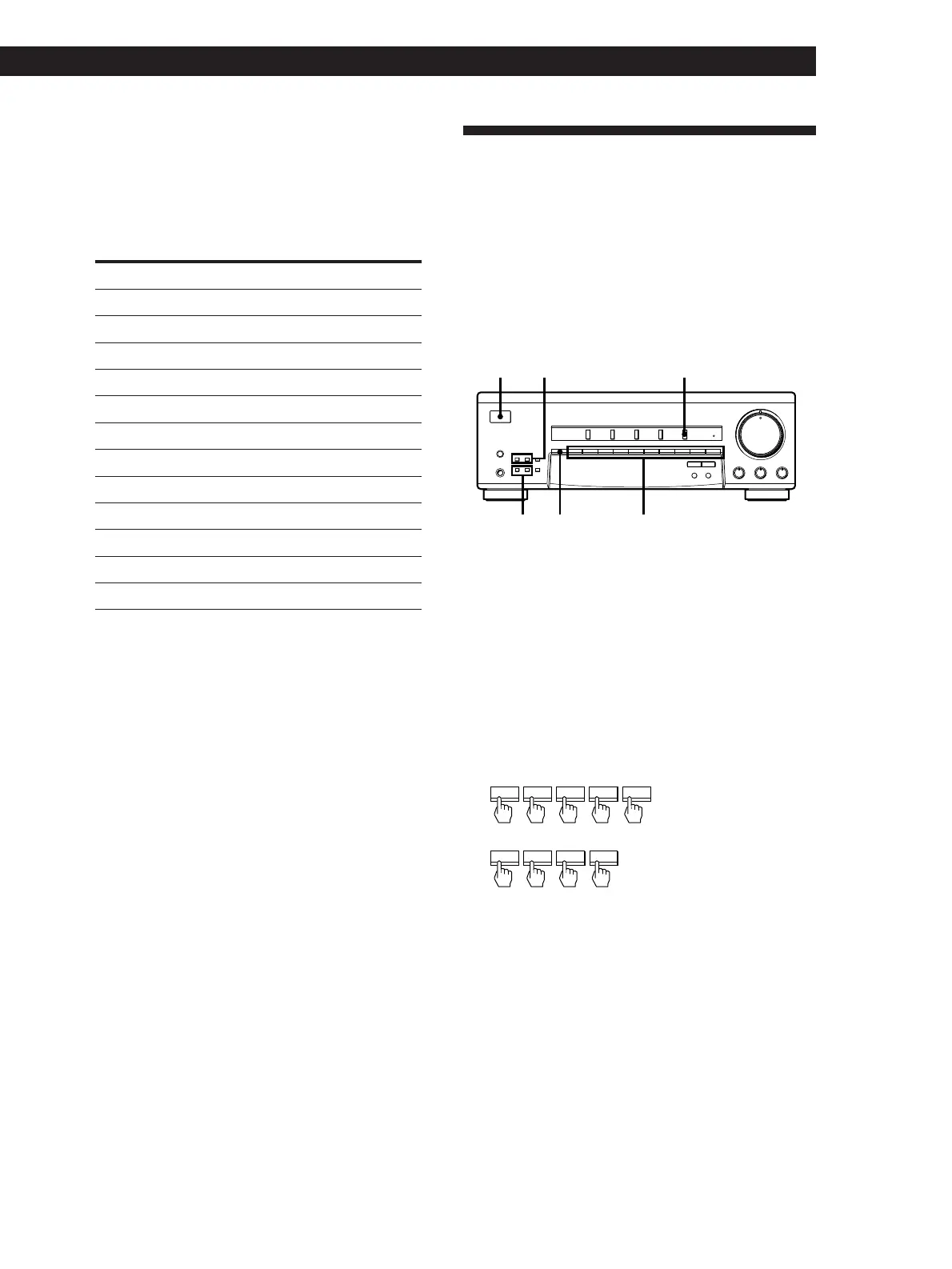
1 Press 1/u to turn on the receiver.
2 Press TUNER.
The last received station is tuned in.
3 Press FM or AM to select FM or AM stations.
4 Press DIRECT.
5 Press the numeric buttons to enter the frequency.
Example 1: FM 102.50 MHz
1 0250
Example 2: AM 1350 kHz
1 350
6 When you tune in AM stations, adjust the
direction of the AM loop antenna for optimum
reception.
To receive other stations
Repeat Steps 3 to 5.
*
Sony VCRs are operated with a VTR 1, 2 or 3 setting
that corresponds to Beta, 8mm, and VHS,
respectively.
Now you can use the TAPE/MD button to control
your second CD player.
To reset the setting to the factory setting
Repeat the above procedure.











 To Next Page