EasyManua.ls Logo

Sony TC-730 - Page 32

Sony TC-730
75 pages
Print Icon
To Next Page IconTo Next Page
To Previous Page IconTo Previous Page
Loading...
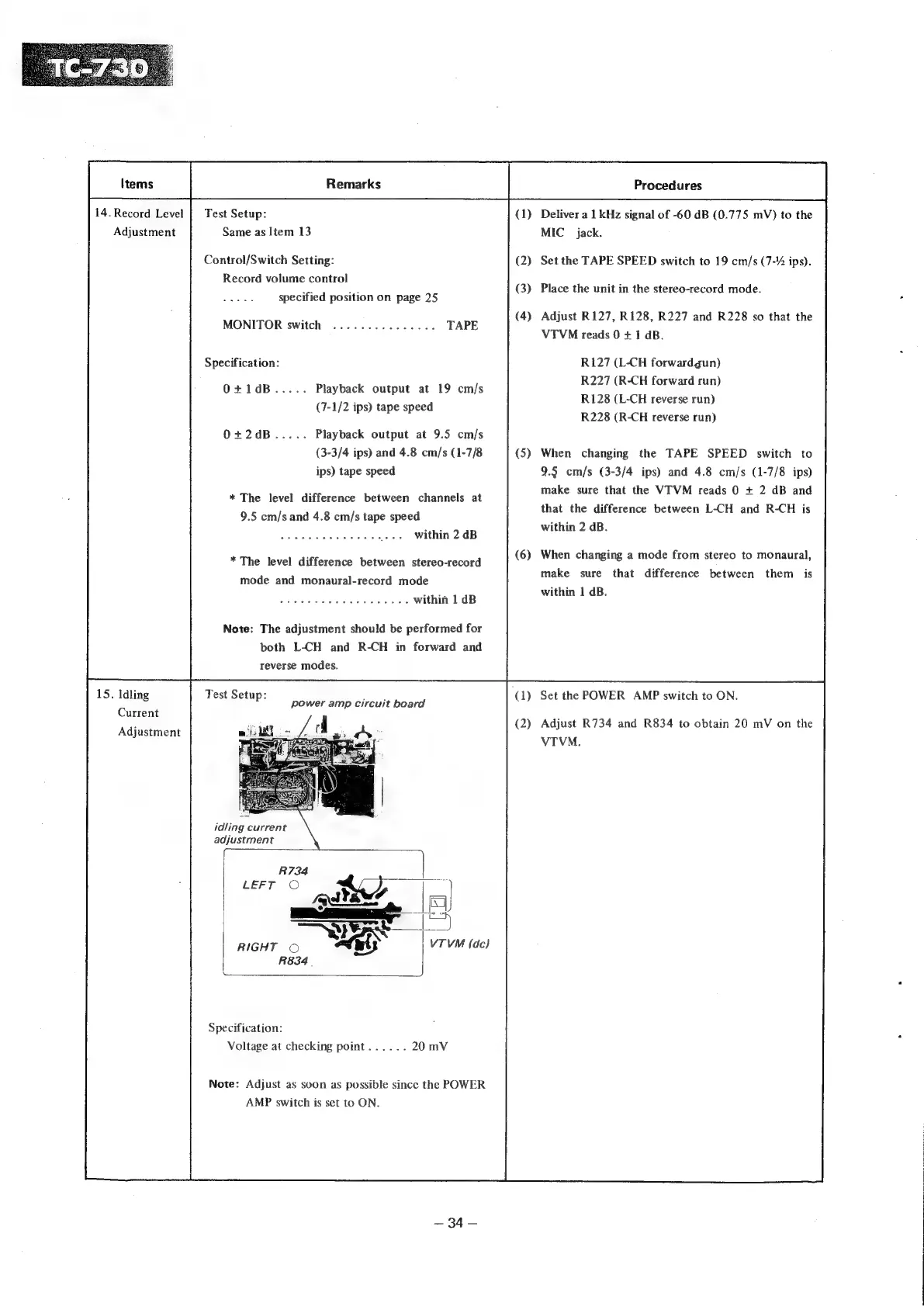
14.
Record
Level
|
Test
Setup:
(1)
Deliver
a
1
kHz
signal
of
-60
dB
(0.775
mV)
to
the
Same
as
Item
13
MIC
jack.
Adjustment
(2)
(3)
Control/Switch
Setting:
Set
the
TAPE
SPEED
switch
to
19
cm/s
(7-2
ips).
Record
volume
control
pe
bod
Place
the
unit
in
the
stereo-record
mode.
ee
specified
position
on
page
25
(4)
Adjust
R127, R128,
R227
and
R228
so
that
the
VTVM
reads
0
+
1
dB.
MONITOR
switch
...............
R127
(L-CH
forwardgun)
R227
(R-CH
forward
run)
R128
(L-CH
reverse
run)
R228
(R-CH
reverse
run)
Specification:
O+1dB.....
Playback
output
at
19
cm/s
(7-1/2
ips)
tape
speed
O+2dB.....
Playback
output
at
9.5
cm/s
(3-3/4
ips)
and
4.8
cm/s
(1-7/8
ips)
tape
speed
(5)
When
changing
the
TAPE
SPEED
switch
to
9.5
cm/s
(3-3/4
ips)
and
4.8
cm/s
(1-7/8
ips)
make
sure
that
the
VTVM
reads
0
+
2
dB
and
that
the
difference
between
L-CH
and
R-CH
is
within
2
dB.
*
The
level
difference
between
channels
at
9.5
cm/s
and
4.8
cm/s
tape
speed
Spouete
trades
rtac
ae
ee
_...
Within
2
dB
(6)
When
changing
a
mode
from
stereo
to
monaural,
*
The
level
difference
between
stereo-record
make
sure
that
difference
between
them
is
within
1
dB.
mode
and
monaural-record
mode
baila
Siibdn
a.
Sha
eae
eoase
aT
brah
oy
within
1
dB
Note:
The
adjustment
should
be
performed
for
both
L-CH
and
R-CH
in
forward
and
reverse
modes.
15.
Idling
Set
the
POWER
AMP
switch
to
ON.
Current
Test
Setup:
bs
Reda
power
amp
circuit
board
(2)
Adjust
R734
and
R834
to
obtain
20
mV
on
the
Adjustment
VTVM
idling
current
adjustment
R734
RIGHT
©
R834
|
Specification:
Voltage
at
checking
point......
Note:
Adjust
as
soon
as
possible
since
the
POWER
AMP
switch
is
set
to
ON.
—
34
—