EasyManua.ls Logo

Sony TCD-D3 - Initiating and Managing Recordings

Sony TCD-D3
35 pages
Print Icon
To Next Page IconTo Next Page
To Previous Page IconTo Previous Page
Loading...
To
Record
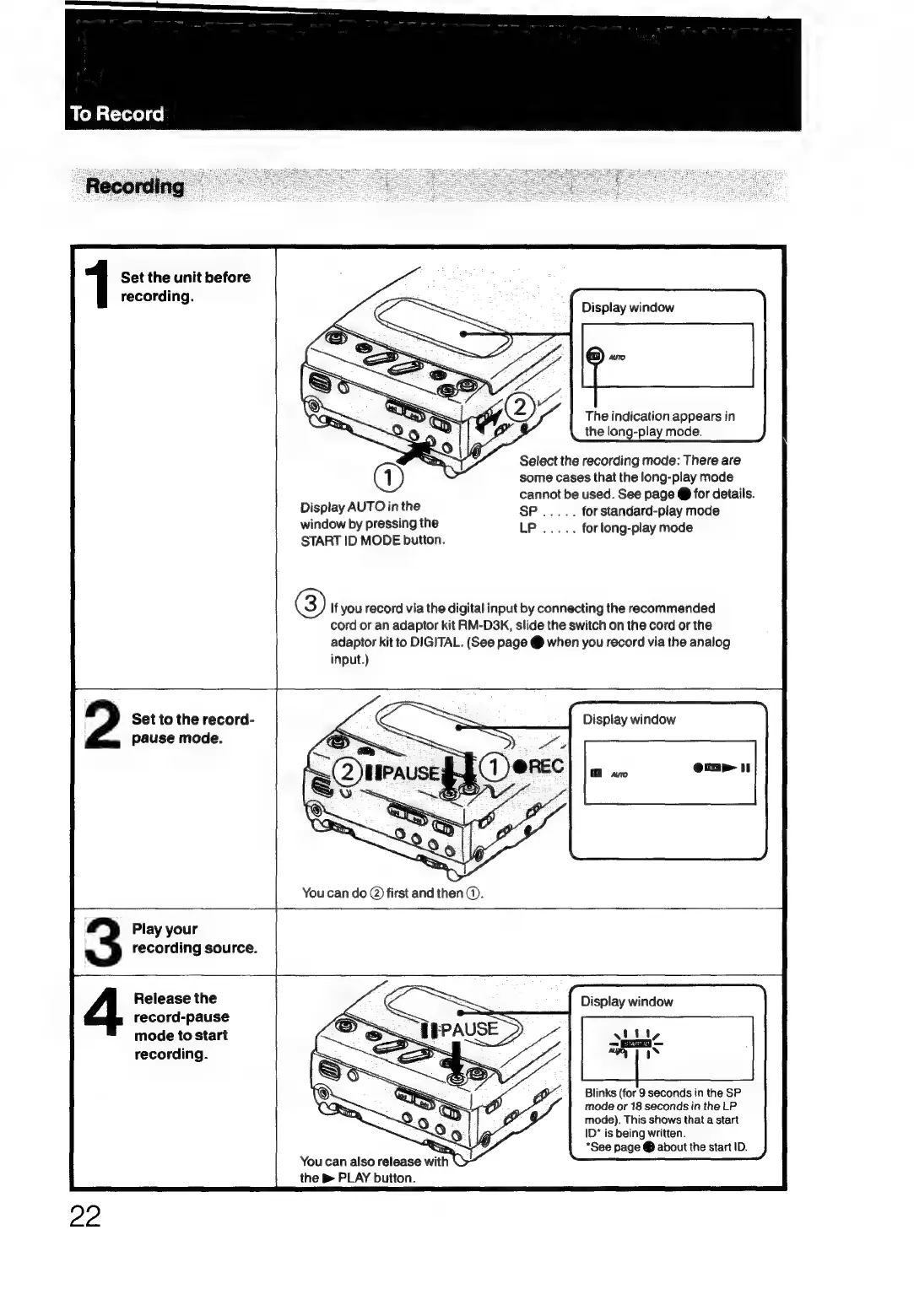
Set
the
unit
before
recording.
1
Display
window
The
indication
appears
in
the
long-play
mode.
Select
the
recording
mode:
There
are
some
cases
that
the
long-play
mode
cannot
be
used.
See
page
@
for
details.
for
standard-play
mode
for
long-play
mode
Display
AUTO
in
the
window
by
pressing
the
START
ID
MODE
button.
(3)
If
you
record
via
the
digital
input
by
connecting
the
recommended
cord
or
an
adaptor
kit
RM-D3K,
slide
the
switch
on
the
cord
or
the
adaptor
kit
to
DIGITAL.
(See
page
@
when
you
record
via
the
analog
Set
to
the
record-
pause
mode.
2
Display
window
You
can
do
@)
first
and
then).
Play
your
recording
source.
3
Release
the
record-pause
mode
to
start
recording.
4
L
Display
window
Blinks
(for
9
seconds
in
the
SP
mode
or
18
seconds
in
the
LP
mode).
This
shows
that
a
start
ID*
is
being
written.
*See
page
@
about
the
start
ID.
the
B
PLAY
button.

Related product manuals