EasyManua.ls Logo

Sony TCD-D3 - Page 23

Sony TCD-D3
35 pages
Print Icon
To Next Page IconTo Next Page
To Previous Page IconTo Previous Page
Loading...
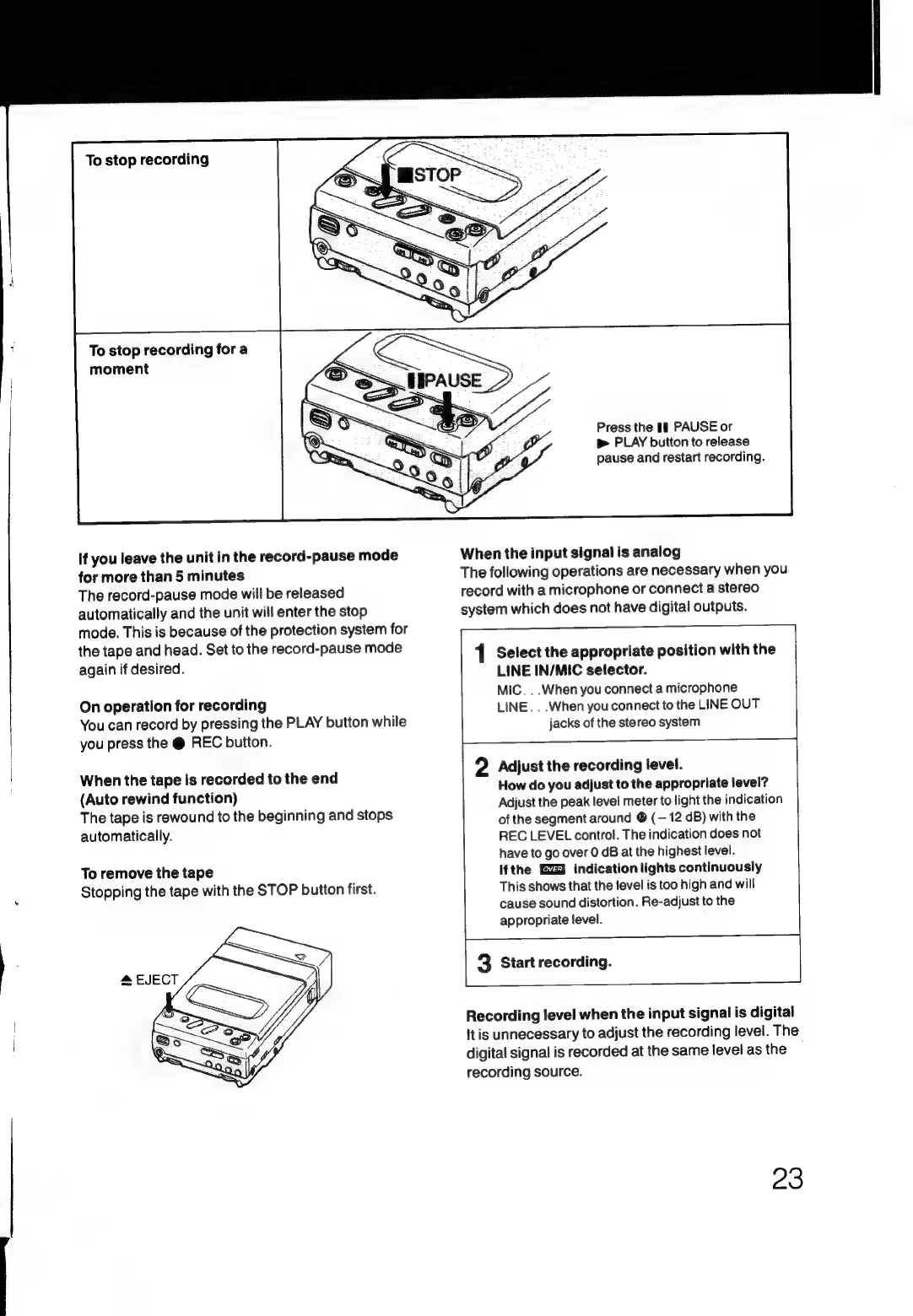
To
stop
recording
To
stop
recording
fora
moment
If
you
leave
the
unit
in
the
record-pause
mode
for
more
than
5
minutes
The
record-pause
mode
will
be
released
automatically
and
the
unit
will
enter
the
stop
mode.
This
is
because
of
the
protection
system
for
the
tape
and
head.
Set
to
the
record-pause
mode
again
if
desired.
On
operation
for
recording
You
can
record
by
pressing
the
PLAY
button
while
you
press
the
@
REC
button.
When
the
tape
is
recorded
to
the
end
(Auto
rewind
function)
The
tape
is
rewound
to
the
beginning
and
stops
automatically.
To
remove
the
tape
Stopping
the
tape
with
the
STOP
button
first.
Press
the
if
PAUSE
or
p>
PLAY
button
to
release
pause
and
restart
recording.
When
the
input
signal
is
analog
The
following
operations
are
necessary
when
you
record
with
a
microphone
or
connect
a
stereo
system
which
does
not
have
digital
outputs.
1
Select
the
appropriate
position
with
the
LINE
IN/MIC
selector.
MIC.
..When
you
connect
a
microphone
LINE.
..When
you
connect
to
the
LINE
OUT
jacks
of
the
stereo
system
2
Adjust
the
recording
level.
How
do
you
adjust
to
the
appropriate
level?
Adjust
the
peak
level
meter
to
light
the
indication
of
the
segment
around
©
(—
12
dB)
with
the
REC
LEVEL
control.
The
indication
does
not
have
to
go
over
0
dB
at
the
highest
level.
If
the
indication
lights
continuously
This
shows
that
the
level
is
too
high
and
will
cause
sound
distortion.
Re-adjust
to
the
appropriate
level.
3
Start
recording.
Recording
level
when
the
input
signal
is
digital
It
is
unnecessary
to
adjust
the
recording
level.
The
digital
signal
is
recorded
at
the
same
level
as
the
|
recording
source.
23

Related product manuals