Location and Function of Parts and Controls
12
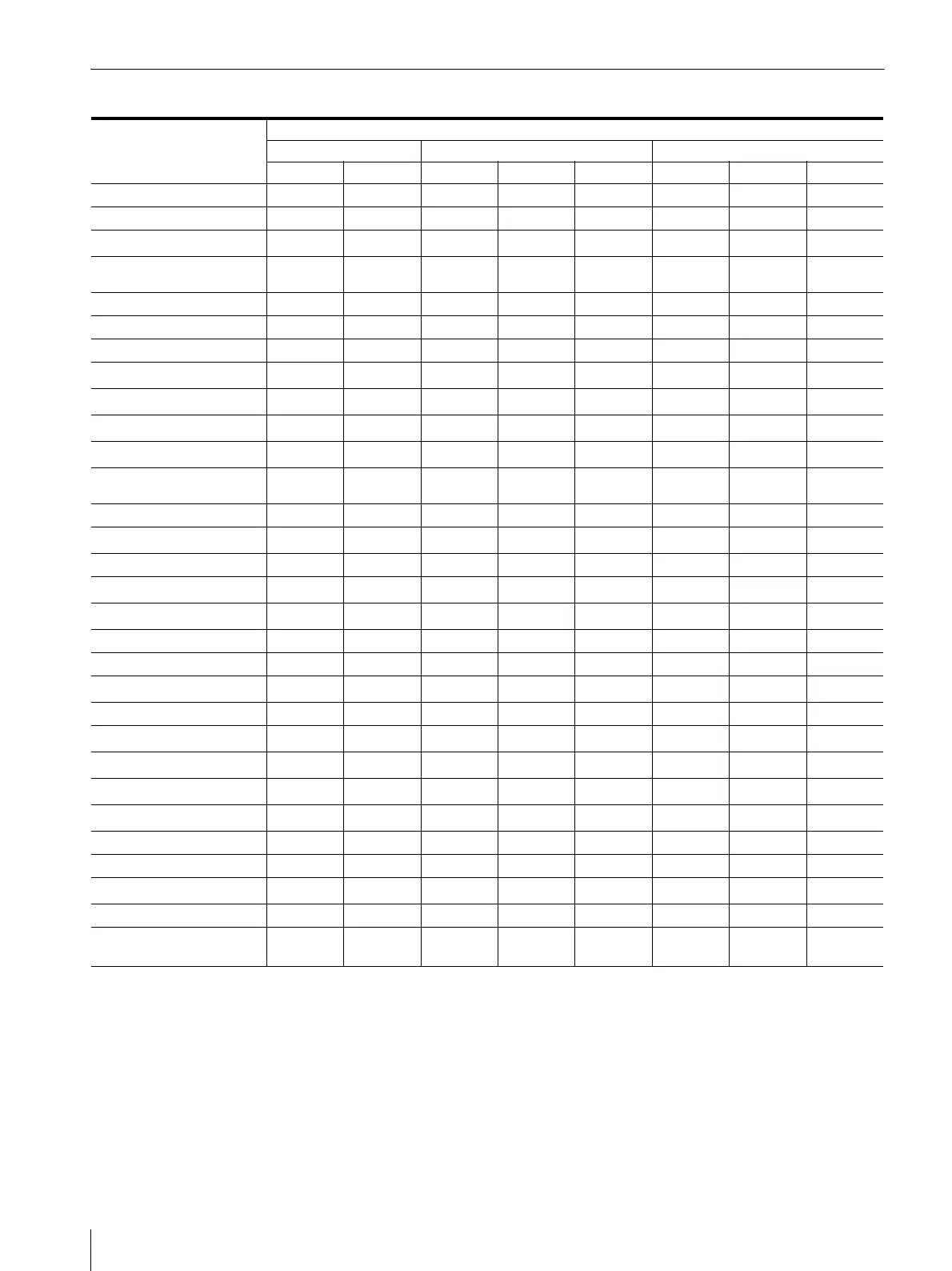
Input Signals and Adjustable/Setting Items
a : Adjustable/can be set
× : Not adjustable/cannot be set
*1 Adjustment of SUB CONTROL is the same.
*2 Only the interlace signal is input.
*3 Adjustable when RGB format of HDMI signals are input.
*4 When DVI signal is input to the HDMI IN connector using a
DVI conversion cable, this can be adjusted.
*5 When the marker display is set to ON, closed captions cannot
be displayed. Caption display is also not possible when
NATIVE is selected in the scan mode and a composite signal
is input.
*6 When RGB format signal is input, VECTOR cannot be
displayed.
*7 When the WFM/ALM/VECTOR display is set to ON, this
does not function.
*8 Some characters may be misplaced, cropped or missing.
Input signal
Item Composite SDI HDMI/DVI*
5
Color B & W SD HD 3G SD HD PC
CONTRAST
aaaaaaaa
BRIGHTNESS*
1
aaaaaaaa
CHROMA
a
×
aaaaaa
PHASE
a
(NTSC)
××××××a
APERTURE
aaaaaaaa
COLOR TEMP
aaaaaaaa
COLOR SPACE
aaaaaaaa
AUTO CHROMA/PHASE
a
×××××××
ACC
a
×××××××
CTI
a
×
×
×××××
V SHARPNESS
aaa
××
a
××
NTSC SETUP
a
(NTSC)
a
(480/60I)
××××××
SCAN
aaaaaaa×
ASPECT
aaa
××
a ××
MARKER
aaaaaaa×
BLUE ONLY
a
×
aaaaa×
MONO
a
×
aaaaa×
H/V DELAY*
7
aaaaa×××
SHIFT
aaaaaaa×
I/P MODE*
2
aaaa
a
aa×
WFM/ALM/VECTOR
aaa*
6
a*
6
a*
6
a*
6
a*
6
a*
6
RGB RANGE*
3
×××××
aaa
T/C
××aaa
×××
DVI*
4
×××××
aaa
SCREEN SAVER
aaaaa
aaa
GAMMA
aaaaaaaa
FLICKER FREE
aaaaaaaa
SD PIXEL MAPPING
aa
×××××
×
CAMERA FOCUS
aaaaaaa×
CLOSED CAPTION*
5
a*
8
(NTSC)
a*
8
(480/60I)
aa
×××
×





 To Next Page