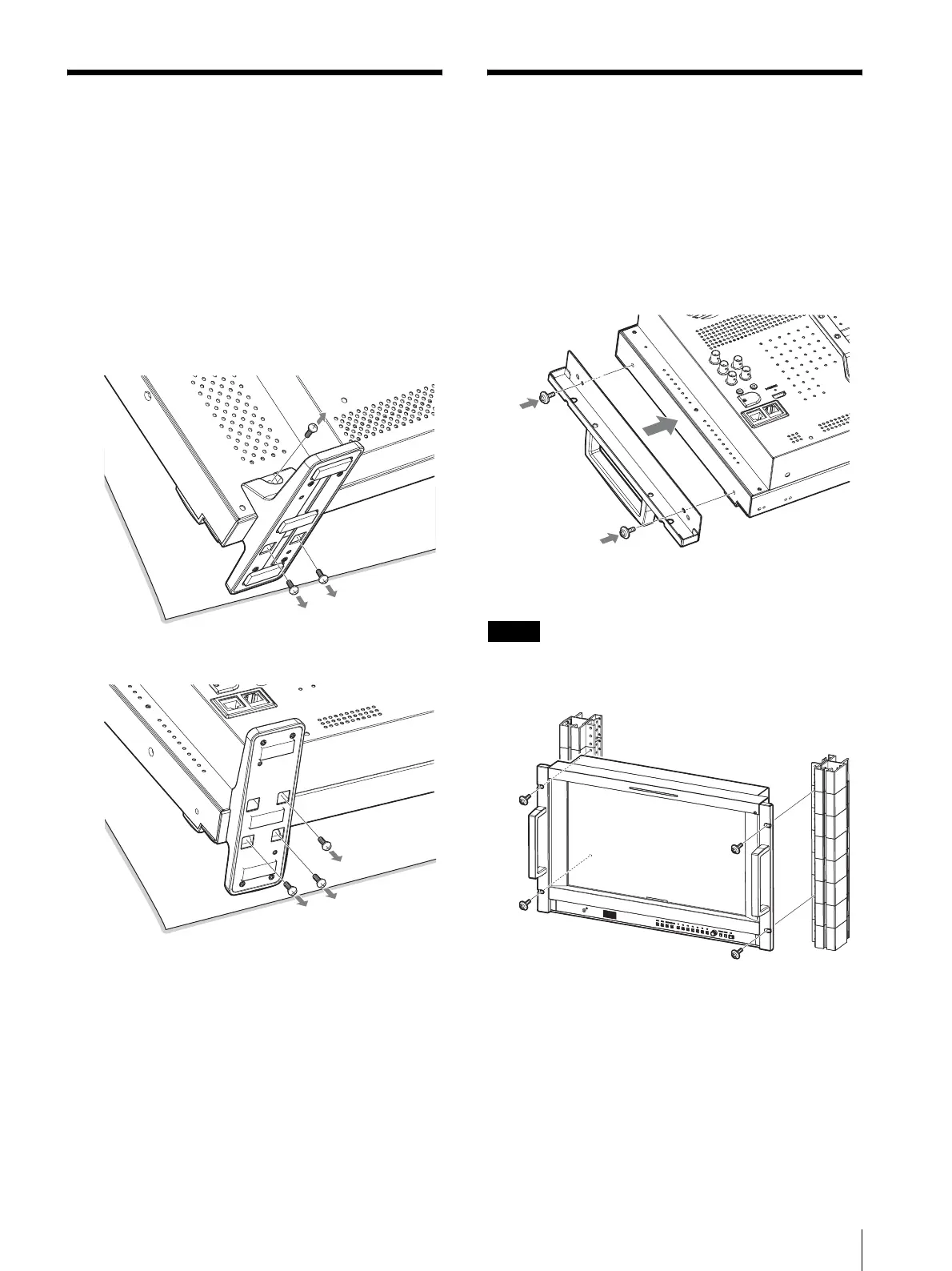
Removing the Monitor Stand (Pre-Attached) / Installing on a Rack (PVM-1741A only)
15
Removing the Monitor
Stand (Pre-Attached)
To install the monitor on a rack, or use the optional SU-
561 Monitor Stand, remove the bottom stand as follows.
1
Put the monitor on a soft cloth with the surface of
the monitor downward.
2
Remove the three screws.
3
Remove the stand.
Installing on a Rack
(PVM-1741A only)
You can install PVM-1741A to the rack by using the
supplied mounting bracket.
1
Attach the mounting bracket to the monitor with
supplied screws.
2
Attach the unit to the rack with four screws.
Note
The screws are not supplied. Prepare screws according
to the rack.
PVM-2541A
PVM-1741A





 To Next Page