EasyManua.ls Logo

Sony TRINITRON KV-16WT1 - White Balance Auto Adjustment

Sony TRINITRON KV-16WT1
60 pages
Print Icon
To Next Page IconTo Next Page
To Previous Page IconTo Previous Page
Loading...
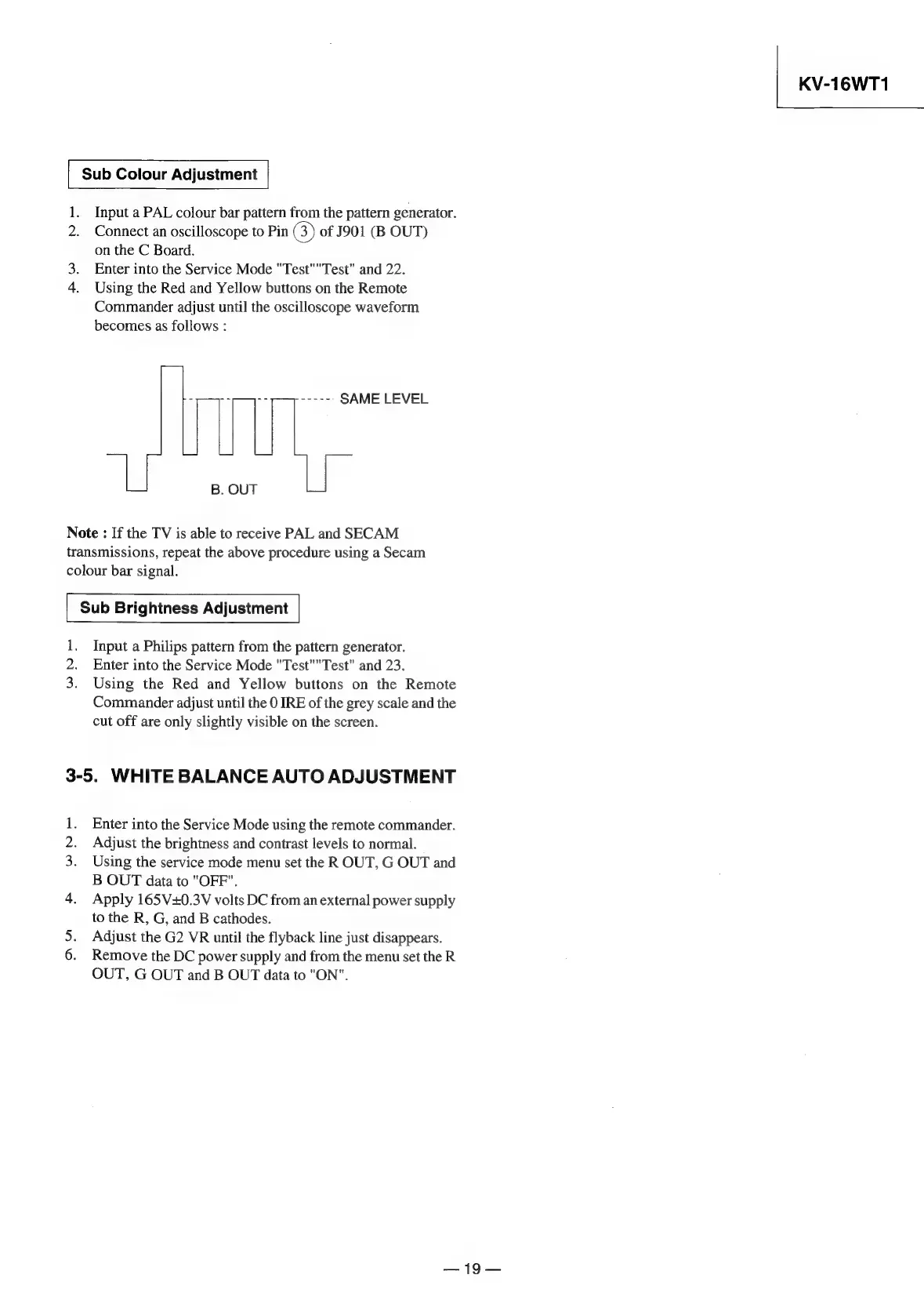
Sub
Colour
Adjustment
1.
Input
a
PAL
colour
bar
pattern
from
the
pattern
generator.
Connect
an
oscilloscope
to
Pin
GB)
of
J901
(B
OUT)
on
the
C
Board.
Enter
into
the
Service
Mode
"Test""Test"
and
22.
4.
Using
the
Red
and
Yellow
buttons
on
the
Remote
Commander
adjust
until
the
oscilloscope
waveform
becomes
as
follows
:
al
ia
ae
SAME
LEVEL
B.
OUT
Note
:
If
the
TV
is
able
to
receive
PAL
and
SECAM
transmissions,
repeat
the
above
procedure
using
a
Secam
colour
bar
signal.
Sub
Brightness
Adjustment
1,
Input
a
Philips
pattern
from
the
pattern
generator.
2.
Enter
into
the
Service
Mode
"Test""Test"
and
23.
3.
Using
the
Red
and
Yellow
buttons
on
the
Remote
Commander
adjust
until
the
0
IRE
of
the
grey
scale
and
the
cut
off
are
only
slightly
visible
on
the
screen.
3-5.
WHITE
BALANCE
AUTO
ADJUSTMENT
Enter
into
the
Service
Mode
using
the
remote
commander.
.
Adjust
the
brightness
and
contrast
levels
to
normal.
3.
Using
the
service
mode
menu
set
the
ROUT,
G
OUT
and
B
OUT
data
to
"OFF".
4.
Apply
165V+0.3V
volts
DC
from
an
external
power
supply
to
the
R,
G,
and
B
cathodes.
Adjust
the
G2
VR
until
the
flyback
line
just
disappears.
6.
Remove
the
DC
power
supply
and
from
the
menu
set
the
R
OUT,
G
OUT
and
B
OUT
data
to
"ON".
No
on
—19—
KV-16WT1

Related product manuals