EasyManua.ls Logo

Sony TRINITRON KV-16WT1 - Connecting the Aerial; Remote Control Setup

Sony TRINITRON KV-16WT1
60 pages
Print Icon
To Next Page IconTo Next Page
To Previous Page IconTo Previous Page
Loading...
24
Getting
Started
Please
open
the
flap
at
the
front
and
at
the
back
of
the
Instruction
Manual
for
illustrations
of
the
TV
set
and
the
Remote
Commander.
Letters
in
boxes
refer
to
the
buttons
on
the
TV
set,
numbers
in
circles
to
the
buttons
on
the
Remote
Commander.
step?
Ld
Connecting
the
Aerial
(if
you.connect
a
VCR,
skip
to
step
3).
Connect
an
external
aerial
to
the
socket
17
fi].
Where
an
extemal
aerial
is
not
available
connect
the
indoor
aerial
supplied:
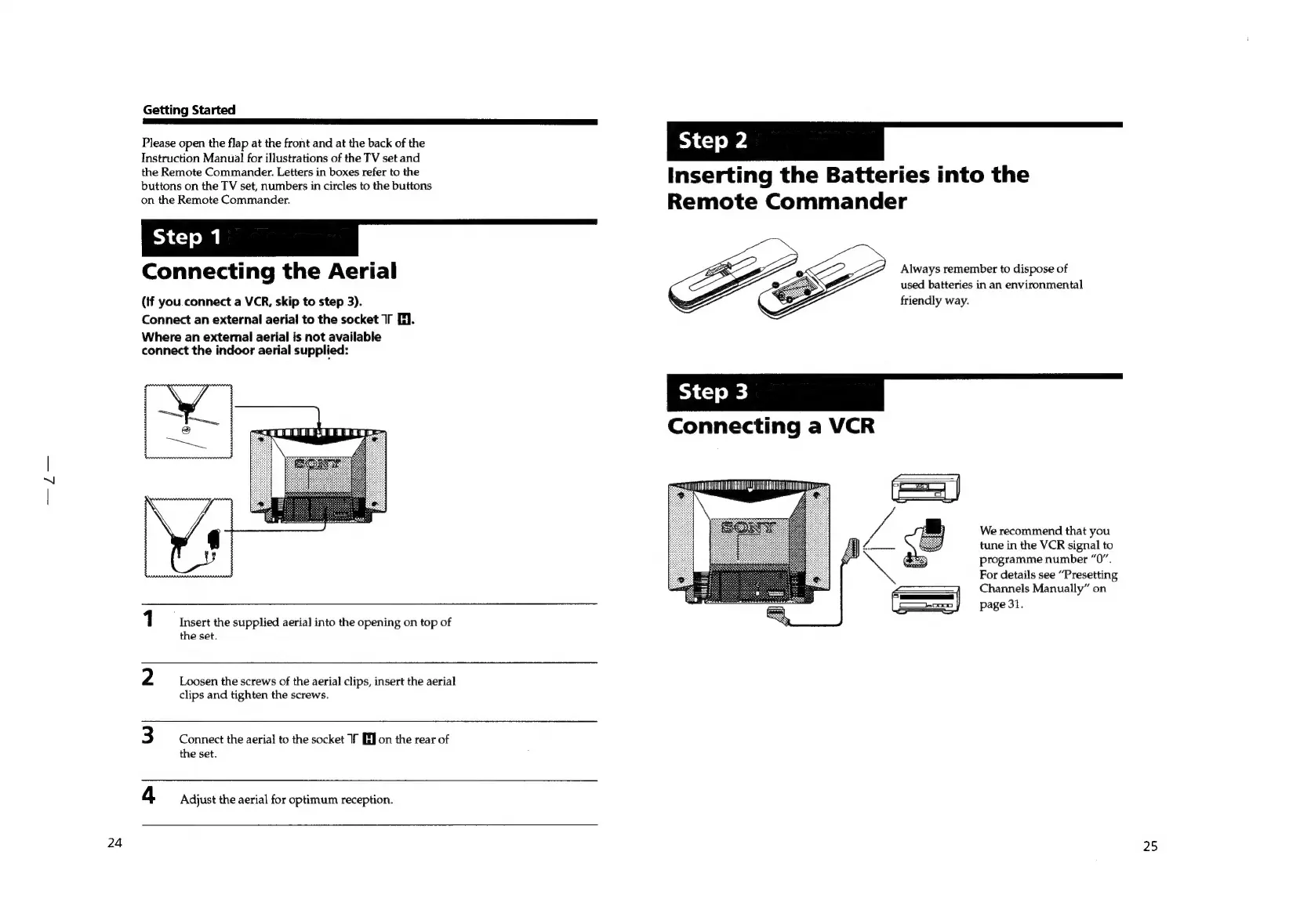
1
Insert
the
supplied
aerial
into
the
opening
on
top
of
the
set.
2
Loosen
the
screws
of
the
aerial
clips,
insert
the
aerial
clips
and
tighten
the
screws.
3
Connect
the
aerial
to
the
socket
1f
[EJ
on
the
rear
of
the
set.
4
Adjust
the
aerial
for
optimum
reception.
step?
Inserting
the
Batteries
into
the
Remote
Commander
Always
remember
to
dispose
of
used
batteries
in
an
environmental
friendly
way.
We
recommend
that
you
tune
in
the
VCR
signal
to
programme
number
“0”.
For
details
see
“Presetting
Channels
Manually”
on
page
31.
25

Related product manuals