EasyManua.ls Logo

Sony TRINITRON KV-21V5A - Tuning in to a Channel Temporarily

Sony TRINITRON KV-21V5A
62 pages
Print Icon
To Next Page IconTo Next Page
To Previous Page IconTo Previous Page
Loading...
12
|
Getting
Started
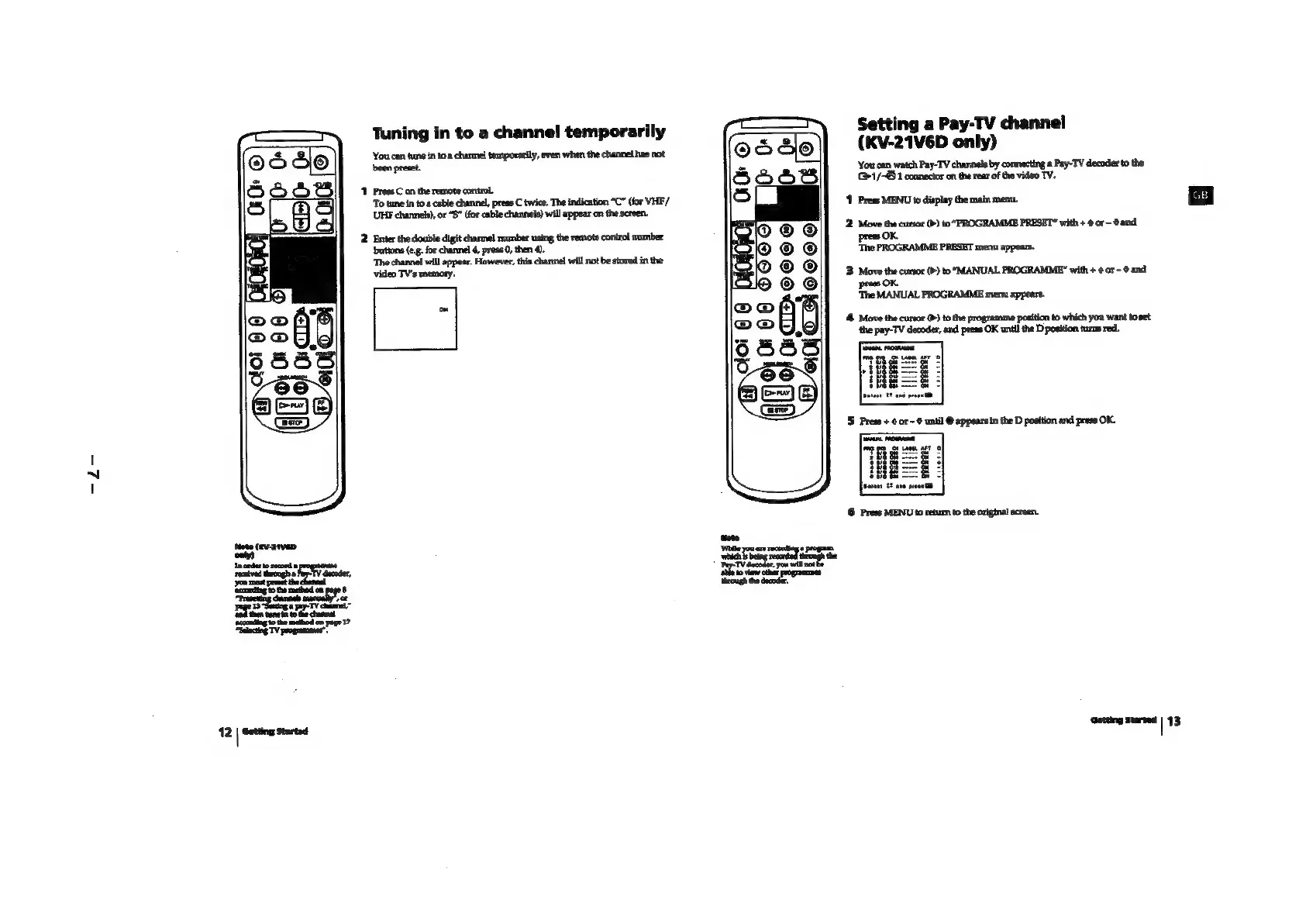
Tuning
in
to
a
channel
temporarily
‘You
can
tune
in
to
a
channel
temporarily,
even
when
the
channel
has
not
been
preset
1
Press
C
on
the
remote
control
‘To
tune
in
to
a
cable
channel,
press
C
twice.
The
indication
“C”
(for
VHE/
LUHE
channels)
or
“S”
(for
cable
channels)
will
appear
on
the
screen.
2
Enter
the
double
digit
channel
number
using
the
remote
control
number
‘buttons
(e.g.
for
channel
4,
press
0,
then
4).
‘The
channel
will
appear.
However,
this
channel
will
not
be
stored
in
the
video
TV's
memory.
Setting
a
Pay-TV
channel
(KV-21V6D
only)
‘You
can
watch
Pay-TV
channels
by
connecting
a
Pay-TV
decoder
to
the
(1/-@
1
connector
on
the
rear
of
the
video
TV.
‘1
Press
MENU
to
display
the
main
menu.
2.
Move
the
cursor
(P)
to
“PROGRAMME
PRESET”
with
+
@
or
and
press
OK.
‘The
PROGRAMME
PRESET
menu
appears.
3.
Move
the
cursor
(P)
to
“MANUAL
PROGRAMME"
with
+
@or-
and
press
OK.
‘The
MANUAL
PROGRAMME
mena
appears.
4
Move
the
cursor
(>)
to
the
programme
position
to
which
you
want
to
set
‘he
pay-TV
decoder,
and
press
OK
until
the
D
position
turns
red.
6
Press
MENU
to
return
to
the
original
screen.
Getting
Started
|
13