EasyManua.ls Logo

Sony TRINITRON KV-2565MT - Convenient Features; On-screen Display Control; Muting Audio; Sleep Timer Setting

Sony TRINITRON KV-2565MT
21 pages
Print Icon
To Next Page IconTo Next Page
To Previous Page IconTo Previous Page
Loading...
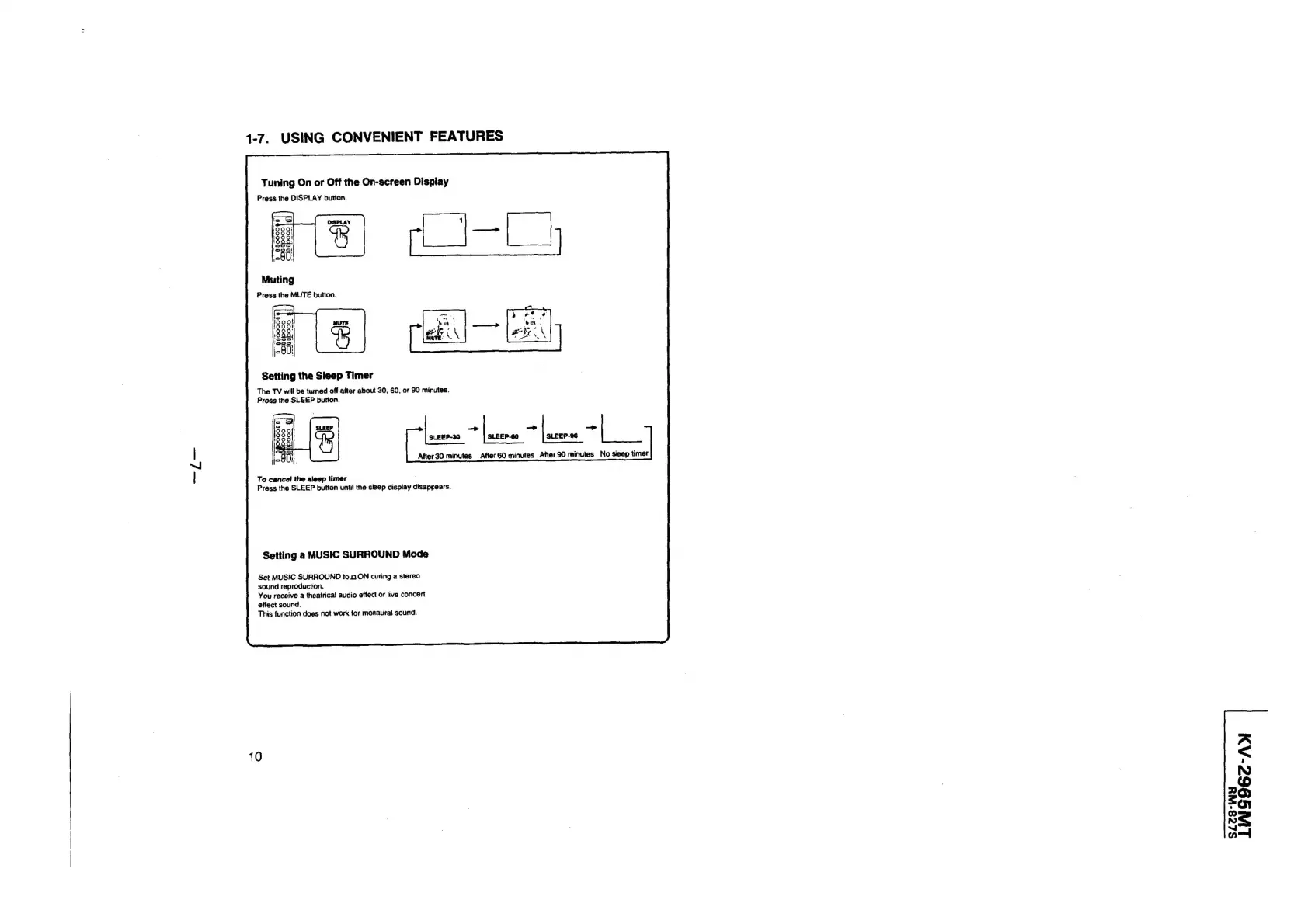
1-7.
USING
CONVENIENT
FEATURES
Tuning
On
or
Off
the
On-screen
Display
Press
the
DISPLAY
button.
Setting
the
Sleep
Timer
The
TV
will
be
turned
off
after
about
30,
60,
or
90
minutes.
Press
the
SLEEP
button.
.
LEEP-30
-|
SLEEP-60
+|
SLEEP-90
+|
After30
minutes
After
60
minutes
After
90
minutes
No
sleap
timer
Te
cancel
the
sleep
timer
Press
the
SLEEP
button
unti!
the
sleep
display
disappears.
Setting
a
MUSIC
SURROUND
Mode
Set
MUSIC
SURROUND
to
0
ON
during
a
stereo
sound
reproduction.
You
receive
a
theatrical
audio
effect
or
live
concert
effect
sound.
This
function
does
not
work
for
monaural
sound.
10
A
<
NO
©
o
$9
Ss
=~
SZLé8-WY

Related product manuals