21
KV-28WF3/32WF3
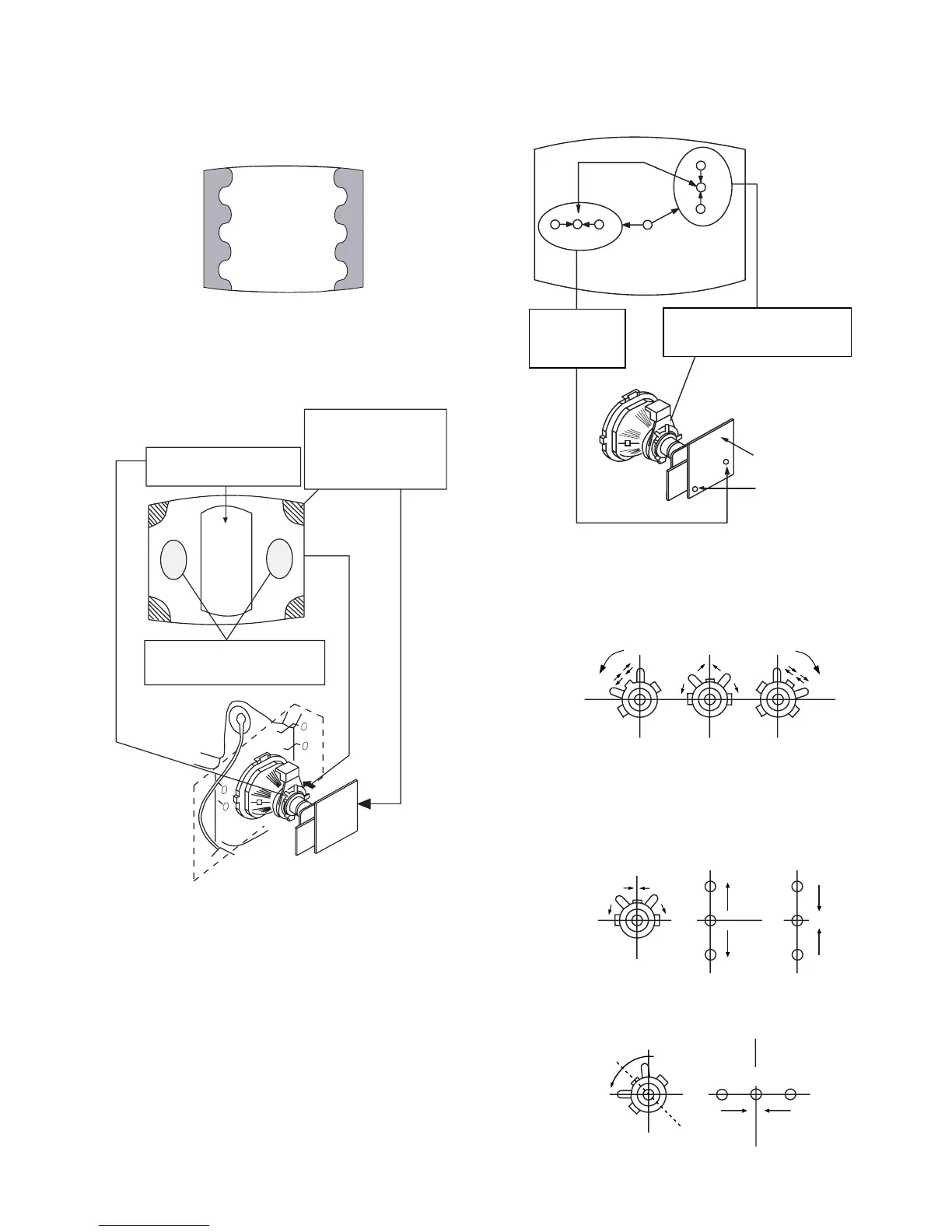
Purity control corrects
this area
Disk magnets or
rotatable disk
magnets correct
these areas (a-d)
Deflection yoke positioning
corrects these areas
V.STAT
Vertical Static Magnet
H.STAT
convergence
control
C Board
RV702 (H STAT)
H STAT Convergence
RV701
Screen (G2)
(Open)
(Close)
B
G
R
B
G
R
B
GR
Fig. 3-4
Fig. 3-5
3-2.CONVERGENCE
(1) Screen centre convergence
[Static convergence]
1. Input a dot signal from the pattern generator.
Normalize the picture setting.
2. [Moving horizontally], adjust the H.STAT control so that the
horizontal red, green and blue dots coincide at the centre of the
screen.
3. [Moving vertically], adjust the V.STAT magnet so that the
vertical red, green and blue dots coincide at the centre of the
screen.
• If the horizontal dots are unable to coincide with the variable
range of the H.STAT convergence, adjust together with the
V.STAT convergence while tracking.
[Adjust the convergence by tilting the V.STAT convergence or
by opening and closing the V.STAT convergence.]
4. Movement of the red, green and blue dots by tilting the
V.STAT magnet and by opening or closing the V.STAT
magnet.
a). By opening or closing the V.STAT magnet, the red, green and
blue dots move as indicated below.
b). By rotating the V.STAT magnet counter clockwise, the red,
green and blue dots move as indicated below.






 To Next Page