24
KV-28WF3/32WF3
SECTION 4
CIRCUIT ADJUSTMENTS
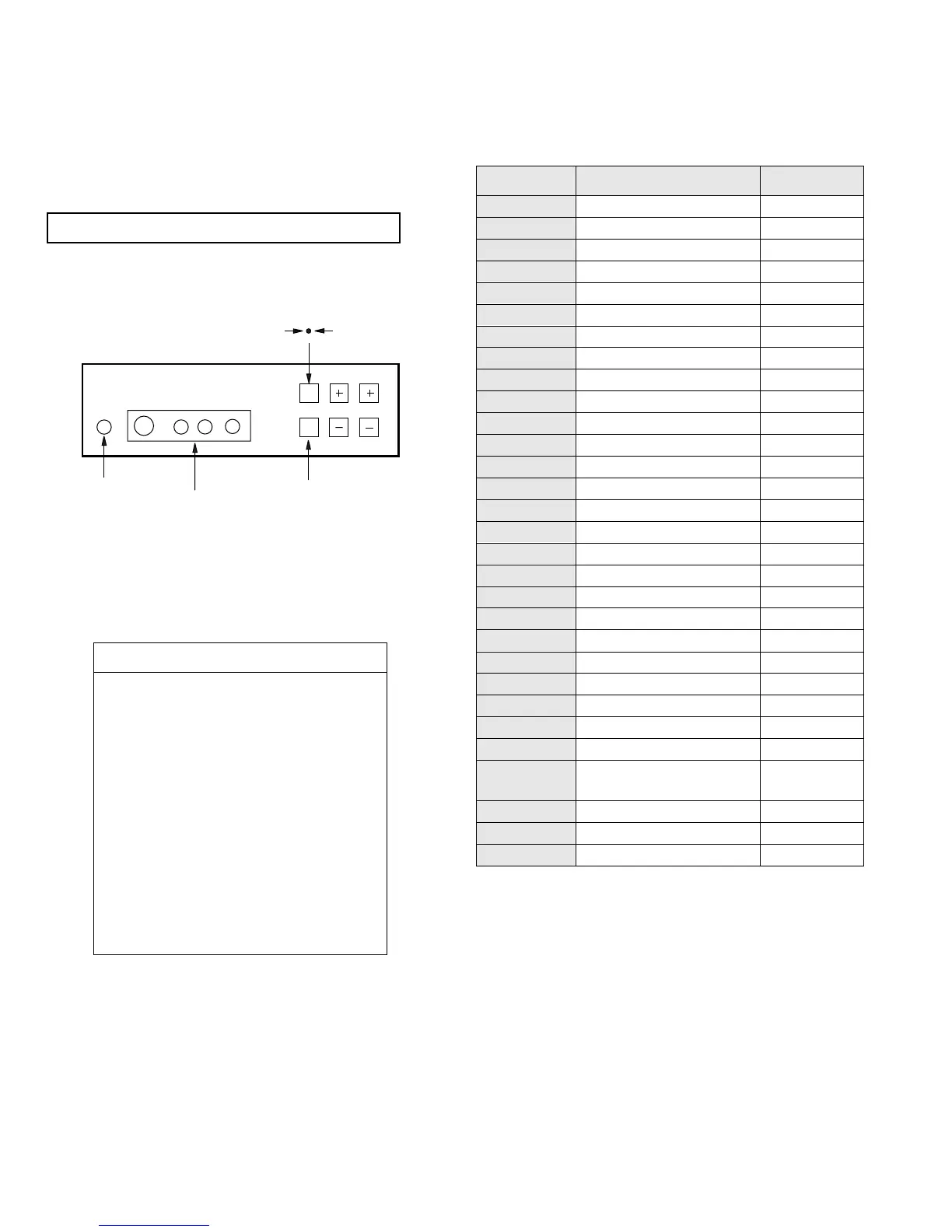
VOL
PROG
AV INPUT
AV INPUT
Headphone
jack
4-1. ELECTRICAL ADJUSTMENTS
Service adjustments to this model can be performed
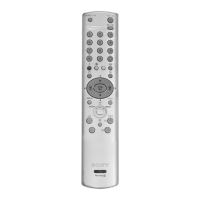
using the supplied Remote Commander RM-862.
HOW TO ENTER INTO SERVICE MODE
1. Turn on the main power switch of the set while pressing
PROG + (plus) and PROG - (minus) buttons on the front
panel.
2. "TT" will appear in the upper right corner of the
screen.
3. Press the ‘MENU’ button on the remote commander to
obtain the service menu on the screen.
4. Push the joystick up (green) or down (blue) on the remote
commander to select the adjustment item.
5. Press the centre button to proceed to the next menu.
6. If the required adjustment item is ‘Video Proc’, push the down
button to move to ‘Video Proc’.
7. The Menu indicated in Fig 4-3 will appear on the screen.
8. Move the joystick up or down to move to the adjustment item
and press the centre (OK) button.
9. Change the data in order to comply with each standard.
Fig 4-3
DEVICES
Init TV
Pip, Lumisponder & Autoside
Sub Adjust
Video Proc TDA4780
Col Dec Main TDA9144
Deflect. Cont SDA9361
Col Dec Sub TDA9143
Feature Box S87C654
AI TDA9170
DA SDA9280
Single PIP SDA9288
Sound
Line23 det
Item No Adjustment item Data Amount
1 BRT 31
2 COL 31
3 PIC 53
4 HUE 31
5 R GAIN 31
6 G GAIN Adj
7 B GAIN Adj
8 R LVL REF 31
9 G LVL REF Adj
10 B LVL REF Adj
11 PEAK DRV LIMIT 48
12 GAMMA 0
13 SCP ON = 3LEV OFF = 2LEV OFF
14 DELAY OFF
15 DATA BUFF OFF
16 NTSC MATRIX OFF
17 HDTV OFF
18 FSBL OFF
19 AUTO CUT OFF ON
20 FSW 2 DIS OFF
21 FSW 2 OFF
22 FSW 1 DIS OFF
23 FSW 1 OFF
24 ADAPT BLACK OFF
25 Y HIGH 1V OFF
26 MOD2 OFF
27 BLUE STRETCH
During White Balance
adjustment OFF, After
W/B adjustment ON
28 VM OUT OFF
29 PEAK DRV ABS ON
30 TIME CNST PEAK LIMIT OFF






 To Next Page