22 Menu Adjustment
x Changing the “SOUND” setting
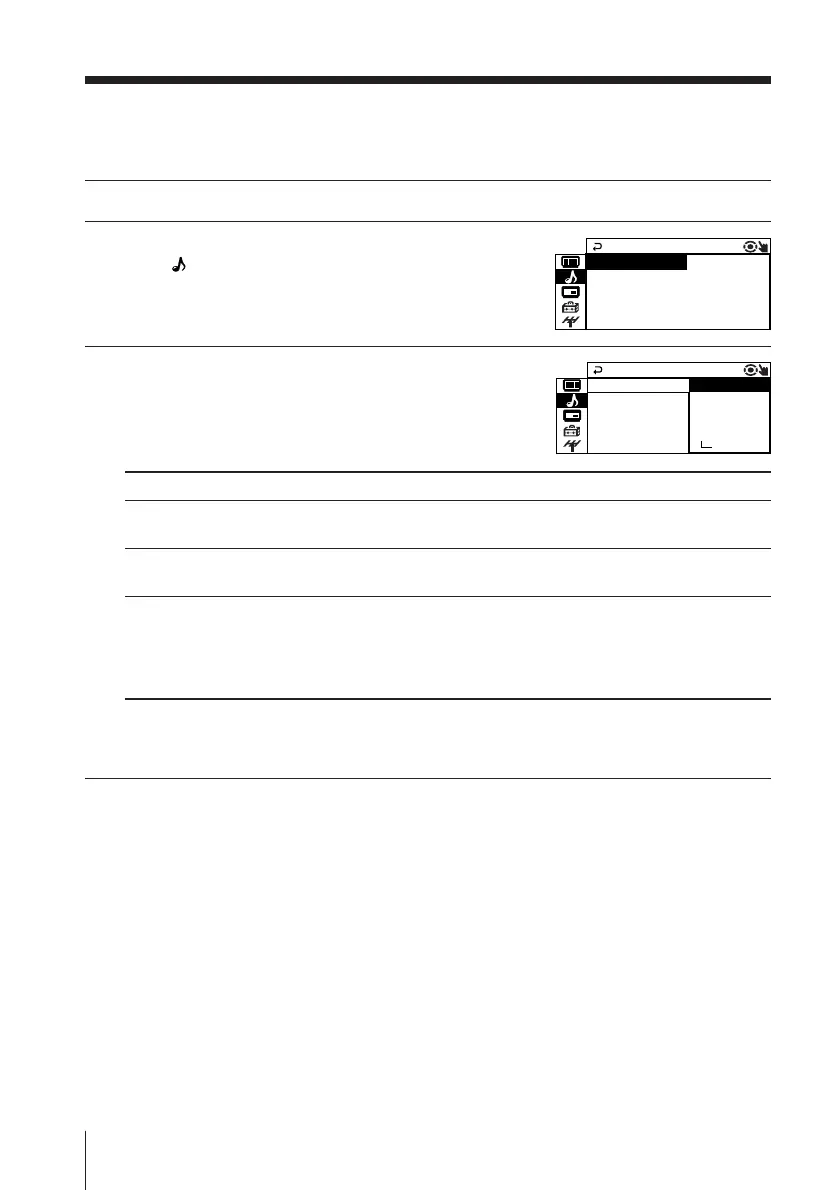
The “SOUND” menu allows you to adjust the sound settings.
1
Press MENU.
2
Press V or v to select the “SOUND”
icon (
), then press ENTER.
3
Press V or v to select the desired item
(e.g., “SOUND MODE”), then press ENTER.
Select To
“SOUND MODE” choose either “DYNAMIC”, “DRAMA”, “SOFT”, “PERSONAL”*, or
“ADJUST” (see page 11).
“SURROUND” choose either “TruSurround”, “SIMULATED” or “OFF”
(see page 14).
“INTELLIGENT adjust the volume of all program numbers and video inputs
VOL” automatically.
Press V or v to select “ON”, then press ENTER.
To cancel, select “OFF”, then press ENTER.
* When the “PERSONAL” mode is selected, you can receive the last adjusted sound
settings from the “ADJUST” option (see page 23).
SOUND MODE
SOUND
INTELL I GENT VOL : OFF
SUR R OU N D :OFF
: DYNAM I C
SOUND MODE
PE
SOUND
RSONA L
INTEL LIGENT SOF T
DRAMA
SUR R OU N D :OF
:
ADJ UST
DYNAM I C












 To Next Page