Operations
-EN
19
Description of adjustable items
Select To
MOVIE Listen to a sound that emphasizes the bass
audio effect of movie theater.
MUSIC Listen to a dynamic and clear sound that
emphasizes the low and high audio effect.
NEWS〈BBE〉 Listen to a sound that emphasizes voice.
HALL〈SRS〉 Listen to a sound that spreads out over a
large area, giving the feeling of being at a
concert hall.
SPACE Listen to a monaural sound that gives a
stereo-like effect.
OFF Turn off the surround sound.
Notes
• The BBE is manufactured by Sony Corporation under license
from BBE Sound, Inc. It is covered by U.S. Patent No. 4,638,258
and No. 4,482,866. The word “BBE” and the BBE symbol are
the trademarks of BBE Sound, Inc.
• The (r)® SRS (SOUND RETRIEVAL SYSTEM) is
manufactured by Sony Corporation under license from SRS
Labs, Inc. It is covered by U.S. Patent No. 4,748,669.
The word “SRS” and the SRS symbol (r) are registered
trademarks of SRS Labs, Inc.
Listening to the
surround sound
(HYPER SURROUND)
MENU
ENTER
A / V CONTROL
DYNAMIC
SOFT
STANDARD
PERSONAL
V I DEO ADJUST
AUD I O ADJUST
T I LT CORRECT: 0
MENU
GAME MODE
HYPER SURROUND :
OF F
MONITOR
AV OUT :
FEATURES
ENTER ENTER
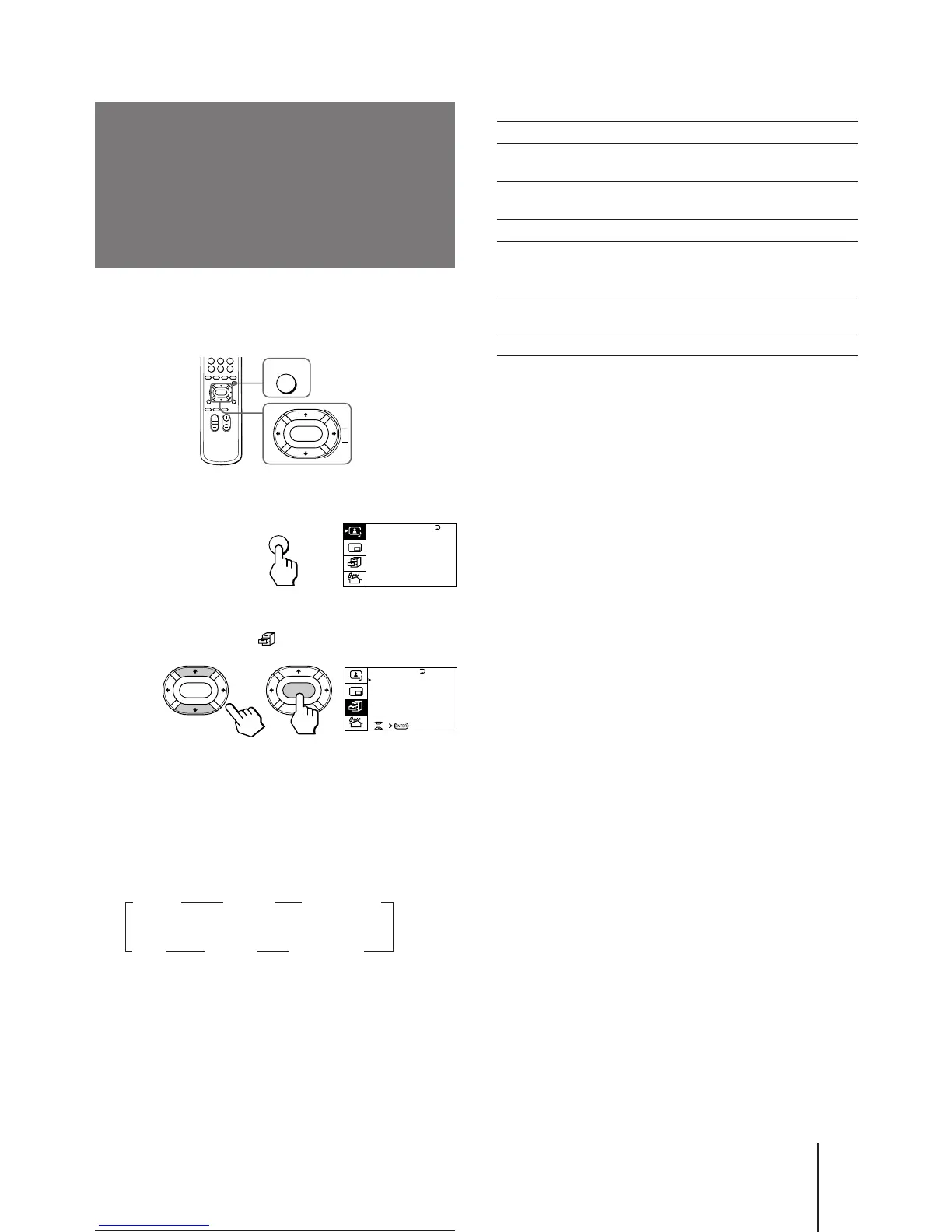
The HYPER SURROUND feature enables you to enjoy
a surround sound effect that is like being in a concert
hall or movie theater when receiving stereo signals.
1 Press MENU.
2 Press V or v to move the cursor (z) to the
FEATURES MENU ( ) , and press ENTER.
3 Press V or v to move the cursor (z) to
HYPER SURROUND, and press ENTER.
4 Press V/b/v/B to select MOVIE, MUSIC,
NEWS〈BBE〉, HALL〈SRS〉 or SPACE, and press
ENTER.
MOVIE n MUSIC n NEWS〈BBE〉
OFF N SPACE N HALL〈SRS〉 N
For details on each item, see “Description of adjustable
items“ below.
5 Press MENU to return to the normal screen.






 To Next Page