Operations
26
-EN
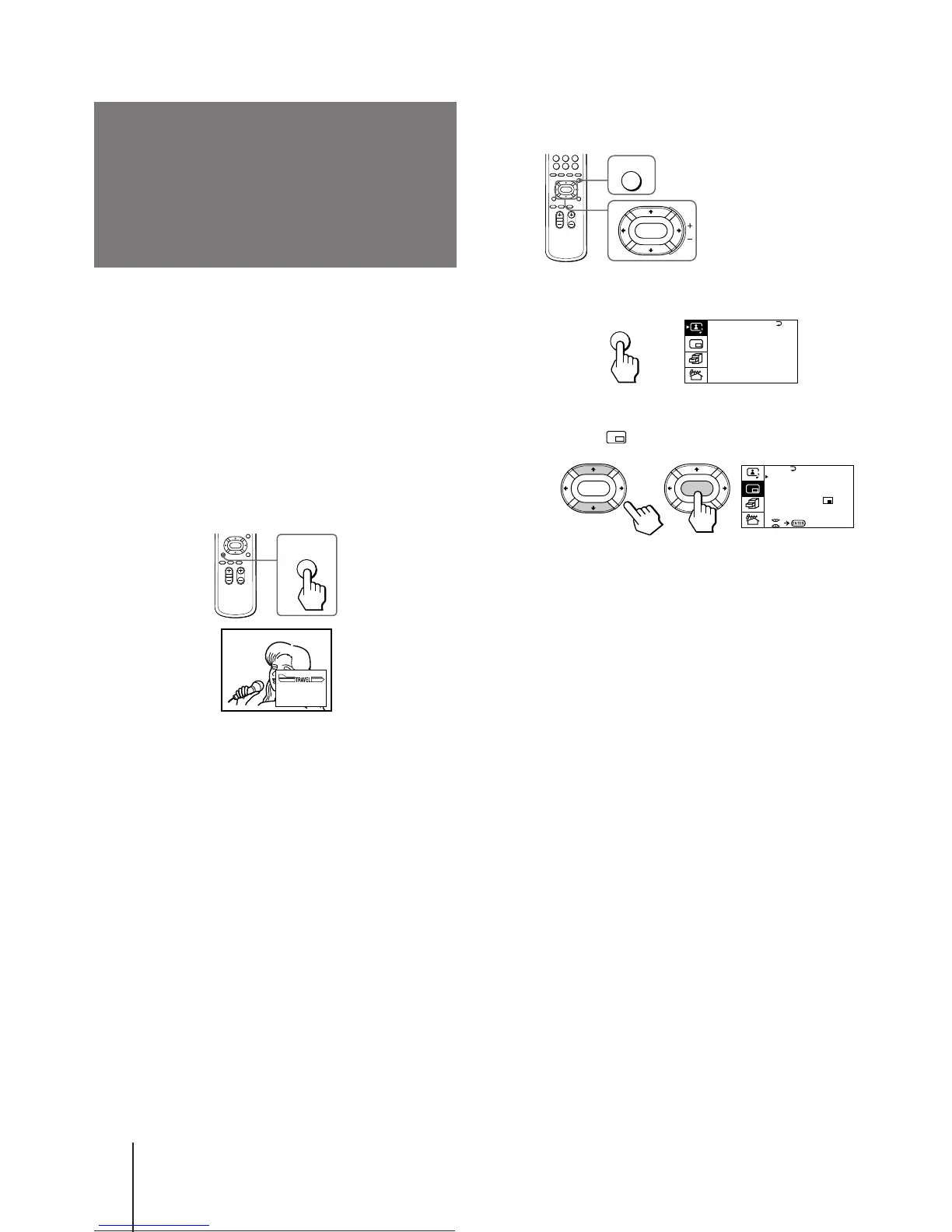
To display a Teletext page on the PIP screen
using the menu
1 Press MENU.
2 Press V or v to move the cursor (z) to the
PIP menu ( ) , and press ENTER.
3 Press V or v to move the cursor (z) to PIP
TEXT, and press ENTER.
4 Press V/b/v/B to select the Teletext page you
want to watch.
Notes
• You can also use the color-coded buttons (see page 24) while
displaying a Teletext page on the PIP screen.
• To select a Teletext page on the PIP screen, press V/b/v/B
once only.
If you press V/b/v/B continuously, the Teletext page
numbers also change continuously at a fast speed.
• You can change the position of a Teletext page on the PIP
screen using the PIP menu (as described in "Changing the
position of the PIP screen" on page 23).
A / V CONTROL
DYNAMIC
SOFT
STANDARD
PERSONAL
V I DEO ADJUST
AUD I O ADJUST
T I LT CORRECT: 0
MENU
p KV-E29MH11/E29MN11 only
The PIP TEXT feature enables you to display a Teletext
page on the PIP screen while watching a TV program.
You can display the Teletext on the PIP screen using
the button on the remote commander or the menu.
1 Select a TV channel that carries the Teletext
broadcast you want to watch.
2 Press PIP TEXT.
To restore the normal screen
Press PIP TEXT again, TV, VIDEO/HOLD, or PROGR
+/–.
You can also select PIP : OFF from the PIP menu, and
press ENTER to restore the normal screen.
Displaying Teletext
on the PIP screen
(PIP TEXT)
PIP
TEXT
P166 SECTEXT 166 FR1 MAR 03:59:09
Fom Singapore
To PARIS
To OSAKA
To ROMA
To SYDNEY
Day Dep/Arr Flight Alrcraft
1.6 220/0588 SQ28 747
2 2130/1225 PA115 L15
3 2115/1330 SQ26 747
2.7 2130/0745 SQ24
747
4 2300/0915 AZ487 747
2.5 1000/1715 SQ6 747
4.6 0930/2015 CX522 L10
1 2210/0610 SQ21A 747
2 2100/0835 SQ21A 747






 To Next Page