Getting Started
-EN
9
A/V CONTROL
PIP
FEATURES
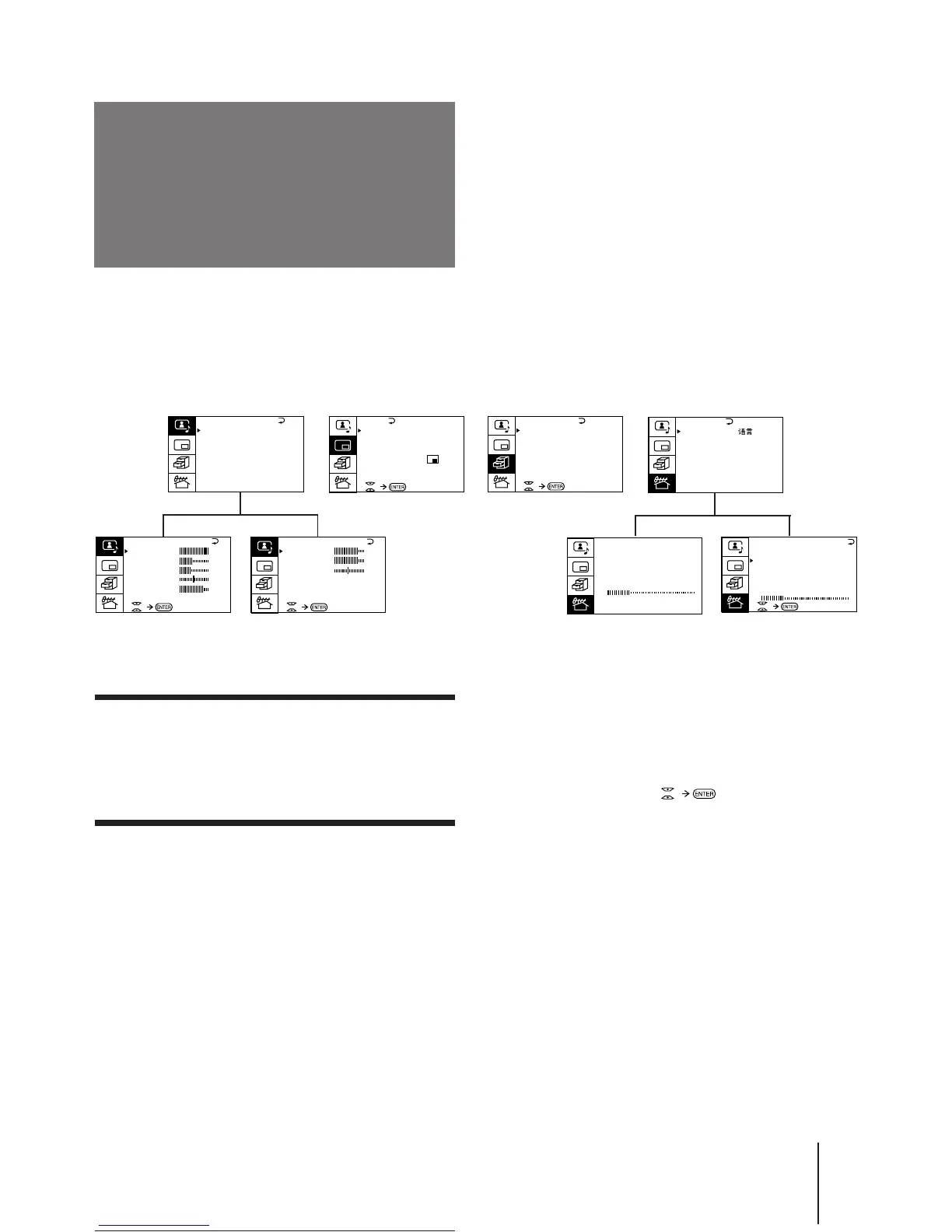
Getting back to the previous menu
(except for AUTO PROGRAM)
Press V or v to move the cursor (z) to the first
line (N) of each menu, and press ENTER.
Cancelling the menu screen
Press MENU.
Notes (except for AUTO PROGRAM)
• When a menu is selected after pressing ENTER, the color of
both the menu and the menu symbol change and the cursor
(z) appears beside the first item of the menu.
• When an item on the menu is selected after pressing ENTER,
the color of the item changes.
• You can refer to the guide (
) at the bottom of the
menus (except for the A/V CONTROL and PRESET menus)
for the basic operations of the menu.
• If more than approximately 60 seconds elapse after you press a
button, the menu screen disappears automatically.
PIP
PIP: OFF
PIP TEXT
STROBE
POS I T ION:
PROGR I NDEX
PRESET
BASS
80
00
80
TREBLE
BALANCE
AUD IO ADJUST
Introducing the
menus
You can preset TV channels, adjust the picture and sound qualities, and select some settings using the on-screen
menus. You can use the buttons on both the remote commander and the TV to operate the menus.
A / V CONTROL
DYNAMIC
SOFT
STANDARD
PERSONAL
V I DEO ADJUST
AUD IO ADJUST
T I LT CORRECT: 0






 To Next Page