EasyManua.ls Logo

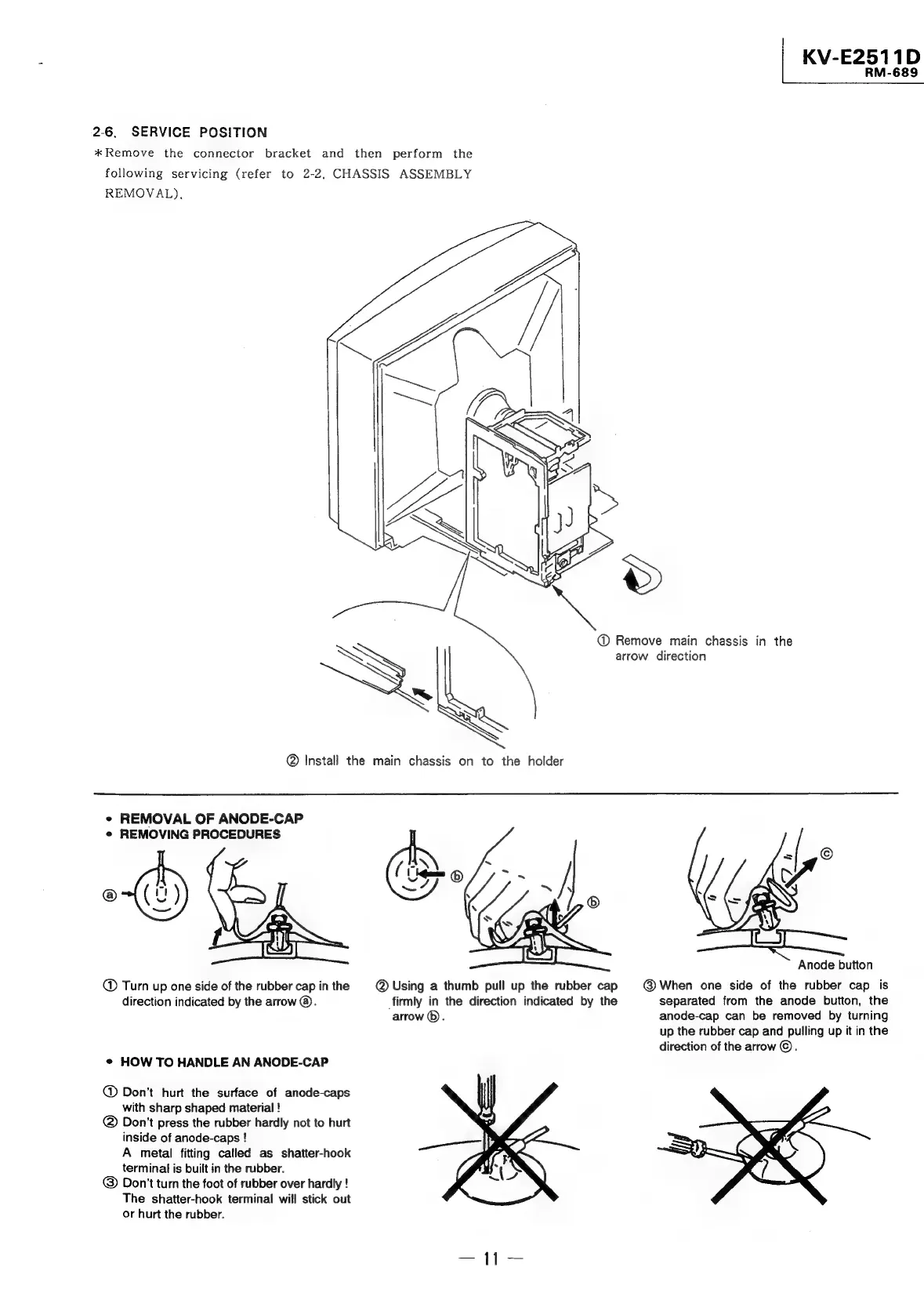
Sony TRINITRON KV-E2911D - Service Position

Sony TRINITRON KV-E2911D
56 pages
Print Icon
To Next Page IconTo Next Page
To Previous Page IconTo Previous Page
Loading...
|
KV-E2511D
RM-689
2-6.
SERVICE
POSITION
*
Remove
the
connector
bracket
and
then
perform
the
following
servicing
(refer
to
2-2,
CHASSIS
ASSEMBLY
REMOVAL),
@
Remove
main
chassis
in
the
arrow
direction
@
Install
the
main
chassis
on
to
the
holder
¢
REMOVAL
OF
ANODE-CAP
¢
REMOVING
PROCEDURES
|
f
Anode
button
Turn
up
one
side
of
the
rubber
cap
in
the
@
Using
a
thumb
pull
up
the
rubber
cap
@
When
one
side
of
the
rubber
cap
is
direction
indicated
by
the
arrow
@.
firmly
in
the
direction
indicated
by
the
separated
from
the
anode
button,
the
arrow
©).
anode-cap
can
be
removed
by
turning
up
the
rubber
cap
and
pulling
up
it
in
the
direction
of
the
arrow
©.
¢
HOW
TO
HANDLE
AN
ANODE-CAP
@
Don’t
hurt
the
surface
of
anode-caps
with
sharp
shaped
material
!
@
Don't
press
the
rubber
hardly
not
to
hurt
inside
of
anode-caps
!
A
metal
fitting
called
as
shatter-hook
terminal
is
built
in
the
rubber.
@
Don't
turn
the
foot
of
rubber
over
hardly
!
The
shatter-hook
terminal
will
stick
out
or
hurt
the
rubber.

Related product manuals