EasyManua.ls Logo

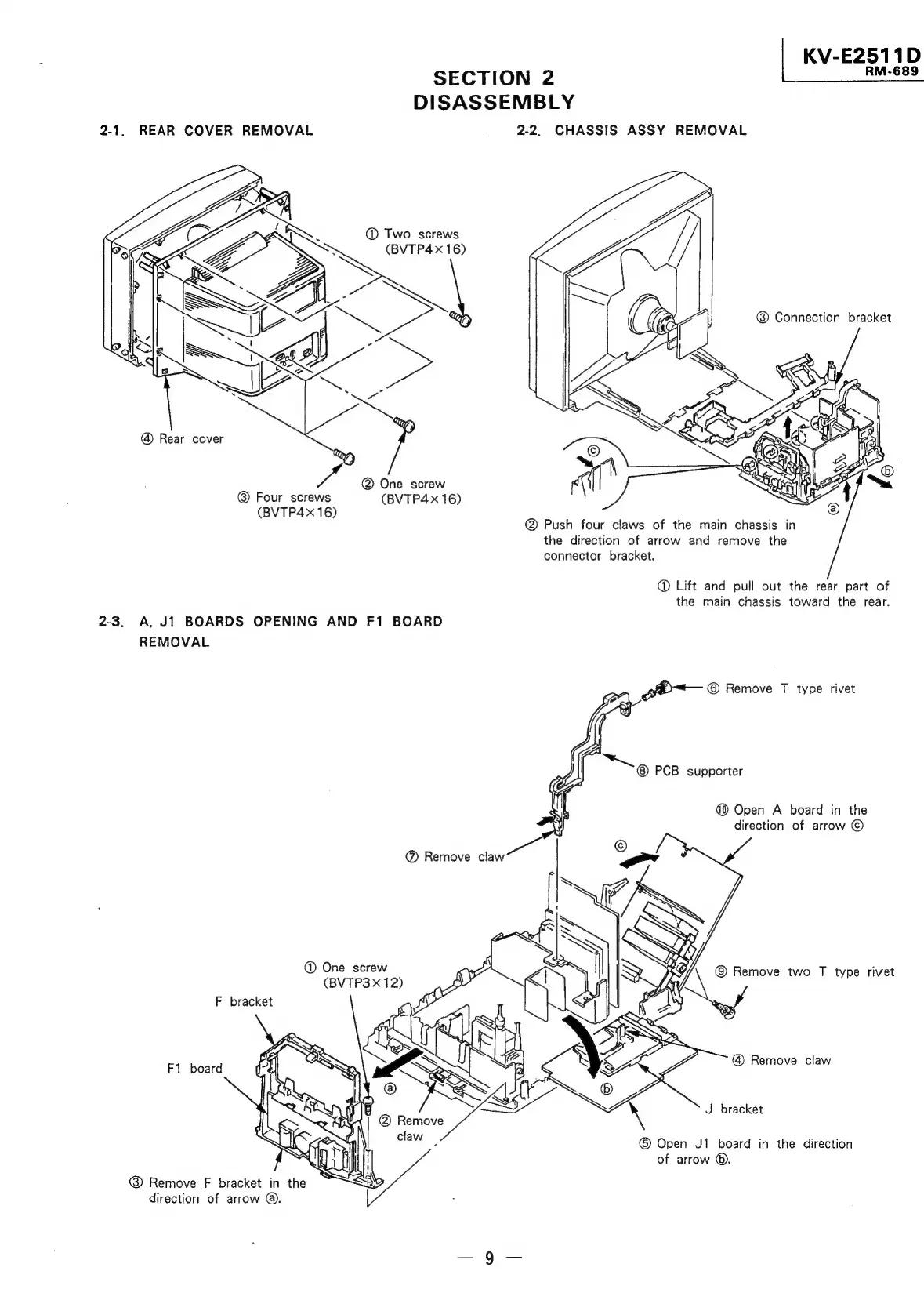
Sony TRINITRON KV-E2911D - Rear Cover Removal; Chassis Assy Removal

Sony TRINITRON KV-E2911D
56 pages
Print Icon
To Next Page IconTo Next Page
To Previous Page IconTo Previous Page
Loading...
|
KV-E2511D
SECTION
2
RMI
E?
DISASSEMBLY
2-1,
REAR
COVER
REMOVAL
_
2.2.
CHASSIS
ASSY
REMOVAL
@
Two
screws
Sy
(BVTP4x
16)
aw
@
Connection
bracket
@
Rear
cover
Four
screws
(BVTP4x
16)
(BVTP4x
16)
@
Push
four
claws
of
the
main
chassis
in
the
direction
of
arrow
and
remove
the
connector
bracket.
@
Lift
and
pull
out
the
rear
part
of
the
main
chassis
toward
the
rear.
2-3.
A,
J1
BOARDS
OPENING
AND
F1
BOARD
REMOVAL
5
gbh~—
©
Remove
T
type
rivet
PCB
supporter
@
Open
A
board
in
the
direction
of
arrow
©
@
One
screw
©
Remove
two
T
type
rivet
(BVTP3
x
12)
¢
F
bracket
F1
board
Remove
claw
J
bracket
®
Open
J1
board
in
the
direction
of
arrow
@.
Remove
F
bracket
in
the
direction
of
arrow
@.

Related product manuals